GPT Image 2.6
#2 in Image Generators
« Create images up to 50% faster, edit them while preserving characters and products, and then animate your visuals as GIFs for your campaigns and social media »

Verified Tool
Similar AI Tools
 Deevid AI Image
 Nano Banana 2
 Adobe Firefly 3


Updated on November 10, 2026
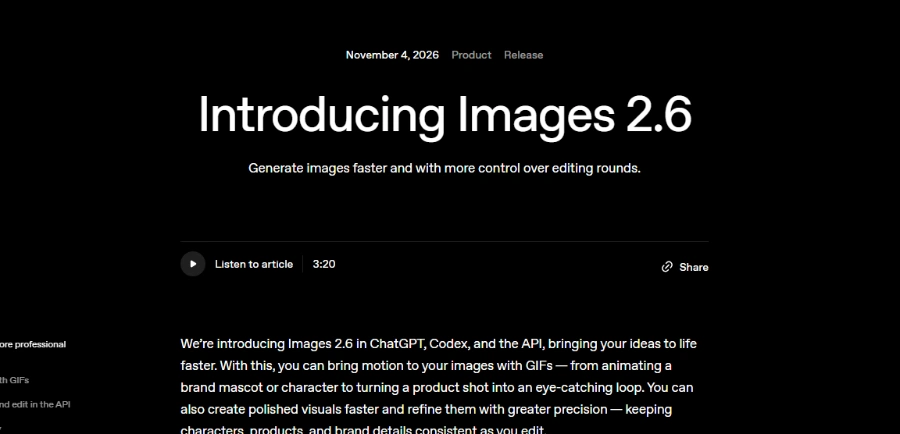
GPT Image 2.6 is OpenAI's image generation model deployed on November 4, 2026 inside ChatGPT, Codex and the API, available as two variants: Flare for speed and Sunburst for detail. According to OpenAI, the platform now produces 4 billion images per week. The update introduces animated GIF output, saved reference images, SVG export, markup-guided edits and a claimed 50% speed improvement. Every ChatGPT plan gets access, free tier included; API billing starts at $30 per million image output tokens.
GPT Image 2.6 produces a looping GIF straight from the chat window. Type a prompt, upload a sketch or drop in a product photo and ChatGPT returns an animation. Playback speed is adjustable after the fact, and each frame can be inspected or retouched individually. OpenAI publishes no duration, frame count or resolution for these GIFs, and the rollout is gradual.
Saved reference images solve the re-upload headache. Store a character, a pet or a product shot under a name, then call it back with an @mention in any later conversation. Sunburst in particular keeps facial features, outfits and brand details more consistent across successive edits.
On the API side, markup editing lets developers mark the exact zone to modify directly on the image instead of describing it in words. The complexity parameter (low, medium, high) controls scene richness without changing per-token cost. SVG export outputs a lightweight vector file ready for web or print.
Both models share the same API pricing and are equally available across every ChatGPT plan. The split is practical. Flare targets rapid iteration: thumbnails, campaign variants, A/B testing. Sunburst handles the polished final: detailed product shots, posters with precise text, and multi-turn character consistency.
According to OpenAI, Flare can return an image in as little as six seconds at low quality, and Images 2.6 generates about 50% faster overall than before. Sunburst runs slower, but setting complexity to low, which OpenAI recommends for most edits, reduces latency at no extra fee. One thing to know: per-token pricing is identical to ChatGPT Images 2.5, and no per-image price is published; OpenAI points to a cost calculator instead.
| Flare | Sunburst | |
|---|---|---|
| Best for | Quick drafts, posters, social variants | Final renders, sequential edits, polished GIFs |
| Stated time | As little as 6 s at low quality (per OpenAI) | Not disclosed |
| Animated GIFs | Yes | Yes |
| SVG, markup, complexity | Yes | Yes |
| API price (image output) | $30/M tokens | $30/M tokens |
In the text-to-image model landscape, GPT Image 2.6 competes with Nano Banana 2.1, Midjourney v8.2, Ideogram 4.5, Seedream 5.0, FLUX 3 Image and Recraft V4.1 in a market where gaps remain tight and shift fast. No independent leaderboard result has been verified for this release; its claimed strengths are native GIFs, saved references and the speed gains OpenAI reports.
Getting started in ChatGPT takes a single sentence describing the image or a photo upload. Developers call gpt-image-2.6-flare or gpt-image-2.6-sunburst through the Image API or Responses API, with documented Python and Ruby SDKs. API rates are listed on OpenAI's pricing page and may change; always check the official source for the latest figures.
Yes. Since the Images 2.6 update on November 4, 2026, ChatGPT generates a looping GIF from a text prompt or an uploaded photo. Playback speed is adjustable, and individual frames can be edited before export. The feature is rolling out progressively across ChatGPT and Codex on every subscription tier, free included.
OpenAI states that Images 2.6 is available in ChatGPT for all subscriptions, free tier included. Per-plan generation limits are not publicly documented. API access is pay-as-you-go: $30 per million image output tokens, $8 per million image input tokens and $5 per million text input tokens.
GPT Image 2.6 produces native GIFs and SVGs, supports markup-guided edits and splits into two speed/quality profiles (Flare and Sunburst). Google's Nano Banana 2.1 accepts up to 14 reference images and supports Google Search grounding (official Gemini API docs), with a reported price of about $0.0336 per 1K image according to The Decoder. Both target text-to-image and editing; no benchmark comparing the two has been verified, so the best pick depends on your workflow.
In ChatGPT (web, desktop, mobile), simply describe the image you want or upload a photo to edit. Developers call gpt-image-2.6-flare or gpt-image-2.6-sunburst through the Image API or Responses API, with the complexity parameter, markup-guided edits, SVG export and animated GIF output.
Verdict: Four billion images a week, native GIFs and a character that holds up across retouches: GPT Image 2.6 fits anyone already inside ChatGPT, from a social-media manager on a deadline to a developer wiring image calls into a product pipeline.

« An all-in-one creative platform that brings together more than 30 image and video models in a single interface. It includes camera controls that let you direct like a real filmmaker, characters that remain consistent from scene to scene, and ready-to-use tools for ads and short-form content »