Nano Banana Pro Review: Is Google’s “Thinking” Model the Future of AI Imagery?
Most AI image generators rely on luck. Nano Banana Pro relies on logic. We tested the new “Thinking” model to see if it delivers the control that content creators, designers, and business owners are looking for in their workflow.
🍌 Nano Banana Pro is Google DeepMind’s latest generative AI update. Unlike standard “slot machine” generators, it utilizes a “Thinking” model to provide 4K resolution, legitimate text rendering, and editing controls that let you edit without starting over.
What is Nano Banana Pro? (And Why Should You Care?)
For the last two years, the standard workflow for AI image generation has been inefficient:
- Type a prompt: Hit generate
- Hope: The AI doesn’t give a person six fingers or a store sign that reads “CJOFFEE” instead of “COFFEE.”
It has been a volume game, generating 50 images to find one usable asset.
The big promise of Nano Banana Pro isn’t just image quality – it’s control.
The goal is to let you edit a photo, change the lighting, or fix the text without hallucinations.
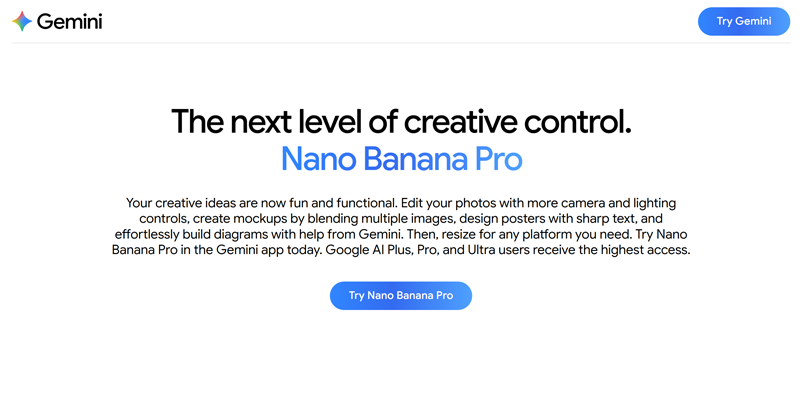
Screenshot from the official Gemini.google.com website
This review breaks down the capabilities, pricing, and practical applications of Nano Banana Pro to help you decide if it is the upgrade your workflow demands.
Core Features: What Nano Banana Pro Does
Use “Fast” (Nano Banana) for brainstorming and rough drafts. Switch to “Thinking” (Nano Banana Pro) for client deliverables and final versions.
The “Thinking” Model (Logic over Luck)
Standard AI models rush to render pixels. this model pauses to process the logic of your request. This “Thinking” phase reduces hallucinations.
Advanced Text Rendering
Historically, AI struggles with text. Pro version fixes this. You can now create posters, logos, and comic panels where the text is crisp, legible, and spelled correctly.
Advanced Editing Controls
Control is the ultimate currency in design. Nano Banana Pro offers granular control over elements that usually require a 3D rendering engine:
- Camera Angles: Shift the view from eye-level to bird’s-eye view.
- Lighting: Change the time of day or light source direction.
- Aspect Ratio: Instantly resize for Instagram (1:1) or YouTube (16:9).

Screenshot from aistudio.google.com website
Style Transfer & Consistency
Nano Banana Pro applies reference image textures, colors, or styles to new subjects. It maintains character consistency across scenes, which is essential for storytelling.
Nano Banana Pro Prompts: Moving Past Trial and Error
To get the most out of Nano Banana Pro, you cannot use lazy prompts. The “Thinking” model rewards specificity. We recommend the “Stacking Method” for the best results.
- The Base: <Create an image of> <subject> <action> <scene>
- The Physics: Describe the lighting and atmosphere.
- The Lens: Define the aspect ratio and artistic style.

Example Prompt:
"Generate an image of a vintage coffee shop. Subject: A barista pouring latte art. Action: Focus on the steam rising from the cup. Lighting: Moody evening light coming from a neon sign outside. Style: Cinematic realism, 35mm lens. Text: The neon sign should read 'OPEN LATE'."
➞ Pros & Cons: The Transparent Breakdown
Pros
- Text Accuracy: You can produce branded materials instead of placeholders you’ll need to fix.
- Reasoning Capabilities: Superior handling of complex prompts (diagrams, spatial relations).
- Safety First: The SynthID watermarking (both visible and invisible) makes this safe for corporate use.
- Ecosystem Integration: If you already use Google Workspace or Gemini, it’s right there. No new login needed.
Cons
- Speed: The “Thinking” model is slower than the “Fast” model.
- Tiered Access: The best features are locked behind the paid subscription.
- Learning Curve: Requires a basic understanding of photography concepts.
Watch « Nano Banana 2 » in action
Nano Banana Pro Pricing
Is Nano Banana Pro free? The answer is no, but there is a free entry point.
| Feature | Nano Banana (Free) | Nano Banana Pro (Paid) |
|---|---|---|
| Model Type | “Fast” Model | “Thinking” Model |
| Best Use Case | Casual, Moodboarding | Professional, Production |
| Resolution | Standard | Native 2K and 4K Resolution |
| Text Rendering | Basic | Advanced/Perfect |
| Editing Controls | Standard Filters | Precise (Light/Camera/Angle) |
| Availability | Standard Gemini App | Google AI Plus, Pro, Ultra |
Note on Limits: Once you reach your generation cap on the Pro subscription, the system automatically defaults you back to the “Fast” model until the cycle resets.
Nano Banana Pro Alternatives
Google’s image generator is powerful, but it is not the only player in high-quality AI image generation. Depending on your specific needs, a competitor might serve you better.
1. Seedream 4.5
- Best for: Hyper-realism.
- Verdict: If your only goal is making a human face look indistinguishable from a photograph, Seedream 4.5 currently holds the edge on texture realism. However, it lacks the text rendering capabilities of Nano Banana Pro.
2. Adobe Firefly 3
- Best for: Workflow integration.
- Verdict: For designers already living in Photoshop, Firefly’s “Generative Fill” is unbeatable for speed. But as a standalone creation tool, Google’s new image editing tool offers more granular control.
3. Qwen Image Edit
- Best for: Specific object editing.
- Verdict: Alibaba’s model is strong for editing text within images, but Nano Banana Pro provides better “World Knowledge” for creating complex scenes from scratch.
Frequently Asked Questions
Where do I find Nano Banana Pro?
Gemini app → 🍌 Create images” from tools menu → “Thinking” from model menu. Add a text prompt or upload an image to edit.
What happens at the usage limit?
Automatic switch to standard Nano Banana (Fast) until your limit resets.
Can I verify if an image used Google AI?
Upload any image to Gemini and ask. Verification uses embedded SynthID watermark technology.
Is Nano Banana Pro available everywhere?
Available in all languages and countries where Gemini operates.
Is the API free?
No, it is not free. To use the Nano Banana Pro API, you must configure an API key from the Google Studio AI platform. Please note that image generation is relatively affordable.
Our Verdict: Is Nano Banana Pro Worth It?
If you are a casual user who just wants to make funny pictures for a group chat, the free Nano Banana model is sufficient.
However, if you are a business owner, content creator, or designer, the answer is a definitive yes. The time you save by not having to Photoshop text, fix lighting, or regenerate an image 20 times to get the camera angle right can pay for the subscription in a single project.
Nano Banana Pro shifts the focus from “playing with AI” to “working with AI.” It provides the one thing professionals have been desperate for: Predictability.
Go to the Gemini app, select “Thinking” model, and try the prompt formula we shared above. See if the logic holds up.
 More sites like Nano Banana Pro in the category: #Image Generators
Text written by a human



 Copy Link