
Recraft
#125 in Image editing
« Easily create and modify vector images, icons and 3D illustrations using AI »
Similar AI Tools
 ChatGPT Image 2.5
  Nano Banana 2
  Adobe Firefly 3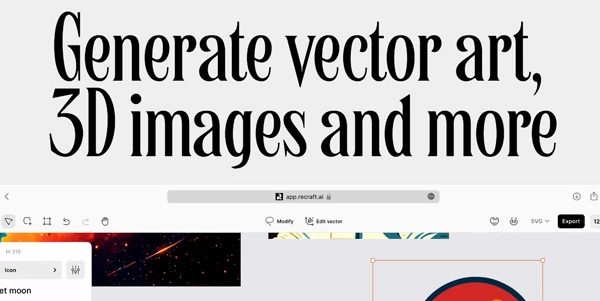


Updated on October 14, 2026
Recraft is an AI design platform that generates images, illustrations and layered SVG files on an infinite canvas. The London-based company, co-founded in 2022 by Anna Veronika Dorogush (co-creator of CatBoost), secured $42 million in total funding after a $30 million Series B led by Accel in May 2025. Every account gets 30 credits per day with no watermark, while paid tiers on the iOS App Store start around $12/month. French prompts and a French-language interface are both supported.
Recraft Studio runs in the browser, on iOS and on Android. You type a prompt, pick a style from roughly a thousand presets, and the image lands on the canvas. What sets the platform apart from Midjourney or Ideogram is the vector pipeline. SVG files come out with clean Bézier paths separated into layers, and since July 2026 you can edit anchor points directly in the studio without exporting.
The platform also aggregates third-party models for images (Nano Banana, GPT Image, Flux, Ideogram and more) and video (Seedance, Kling, Sora, Veo). Additional built-in tools include a vectorizer that converts PNG, JPG or WebP files into layered SVG, a background remover, an AI eraser, an upscaler and product mockup generation. Print-ready 300 DPI CMYK TIFF export is supported, which matters for packaging and editorial work.
The V4.1 model family, released on May 14, 2026, spans several tiers depending on resolution and speed. V4.1 Flash, launched on September 23, 2026, generates an image in roughly 1.3 seconds through the API at $0.007 per image, the lowest price in the catalog. It outputs raster only at 1K and does not support graphics defined by mathematical paths or reference images, but it is ideal for fast concept exploration.
Pro variants go up to 2K resolution, and Vector variants produce SVG output. The API charges prepaid units ($1 = 1,000 units) with no expiration, so nothing is billed until a generation runs. Integration-wise, Recraft connects to Figma, Framer, Google Docs, Google Slides, Chrome and, since July 2025, to the MCP protocol for AI agents.
| Variant | Resolution | SVG | API price / image |
|---|---|---|---|
| V4.1 standard | 1K raster | No | ~$0.035 |
| V4.1 Pro | 2K raster | No | $0.21 |
| V4.1 Vector | 1K vector | Yes | $0.08 |
| V4.1 Pro Vector | 2K vector | Yes | $0.30 |
| V4.1 Flash | 1K raster | No | $0.007 |
The free plan (30 credits refreshed every 24 hours) includes V4 models, full SVG export and the collaborative canvas. The trade-off is that free images belong to Recraft, remain public and carry no commercial license. Paid subscribers (Basic, Pro, Teams) gain full ownership, commercial rights and image privacy, even after cancellation.
On the iOS App Store, the Basic tier is listed at $11.99/month or $119.99/year, and the Pro tier at $20/month or $191.99/year. Top-up credit packs range from 200 credits for $2 to 1,600 credits for $16, and they never expire. Payment is processed through Stripe. Pricing may change over time, so the official page remains the definitive reference.
Partially. The free plan gives 30 credits every 24 hours, grants access to V4 models and allows full SVG export with no watermark. However, images generated on the free tier are owned by Recraft, remain publicly visible and cannot be used commercially. Upgrading to a paid plan transfers full ownership and commercial rights.
Open Recraft Studio, select a vector model (V4.1 Vector or V4.1 Pro Vector), enter a prompt and hit generate. The output is a layered SVG file with editable Bézier paths that you can recolor or reshape on the canvas. You can also convert an existing raster image into SVG using the built-in vectorizer, which costs $0.01 per image through the API.
On paid plans (Basic, Pro, Teams), you own the generated images outright and hold full commercial rights. Images stay private and those rights survive cancellation. On the free plan, Recraft retains ownership and the images are public, so commercial use is not permitted. The platform holds SOC 2 Type 2 certification for data security.
V3 launched in October 2024 and topped the Artificial Analysis benchmark at the time. V4 arrived on February 17, 2026 with four variants covering 1K, 2K, raster and vector outputs. V4.1 followed on May 14, 2026 with better short-prompt comprehension. V4.1 Flash, released September 23, 2026, brings generation time down to about 1.3 seconds per image at $0.007 via the API.
Verdict: Editable SVG layers straight from a text prompt, thirty daily credits and an API at $0.007 per image: designers, marketing teams and developers who routinely ship icons, logos or product mockups will find a pipeline here that skips the manual tracing step entirely.

« An all-in-one creative platform that brings together more than 30 image and video models in a single interface. It includes camera controls that let you direct like a real filmmaker, characters that remain consistent from scene to scene, and ready-to-use tools for ads and short-form content »



