
Adobe Express
#11 in Image editing
« Get free use of the popular generative AI powered by Adobe Firefly with this online graphics-editing tool »
Tool of the Week
Aug 14 – 20, 2023

Verified Tool
Similar AI Tools
 ChatGPT Image 2.5
  Nano Banana 2
  Adobe Firefly 3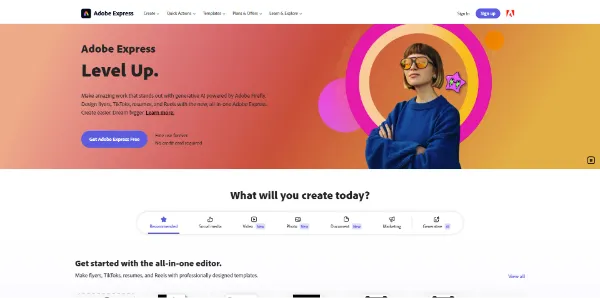


Updated on August 9, 2026
Adobe Express is Adobe's simplified design app: social posts, short videos, flyers, logos and PDFs all come together in the browser or on mobile. A descendant of Adobe Spark, it now ships with Firefly image generation and a chat-style AI Assistant in beta. The free plan costs nothing and never expires, with 25 monthly AI credits; Premium runs $9.99 per month or $99.99 a year, and comes bundled with most Creative Cloud subscriptions.
Adobe Express bundles photo retouching, light video editing, page layout and AI image generation into one drag-and-drop editor. Quick actions handle the usual chores in a single move: background removal, resizing a project for every social format, PDF conversion.
The AI Assistant, in beta on desktop, is the headline act. You type something like make this poster feel tropical, and it swaps the background, colors and fonts while leaving the rest of the layout alone. It works layer by layer, which matters far more than raw image generation ever did.
| AI feature | What you get | Access |
|---|---|---|
| Text to image (Firefly) | An illustration from a written prompt | AI credits, free plan included |
| Generative fill | Objects added or removed in a photo | AI credits |
| Text effects | Styled typography for titles and posters | AI credits |
| Background removal | One-move automatic cutout | Included |
| AI Assistant (beta) | Design creation and edits by conversation | Desktop, individual accounts |
Every comparison thread ends up at Canva, and each side keeps its strengths: a giant template catalog for Canva, Firefly plus direct links to Photoshop and Illustrator files for Adobe. Express plays the lightweight role within Adobe's AI software lineup: designers guard the master files, everyone else spins out the daily formats.
One announced project worth watching: Adobe confirmed an Adobe Express integration inside ChatGPT through OpenAI's apps API, so a design could be drafted without leaving the conversation.
The free plan requires no payment details and covers 5GB of storage, most templates and 25 monthly AI credits; some premium assets stay watermarked. Premium moves to $9.99 per month or $99.99 per year with 250 credits, 100GB, the social scheduler, brand kits and access to over 200 million Adobe Stock assets. Teams sits at $9.99 per seat, and Express Premium already rides along with most Creative Cloud plans (check yours before paying twice, it happens constantly). Adobe adjusts these figures at renewal periods, so treat the official pricing page as the final word.
A 30-day Premium trial exists too, which is the sensible way to test whether the 250-credit allowance matches your publishing pace.
Yes, Adobe Express has a permanent free plan with no credit card required: over 100,000 templates, basic editing, 5GB of storage and 25 AI credits per month. Some premium assets carry a watermark. Premium at $9.99 per month removes those limits and opens the full Adobe Stock library.
Both cover the same ground with different strengths. Adobe Express wins on Firefly generation, positioned as safe for commercial work, and on its bridges to Photoshop and Illustrator files. Canva keeps a larger template catalog. Anyone already paying for Creative Cloud will find Express fits their fonts, files and brand assets with zero friction.
Commercial use is allowed for content made in Adobe Express, Firefly-generated images included, as long as you follow Adobe's licensing terms; the company points to Firefly's training on licensed material as its safety argument. Beta-labeled features are the exception to double-check before delivering client work.
No, the AI Assistant beta is desktop-only for now, limited to individual free and Premium accounts; Teams, Enterprise and Education plans are not covered yet. It currently understands English, French, German, Japanese, Hindi and Brazilian Portuguese, and Adobe plans wider availability through the Firefly credit system once it leaves beta.
Verdict: Publishing every single day without a designer on call is what Adobe Express does best, and Photoshop stays one export away for the fine-grained work. Freelancers, marketing teams, teachers and existing Creative Cloud subscribers will get the most out of it.

« An all-in-one creative platform that brings together more than 30 image and video models in a single interface. It includes camera controls that let you direct like a real filmmaker, characters that remain consistent from scene to scene, and ready-to-use tools for ads and short-form content »



