
Framer AI
#4 in No Code/Low Code
« Create and publish a website instantly without coding. Customization and inspiration from free templates »
Tool of the Month
June 2023

Verified Tool
Similar AI Tools
 Hostinger AI Hub
  Lovable
  Emergent AI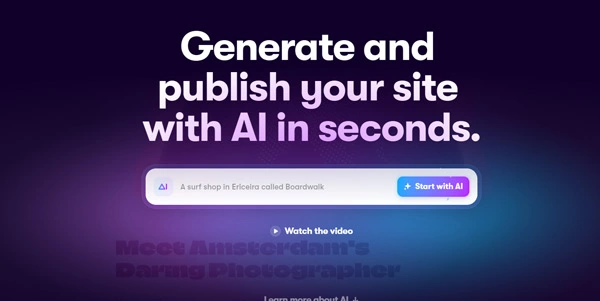


Updated on August 9, 2026
Framer AI is the generation engine inside the Framer website builder: describe a page in plain language and a responsive draft comes back, ready to edit on a Figma-style canvas. Paid plans with a custom domain start at $10 a month; designing itself costs nothing. Miro, Perplexity and Scale AI publish their sites with Framer, and the company's latest funding round raised $100 million at a $2 billion valuation.
Wireframer builds a structured, responsive page from a written prompt, complete with sections, navigation, typography and placeholder copy. You type 'homepage for a meditation app with pricing and FAQ', and a ready-to-edit draft appears within seconds.
Workshop goes further: describe an interactive component, a price calculator, a quiz or a multi-step form, and it writes the code, matched to your site's colors and fonts. Vector draws icons and animatable illustrations, while side-panel agents fix copy, SEO details and CMS entries on pages already live.
| AI feature | You ask for | You get |
|---|---|---|
| Wireframer | A page described in one sentence | Complete responsive draft, ready to edit |
| Workshop | An interactive component | Working code matched to your site's style |
| Vector | An icon or illustration | Animatable, exportable graphic |
| AI Translation | A target language | Whole site translated in seconds |
| Text Rewrite | A tone or instruction | Copy rewritten in your brand voice |
Framer began as a prototyping tool and grew into a complete publishing platform with a built-in CMS and hosting on a global CDN. The canvas feels close to Figma, with a gentler learning curve than many other no-code site builders such as Webflow or Bubble.
The results are visible across the web. Designers get scroll animations without writing a line, studios ship client sites in days rather than weeks, and founders put a validation page online the same evening. (The generated draft is a starting point; budget one polishing pass before sharing the link.)
You can design for free: the free plan covers 1,000 pages with hosting included, on a framer.app subdomain carrying a visible badge. A custom domain starts at $10 a month (Basic), then $30 (Pro, with a bigger CMS and a staging environment) and $100 (Scale), billed annually, with Enterprise quoted on request. Each extra editor seat runs $20 a month, and paid tiers come with monthly AI credits. These figures shift often, so treat Framer's own pricing page as the only reliable reference.
The interface ships in English only, but the localization feature translates an entire site in seconds, a real help for reaching visitors far beyond your home market.
Yes, the free plan lets you design and publish without paying, including 1,000 pages and hosting, though your site lives on a framer.app subdomain with Framer's badge. Custom domains and business capabilities sit in the paid tiers.
Framer is quicker to learn and its animations live right on the canvas, while Webflow keeps an edge for deeply relational content structures. For a marketing site, a portfolio or a polished landing page, Framer saves real time from day one.
Absolutely, imports work both ways and the canvas logic is close enough that the switch feels natural. Design Pages even let you design directly inside Framer, then convert the mockup into a publishable page with breakpoints and animations.
Not for a full catalog: Framer has no native e-commerce module. Integrations with third-party selling tools cover small shops, and marketing pages together with product pages remain its natural home turf.
Verdict: A live site the same day without touching code: that is the deal Framer holds up for designers, studios and image-conscious startups; for a large store, a third-party e-commerce layer completes the setup.

« An all-in-one creative platform that brings together more than 30 image and video models in a single interface. It includes camera controls that let you direct like a real filmmaker, characters that remain consistent from scene to scene, and ready-to-use tools for ads and short-form content »



