
Vector Magic
#91 in Image editing
« An AI that automatically vectorizes your images and transforms them into high-quality vector graphics. Convert your PNG, JPG, GIF images into SVG, PDF or EPS vectors »

Verified Tool
Similar AI Tools
 ChatGPT Image 2.5
  Nano Banana 2
  Adobe Firefly 3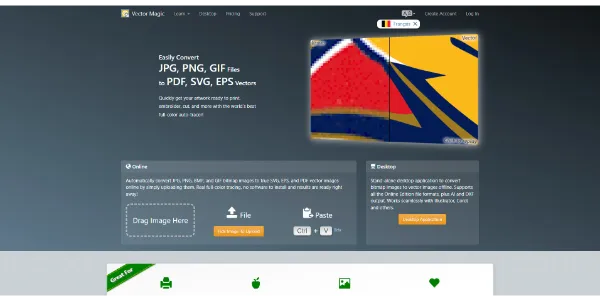


Updated on September 27, 2026
Vector Magic is an automatic vectorization tool that converts bitmap images (PNG, JPG) into clean vector files, with zero manual tracing. Previews cost nothing and have no cap; billing starts at download time, through a monthly online plan or a one-time Desktop license. Born at Stanford in the 2000s, it remains the name print shops and graphic designers mention first when a pixelated logo lands in the inbox.
Vector Magic reads your bitmap, picks its own settings and rebuilds the artwork as shapes that scale without loss. You drop in a PNG, the tool detects the image type, color count and detail level, then shows the vector side by side with the original. Nodes land where they should, so touch-ups afterwards stay minimal.
When the automatic pass gets something wrong, you take over. Segmentation editing fixes a pinched detail or a badly split color before export. The approach differs from SVG.io or Adobe Firefly, which build new artwork from a text prompt the way AI image generators do; Vector Magic restores what already exists.
Print professionals are Vector Magic's first audience. A client sends a 300-pixel JPG of their logo (the Monday morning classic) and it still has to go on fifty shirts. Thirty seconds later, the traced file is ready for production.
Each trade pulls a different output from it.
| Profile | Handy formats | Best edition |
|---|---|---|
| Graphic designer, agency | SVG, AI | Desktop |
| Print shop, sign maker | EPS, PDF | Online or Desktop |
| Embroidery workshop | EPS, SVG | Online or Desktop |
| Laser cutting, CNC | DXF | Desktop only |
| Online store owner | SVG, PDF | Online |
No free plan includes downloads, and that settles the vector magic free question. You can still upload, vectorize and inspect as many images as you like without spending a cent, both online and in the Desktop trial, where saving stays locked.
The Online Edition runs $9.95 per month, cancelable anytime, with unlimited use in the browser and EPS, SVG and PDF output. The Desktop Edition is a one-time $295 license for Windows and Mac, works offline, and adds AI and DXF export, batch processing and finer control over the trace. These figures match the official page at our last check; that page keeps the final word if anything shifts.
No, downloading vectorized files always requires payment. Previewing is free and unlimited, online and in the Desktop trial alike. To keep your SVG, EPS or PDF files, you take the Online Edition at $9.95 per month or the Desktop Edition at $295, paid once for a lifetime license.
The Online Edition suits occasional conversions in the browser, with EPS, SVG and PDF output. Desktop works offline, adds AI and DXF, batch processing, segmentation editing and two working modes, under a license paid once, which helps anyone vectorizing all year round.
SVG, EPS and PDF come out of both editions, while Desktop adds AI and DXF. Common bitmap inputs such as JPG, PNG, BMP and GIF are accepted. The resulting files open in Adobe Illustrator, CorelDRAW or Inkscape.
Both services follow the same model, free preview then a subscription to download. Vectorizer.ai leans on recent machine learning, Vector Magic on a long-proven tracing engine, and it holds one card its rival lacks, an offline Desktop app with a lifetime license.
Verdict: Rescuing a pixelated logo before print, embroidery or cutting is where Vector Magic keeps earning its keep; for brand-new vector art from a text prompt, a generator like SVG.io slots in nicely alongside it.

« An all-in-one creative platform that brings together more than 30 image and video models in a single interface. It includes camera controls that let you direct like a real filmmaker, characters that remain consistent from scene to scene, and ready-to-use tools for ads and short-form content »



