LanguageTool
#24 in Education / Studies
« A multilingual AI writing assistant to improve your texts. Correct grammar, spelling and style in over 30 languages with browser and desktop application extensions »
Similar AI Tools
 Perplexity AI
  Notion AI
  QuillBot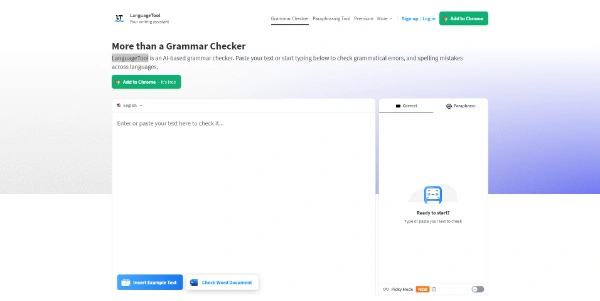


LanguageTool is an AI-powered grammar, spelling and style checker covering over 30 languages, from English and German to French and Spanish. A free tier handles everyday proofreading, with Premium adding the deeper style suggestions. The engine began as an open source project in Germany about two decades ago and over 2,000 companies, BMW among them, rely on it today.
LanguageTool runs as a browser extension for Chrome, Firefox, Safari and Edge, underlining mistakes directly in Gmail, LinkedIn or Google Docs. It spots the language on its own and even separates British from American English.
You type a sentence, errors light up, a small card explains the rule. Double-tap a word and synonyms pop up. For longer pieces, the online editor keeps a history of your checks (a free account is enough).
The correction engine has been built as open source software for roughly twenty years, a rarity among AI writing assistants. You can self-host it through Docker when texts must never leave the building, and the official add-on does not store what it checks.
On the corporate side, the German company joined US-based Learneo in April 2023, next to QuillBot, Course Hero and Scribbr. The deal is closed, and neither the brand nor the product changed course for subscribers.
The free plan checks spelling, grammar and punctuation with no time limit. Premium adds finer style suggestions, name and greeting checks in emails, and texts up to 150,000 characters, enough to proofread a thesis in one go. Students and teachers get up to 20% off. These figures come from the official help pages, and the pricing page at languagetool.org has the final word if anything shifts.
| Plan | Price | Worth knowing |
|---|---|---|
| Free | €0 | Base spelling, grammar and punctuation |
| Premium monthly | €19.90 per month | No commitment |
| Premium annual | €59.89 per year | Works out at €4.90 per month |
| Premium 2-year | €99.90 | €4.16 per month, the lowest rate |
| Teams | €56.90 per person per year | Up to 20 seats |
Yes. The free version checks spelling, grammar and punctuation in your browser and in the web editor, with a length cap per text. Deeper style suggestions, the full picky mode and very long documents require Premium, which comes with a 14-day money-back window if you change your mind.
They target different writers. Grammarly concentrates on English, while LanguageTool covers over 30 languages and costs less on its yearly plan. Add the open source engine and the self-hosting option, absent at Grammarly, and LanguageTool becomes the natural pick for anyone writing in several languages.
Self-hosting is fully supported. The open source engine installs locally or on a server, typically via Docker, so texts never leave your machine. Premium extras and the AI rephrasing stay tied to the hosted service, but grammar and spelling checks work offline once everything is set up.
According to the publisher, the browser add-on does not store checked texts. The service falls under the Learneo privacy policy since the 2023 acquisition, with GDPR applying to European customers. Passwords, unreleased contracts and other sensitive material are still better kept out of any cloud checker.
Verdict: Proofreading an English email, a Spanish post and a German report with a single tool is the pitch, and it holds up. Students, freelancers and multilingual teams get a discreet checker that respects both their budget and their data.