


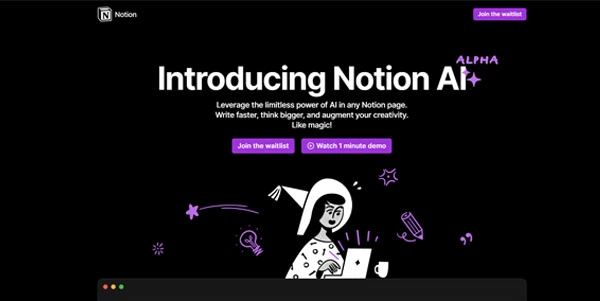

Notion AI: the workspace-aware assistant built for teams already inside Notion
Updated on November 15, 2026
Notion AI is the artificial intelligence layer built into Notion, the workspace that combines pages, tasks and databases. It draws on workspace content and connected apps like Slack, GitHub and Google Drive to answer questions, draft documents and automate recurring work. Full AI access requires a Business plan at $20 per member per month or Enterprise pricing; Free and Plus plans only include a limited trial. The interface is available in over twenty languages, including French.
- Meeting notes without a bot joining the call
- Custom agents triggered by schedule or event
- Enterprise search across connected apps (beta)
- Multi-provider model picker for each task
- Database autofill for properties
- Full AI locked behind the Business plan
- Limited value without a well-populated Notion workspace
- Credit system adds admin overhead for large teams
Agents, search and meeting notes inside the workspace
Notion AI operates directly within pages, databases and Notion Calendar. Three pillars define the product.
The Notion Agent handles multi-step tasks: drafting a status report, populating a database from a brief, or pulling data from Slack or GitHub. In Auto mode, Notion picks the right model for the job. Since October 2026, the agent has its own browser and can work on a task for up to 24 hours.
AI Meeting Notes transcribe and summarize calls without any bot joining the video conference. The /meeting block on a page or Notion Calendar is all it takes. On the desktop app, the transcript can label speakers, which works best in one-on-one calls.
Custom Agents and Workers
Custom Agents automate repetitive workflows (ticket triage, weekly reports, Slack responses) on a schedule or event trigger. One person builds them, the whole team benefits. Workers, still in beta, let agents run custom server-side code to connect external sources.
Enterprise Search and Research mode
Enterprise Search (beta) queries connected apps: Slack, Microsoft Teams, GitHub and, also in beta, Jira, Box, OneDrive, Salesforce and Asana. Research mode produces detailed reports by cross-referencing the workspace, connectors and the web. Both are available from the Business plan upward.
Notion AI pricing and credit system
The Business plan includes 1,500 Standard credits and 500 Select credits per seat each month. Standard credits cover tasks where Notion picks the model (Agent on Auto, meeting notes, database autofill). Select credits cover tasks where the member chooses a model, plus Custom Agents.
Beyond that monthly allowance, admins can enable Notion credits at $10 per 1,000 credits per month. Custom Agents draw from Select credits first, then fall back to workspace Notion credits if the admin allows it.
ChatGPT Plus or Pro subscribers gained a useful option in October 2026: they can connect their OpenAI subscription to cover AI usage in Notion at no extra Notion cost, on Business and Enterprise plans.
| Plan | Monthly price | AI access | Credits per seat per month |
|---|---|---|---|
| Free | $0 | Limited trial | None |
| Plus | $10 / member | Limited trial | None |
| Business | $20 / member | Full | 1,500 Standard + 500 Select |
| Enterprise | Custom | Full + zero retention | 1,500 Standard + 500 Select |
Notion quotes up to 20% savings on annual billing. Check the pricing page for the latest figures.
Data privacy, competitors and market position
Notion AI does not train on customer data unless explicitly opted in. Model providers retain data for 30 days on Free, Plus and Business; retention drops to zero on Enterprise, which also supports HIPAA compliance. Notion also lists SOC 2 Type 2 and ISO 27001 certifications.
Compared with general-purpose assistants like ChatGPT, Claude or Microsoft Copilot, Notion AI bets on workspace context: the AI knows pages, database properties and connected Slack messages. The trade-off is that standalone models remain stronger outside that perimeter. For dedicated enterprise search, Glean is a direct rival; for meeting transcription across more platforms, Fireflies.ai covers a wider range.
This approach fits a broader trend in knowledge management: embedding AI where documents already live, rather than copying them to a separate tool. Notion Labs, founded in San Francisco in 2013, reached an $11 billion valuation at an employee tender in January 2026.
Frequently asked questions
What is Notion AI?
Notion AI is the AI assistant built into the Notion workspace. It operates inside pages, tasks and databases, drawing on workspace content and connected apps. Key features include the Notion Agent for multi-step tasks, Custom Agents for automated recurring work, Enterprise Search across connected tools, and AI Meeting Notes with automatic transcription and summaries.
Is Notion AI free?
Only as a limited trial. Free and Plus plans give a small number of complimentary AI responses (the exact quota is not published). Full access, including the Agent, meeting notes and Enterprise Search, requires the Business plan at $20 per member per month or Enterprise on custom pricing.
How to use Notion AI?
Open any Notion page or press Shift + Cmd/Ctrl + J, even from the desktop outside the app. You can ask the agent a multi-step question, insert a /meeting block to transcribe a call, or add an autofill property to a database. On iPhone, Notion AI is also reachable through Siri, Spotlight and the Shortcuts app.
What AI models does Notion use?
Notion relies on external providers, including OpenAI and Anthropic, rather than a single in-house model. In Auto mode, Notion picks the model for each task using Standard credits. Members on Business or Enterprise can choose a specific model using Select credits, and workspace owners decide which providers are allowed. Notion does not train on customer data unless opted in; Enterprise plans have zero data retention with providers.
Verdict: Teams that already run their projects, docs and databases in Notion will see tangible time savings on meetings, task triage and internal search. Solo professionals on the Plus plan, however, may get more mileage from a standalone AI assistant paired with their existing workspace.
 More sites like Notion AI in the category: #Productivity
Text generated by AI



 Copy Link
« An all-in-one creative platform that brings together more than 30 image and video models in a single interface. It includes camera controls that let you direct like a real filmmaker, characters that remain consistent from scene to scene, and ready-to-use tools for ads and short-form content »
 90