
Design.com
#13 in Art
« Easily create logos, business cards, social networking banners or e-mail signatures with thousands of customizable templates. This premium platform features a host of AI tools dedicated to design »



Updated on September 18, 2026
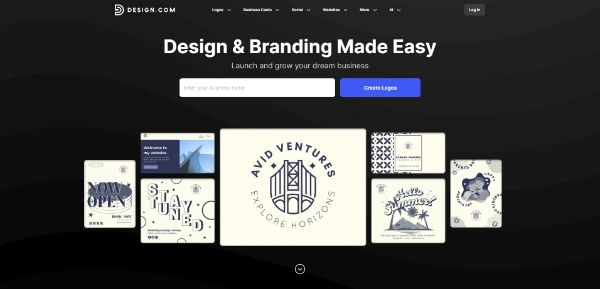
Design.com is an AI design platform built around a logo maker, extended with business cards, social media posts, flyers, presentations and a website builder. Creating and editing a logo costs nothing; a price tag only appears at checkout, since no public pricing page exists. Freelancers, small companies and nonprofits put together an entire brand there without touching design software, straight from a browser.
The Design.com logo maker generates candidates from your business name and a few keywords, then hands you an editor for colors, fonts and layout. Type a name, a grid of logos appears, two taps later the palette matches your brand. The AI logo generator grants a few free tries, while the template library itself can be browsed and edited without paying.
A batch of free logo templates downloads at no cost, high-resolution and vector files included. Among AI logo design tools, the company claims 451,000+ designer-made logos checked for copyright safety, where Shopify Logo Maker or Logo Maker Namecheap go fully free with far shorter catalogs.
Paid packs ship the finished logo in every standard format.
More than 50 tools surround the logo, from business cards to banners for every social network, plus flyers, posters, invitations, t-shirts, email signatures, QR codes, presentations, an image generator and a website builder.
The handy part comes next, since the 674,000 house templates pick up your logo and palette on their own. A matching business card takes two minutes, the LinkedIn banner follows. Canva stays broader for everyday graphics, while Design.com keeps everything pointed at a young brand, with business name and domain name generators thrown in (a lifesaver when your dream name is already taken).
No public pricing page exists on Design.com; the cost of a pack shows up at checkout, and add-ons can push the final bill higher than expected. The only official figures are the license prices, which happen to be the real subject for anyone buying a logo.
Every pack includes a Standard License, commercial and worldwide but non-exclusive, so the same design stays on sale for other customers. Two steps up, Buyout and Exclusive pull the logo from the catalog.
A caution for trademark plans, since Design.com does not guarantee trademark rights on non-exclusive licenses. The Exclusive License is the serious route there, with no registration guaranteed either. These figures were checked at the time of writing, and the checkout page always has the final word.
| License | Your rights | Listed price |
|---|---|---|
| Free | Use of a limited selection of templates | $0 |
| Standard | Worldwide commercial use, non-exclusive | Included in packs, amount shown at checkout |
| Buyout | Design removed from sale, past buyers keep their rights | $12/month, $36/year or $100 one-time |
| Exclusive | Full intellectual property of the design | $15/month, $60/year or $145 one-time |
Partly. Creating and customizing a logo is free, a selection of free logo templates downloads with high-resolution and vector files, and the AI generator allows a few free tries. Downloading a premium template or using the wider design toolkit requires a paid pack, with the amount only displayed at checkout.
No published price list exists; the amount appears when you pay and can climb with checkout add-ons. Subscriptions and one-time purchases both exist. The only official figures cover licenses, $100 one-time for the Buyout and $145 one-time for the Exclusive License, on top of the pack itself.
Three tiers stack up. Standard, included with every pack, covers worldwide commercial use but stays non-exclusive. Buyout removes the design from sale going forward, though earlier buyers keep their rights. Exclusive grants full intellectual property, but it is not available on every logo, so check before settling on a design.
Looka focuses on AI-generated brand kits with prices displayed upfront. Design.com starts from a hand-drawn, copyright-checked template library, covers more formats, from QR codes to a full website, and its Buyout and Exclusive licenses let you pull a design off the market, a real argument if your logo must stay yours alone.
Verdict: One afternoon is enough to walk away with a logo, matching cards and a live page, which makes Design.com a solid pick for freelancers, small companies and nonprofits; if a trademark filing is planned, simply add the Exclusive License to the budget.

« An all-in-one creative platform that brings together more than 30 image and video models in a single interface. It includes camera controls that let you direct like a real filmmaker, characters that remain consistent from scene to scene, and ready-to-use tools for ads and short-form content »



