Logo Maker Namecheap
#7 in Logo creation
« An online logo creator that generates designs in 5 minutes. Choose from thousands of fonts and icons, download your logo in PNG and SVG for free »

Verified Tool
Similar AI Tools
 Looka
Looka  Ideogram 3.0
  AI Logo by Fiverr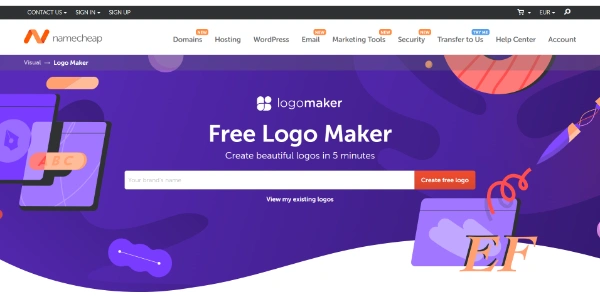


Logo Maker Namecheap is a free AI logo generator built by the domain registrar Namecheap. You answer a short questionnaire about your brand, the tool assembles over a hundred design candidates, and every file downloads as PNG and SVG with no watermark. The only requirement is a free Namecheap account at download time. Small businesses, side projects and YouTube channels are the obvious audience, since no design skills are involved.
Creating a logo on Namecheap starts with a questionnaire that takes a few minutes. You type your business name, pick your favorite font out of three across six rounds, settle on a color palette, add an optional slogan, then choose up to three icons from a large searchable library. The algorithm crunches those answers and lays out more than a hundred variations.
The icon search box deserves a special mention (type almost any word and dozens of symbols appear, keeping only three is the hard part). Each design then opens in an editor where you can adjust colors, layout and type, with previews showing the result on business cards and other marketing items.
| Step | What you decide |
|---|---|
| Name | Your brand name, plus an optional slogan |
| Fonts | Your favorite out of three, six times over |
| Colors | One dominant palette |
| Icons | Up to three symbols via search |
| Download | PNG and SVG files of the chosen design |
Every logo downloads at no cost as a PNG for the web and as an SVG, a vector graphics format that scales to any size without losing sharpness. No watermark, no generation cap, no fee at the finish line. That matters, because most free logo generators lock vector files behind their paid plans.
One roundup of free AI logo tools even ranked Namecheap ahead of Canva on that single criterion. The flip side is a fairly simple editor, and TechRadar noted a few odd color pairings among the generated designs. Nothing serious, you skip the weaker ones and keep going.
Logo Maker belongs to Visual, Namecheap's design toolbox that also includes Font Maker, Card Maker, Site Maker and a business name generator. A finished logo imports straight into Card Maker business cards or into the company's own website building tools.
Everything you make is stored in your Namecheap account, so the logo you generate today can be reopened, tweaked and downloaded again next year. Handy when a rebrand strikes without warning.
Yes, designing, customizing and downloading your logo in PNG and SVG costs nothing, with no watermark and no hidden fees. Namecheap only asks you to open a free account to save and grab the files. Generations are unlimited, so you can rerun the questionnaire as many times as you like.
Commercial use is the whole point of the tool, so yes. Trademarking is trickier, since the icons come from libraries with varying licenses and other brands can land on similar combinations. Before filing a trademark, a prior-use search and a quick review by a lawyer are sensible steps.
Free SVG files are its calling card, as most rivals keep vector downloads behind a paywall. One comparison guide ranked it ahead of Canva on that specific point. Services like LOGO.com or Looka push richer brand kits, at a price.
Saved designs sit in your free Namecheap account. Log in and open the View my existing logos link at the top of the Logo Maker page to edit or re-download any version. That makes refreshing an old logo months later painless, with no rebuilding from scratch.
Verdict: Freelancers, online shops and small teams walk away with a clean, print-ready logo without spending a cent; for a fully custom identity, the free SVG makes a solid starting file to hand over to a designer later.