
Browser Use
#4 in AI Agents
« A Python library that makes websites accessible to AI agents. Extract interactive elements from pages to enable virtual assistants to interact naturally with content »




Updated on August 7, 2026
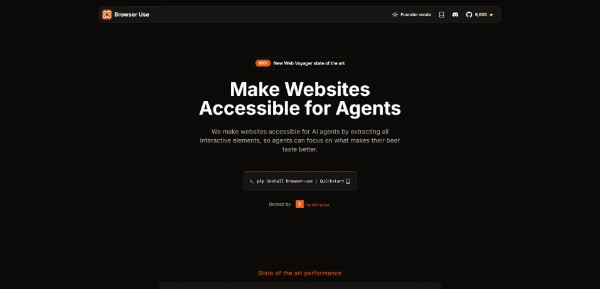
Browser Use is an open-source library that lets an AI agent drive a web browser the way a person does: it opens pages, types into forms and presses buttons until the job is done. The project began as a four-day prototype posted on Hacker News, then went through Y Combinator and raised $17 million in seed funding led by Felicis Ventures. Installing the library costs nothing, while a cloud version bills hosted runs by usage. Developers automating scraping, QA or repetitive data entry are the natural audience.
Browser Use scans a page for every element an agent can act on, buttons, fields and links, then feeds that inventory to the language model in a structured format. The model picks the next move, runs it through Playwright, checks the outcome and corrects course when a popup or a layout change gets in the way.
The quickest way to grasp it is a scenario. You type 'compare this headset's price across three shops and log everything in a table', then watch the agent open tabs and fill in its grid. Every session gets recorded (handy when the agent wanders off, since the action log tells you why).
Three routes lead to the same agent, and the split is clean. The Python library suits repeatable automation written into your codebase. The CLI hands browser control to an agent you already run, with Claude Code, Codex and Cursor at the top of the list. The cloud API hosts everything on remote browsers built for stealth and scale.
The numbers back it up: the framework posted an 89.1% success rate across the 586 tasks of the WebVoyager benchmark, and the repository has piled up tens of thousands of stars, rare air among AI projects hosted on GitHub. Founders Magnus Müller and Gregor Zunic also trained a house model, ChatBrowserUse, described as three to five times faster than general models on this kind of work.
| Access route | Typical job | What you write |
|---|---|---|
| Python library | Repeatable automation, scheduled scraping, QA | Versioned code |
| CLI | One-off tasks through Claude Code, Codex or Cursor | A plain-language instruction |
| Cloud API | Large-scale production with no servers to manage | API calls |
Money talk, then. The library is free: pip install browser-use, add a model API key, done. The cloud side runs without a mandatory subscription, starting with 10 free agent tasks per month, then pay-as-you-go pricing: browser sessions at $0.02 per hour, optional proxies, and credit plans from $29 per month. The API moves fast, so the official pricing page is the one reference worth trusting.
For heavy extraction jobs, especially web scraping of dynamic sites, the credit logic makes it easy to estimate cost per task before launching anything big.
Yes, the open-source library is completely free: you install it via pip and only pay for the tokens of whichever language model you pick. The cloud version adds a hosted layer with 10 free agent tasks each month, then usage-based billing. For a prototype or personal project, the total can stay at zero.
Playwright runs fixed scripts, written selector by selector, that break as soon as a site changes its structure. Browser Use actually builds on Playwright for the mechanics but hands decisions to a language model: the agent reads the page, picks the next action and recovers from surprises. The two complement each other rather than compete.
Not always: heavily defended sites, including some large e-commerce platforms, can detect and block automated browsers. The cloud version ships stealth browsers and proxies designed to reduce those blocks, though nothing is guaranteed. Before building a project around a locked-down site, run a small batch of test tasks first.
Verdict: Where a hand-written automation script snaps at the first site redesign, a Browser Use agent reads the fresh page and carries on: developers building scrapers, monitors or QA suites will save real hours, and anyone already running Claude Code or Cursor can hook it up with a single command.

« An all-in-one creative platform that brings together more than 30 image and video models in a single interface. It includes camera controls that let you direct like a real filmmaker, characters that remain consistent from scene to scene, and ready-to-use tools for ads and short-form content »



