
Cursor AI
#1 in Assistant Code
« An AI assistant that helps you create code, software and applications faster »
Similar AI Tools
 GitHub Copilot AI
  Replit AI
  Windsurf Editor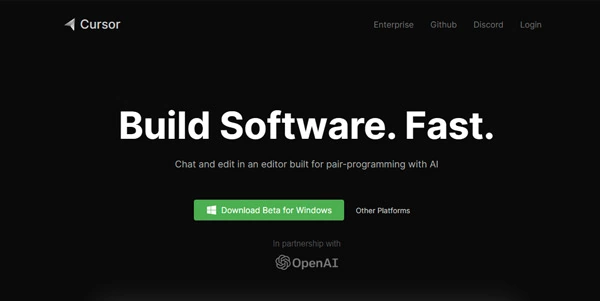


Updated on August 4, 2026
Cursor is an AI code editor developed by Anysphere as a fork of Visual Studio Code. Over a million developers open it daily, from solo coders to Fortune 500 teams. Its agent mode plans a feature, edits files across the repo, runs the tests and patches what breaks, and the in-house Composer model streams past 200 tokens a second. A free Hobby tier covers first steps; Pro costs $20 a month.
Cursor keeps the look, shortcuts and extensions of Visual Studio Code and wires AI into every layer: Tab completion, a chat aware of the whole repository, autonomous agents. Anysphere, the company behind it, started with seed money from the OpenAI Startup Fund and has since passed $2 billion in annualized revenue. The latest twist: SpaceX, which absorbed xAI earlier this year, announced in June 2026 a $60 billion all-stock deal to buy Anysphere — the largest startup acquisition on record, expected to close in the third quarter of 2026.
In practice, you type an instruction like 'add Google sign-in', the agent maps the repo, drafts a plan, writes the code and shows a diff for each file. Accept, reject, or drop back into the classic view and finish by hand. That habit of delegating whole tasks sets it apart among AI coding assistants.
Composer, the first model Anysphere trained itself, shipped with version 2.0 in late October 2025, already built to close a task in well under a minute. Version 3.0, released in April 2026, completed the shift: an Agents Window replaces the file-centric view and gathers local, cloud, Slack and GitHub jobs, across several repositories at once. Under the hood, Composer 2 handles a 200,000-token context while streaming past 200 tokens a second, and a next-generation Composer 3, trained on SpaceX's Colossus supercomputer, was announced in June 2026.
The architecture brings enough machinery to keep a whole team busy:
Six tiers make up the price list: a free Hobby plan, Pro at $20, Pro+ at $60, Ultra at $200 a month, Teams at $40 per seat and custom-priced Enterprise. Each paid plan includes a monthly credit pool equal to its price, drained faster or slower depending on the model you call and the size of the request (the switch to credits caused real grumbling on Reddit, worth knowing before you commit). Annual billing shaves roughly 20% off.
Cursor adjusts this grid often enough that a quick pass through cursor.com/pricing before subscribing is the safest move.
| Plan | Price | What you get |
|---|---|---|
| Hobby | $0 | Limited completions and agent requests, one-week Pro trial |
| Pro | $20/mo | $20 monthly credit pool, frontier models, cloud agents |
| Pro+ | $60/mo | Three times the Pro credits |
| Ultra | $200/mo | Twenty times the credits, early access to new features |
| Teams | $40/seat/mo | Centralized billing, SSO, enforced Privacy Mode |
Yes, the Hobby plan is free with no credit card, including roughly 2,000 completions and a limited batch of agent requests per month, plus a one-week Pro trial for new accounts. Daily coders tend to hit that ceiling quickly, which is why Pro at $20 is the usual starting point.
They solve different problems: Copilot plugs into your existing editor from $10 a month, while Cursor is a full environment built around agents, multi-file edits and model choice. For handing off entire tasks instead of completing lines, Cursor carries the stronger toolkit.
Privacy Mode means zero data retention: your code is neither stored by Cursor nor used for training, with matching agreements at the model providers. The editor is SOC 2 certified, and Teams and Enterprise plans enforce the mode by default. Keep secret files out of reach anyway, since agents read whatever the repo contains.
For some models, yes: a personal OpenAI or Anthropic key bypasses the included credit pool. Requests still pass through Cursor's backend, where the final prompt gets assembled. Heavy consumers who prefer paying inference at cost are the ones this option suits best.
Verdict: A whole feature handed to an agent, then a diff to review: that shift is what Cursor sells. Professional developers who ship daily will earn back the Pro plan within a week, while students and side-project tinkerers can settle in comfortably on the free tier.

« An all-in-one creative platform that brings together more than 30 image and video models in a single interface. It includes camera controls that let you direct like a real filmmaker, characters that remain consistent from scene to scene, and ready-to-use tools for ads and short-form content »



