
Luma AI
#26 in 3D model
« Capture reality and transform it in an amazing 3D way »
Similar AI Tools
 Leonardo AI
  Meta SAM 3D
  Genie by Lumalabs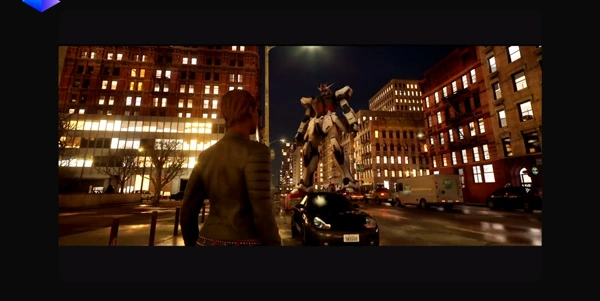


Updated on September 8, 2026
Luma AI is the Californian lab behind Dream Machine, an AI video generator that produces cinematic clips from a text prompt or a single image. Its in-house engines are called Ray, a model family known for native HDR output. A free plan exists, watermarked, while paid tiers begin at $30 per month with roughly 20% off on annual billing. You can run it in the browser or through the iOS app, with prompts accepted in plain everyday language.
Dream Machine is Luma AI's video platform, powered by the Ray models. The Ray3.14 release from January 2026 generates shots of around ten seconds in native 1080p, with 16-bit HDR, EXR export for post-production and 4K upscaling on top.
Draft Mode speeds up exploration before a final render, first and last frames can be pinned for clean transitions, and one reference photo keeps a character consistent across shots. Adobe even wired the Ray models into Firefly, a strong hint that advertising and film people are paying attention.
In practice, you type a sentence, drop in a starting image, and a camera move comes back a few minutes later, ready for your edit.
Before video, there was 3D. Luma AI first made its name capturing real objects on iPhone through Neural Radiance Fields (NeRF), then switched course in 2024 with Dream Machine. Genie, its text-to-3D generator, disappeared from the site in early 2026, while the Luma 3D Capture app can still be downloaded on iOS and Android.
The company now bets on Luma Agents, which let you call Veo, Kling AI, Seedance or ElevenLabs voices from one Luma subscription, a real edge over the many text-to-video generators that only serve their own model.
| Product | Role | Status |
|---|---|---|
| Dream Machine | Video and image generation | Flagship product |
| Ray models | In-house video engines, HDR and Draft Mode | Actively developed |
| Luma 3D Capture | 3D scanning from a smartphone | Still downloadable |
| Genie | 3D objects generated from text | Retired in early 2026 |
The free plan of Luma AI is limited to draft-quality renders, watermarked and restricted to personal use. Paid tiers listed on lumalabs.ai run from $30 per month for Plus to $90 for Pro and $300 for Ultra, with close to 20% off when billed yearly. Every paid tier removes the watermark and includes commercial rights.
Money talk, then. One tip worth pocketing (your bank statement will thank you), subscribe from a browser rather than the App Store, where each tier costs 25 to 30% more. Against Runway, Luma sits in a similar price bracket. These numbers move fast, so treat the official pricing page as the only source that counts at checkout.
Yes, a free plan lets you try Dream Machine, but renders stay at draft quality, carry a watermark and exclude commercial rights. Lifting those limits requires a paid tier, from $30 per month, cheaper on annual billing. How many clips you get depends on a credit system that meters each generation.
Luma AI is the company, a lab founded in California that started in 3D capture, while Dream Machine is its video and image generation platform. The models under the hood are called Ray. The official address is lumalabs.ai, often shortened to luma.ai in searches, and the mobile app carries the Dream Machine name.
Kling AI, built by Kuaishou, generates native audio and longer clips, while Luma leans on HDR, Draft Mode and EXR export for post-production. Handy detail, Luma Agents can call Kling models from inside Luma's own workspace, so you can compare both outputs without juggling two separate subscriptions.
Only with a paid subscription. Plus, Pro and Ultra all include commercial usage rights and remove the watermark, whereas the free plan keeps renders strictly personal. For stronger intellectual property guarantees, an Enterprise agreement can be arranged directly with Luma's sales team, including custom commitments for studios.
Verdict: Storyboarding an ad, animating a product photo or pushing an HDR shot into a real post-production pipeline is where Luma AI earns its keep. Filmmakers, agencies and marketing teams living off short video will feel at home, and the free plan is plenty to judge what the Ray models can do.

« An all-in-one creative platform that brings together more than 30 image and video models in a single interface. It includes camera controls that let you direct like a real filmmaker, characters that remain consistent from scene to scene, and ready-to-use tools for ads and short-form content »



