
Pinokio
#41 in AI Useful
« Install a large number of AIs on your local PC in just one click: Stable Diffusion, Llama 2, AudioLDM 2, LDM 3D, Audiocraft, ComfyUI, etc. »
 Notion AI
  Deepl
Deepl  Anychat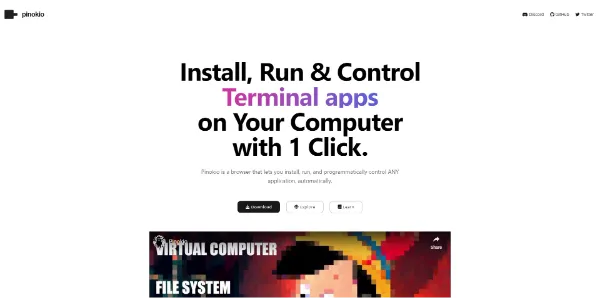


Updated on August 8, 2026
Pinokio is an AI app browser: it installs, launches and automates open source tools (image, voice, video, language models) right on your computer, with zero command line involved. The software is free under the MIT license and runs on Windows, macOS and Linux. An anonymous developer known as cocktailpeanut has steered the project since 2023, and it has become a fixture of the local AI scene. Your files never leave your machine, provided your graphics card can keep up.
Pinokio automates the full install chain of an open source AI app: cloning the repository, building an isolated Python environment, picking the PyTorch build that matches your graphics card, pulling model weights from Hugging Face. You browse the Discover tab, hit Install, and a few minutes later ComfyUI or Fooocus opens like any ordinary website.
Everything lives in one isolated folder, ~/pinokio by default. Nothing else on your system gets touched, and deleting that folder removes the lot (models weigh a ton, your hard drive will thank you for remembering). A few regulars from the catalog:
Version 8 turned Pinokio into a home server: apps installed on your GPU tower become reachable from a laptop or tablet on the same local network, remote installs included.
Monitoring followed along. The process monitor shows RAM, CPU and VRAM app by app, handy for spotting which one is hogging the graphics card. An Ask AI sidebar answers questions about your apps through opencode, while a beta shield called Bluefairy blocks packages published less than 72 hours ago to fend off supply chain attacks.
Pinokio costs nothing and no paid tier exists: hardware is the only entry ticket. Plan on at least 6 GB of VRAM for comfortable image generation and closer to 12 GB for video, with NVIDIA cards remaining the safest bet.
On the caution side, keep to scripts from the official catalog or from authors you can identify: a Pinokio launcher is still code executed on your machine. Budget-wise, breathe easy: the catalog lines up subscription-free stand-ins for paid services, very much in the spirit of free AI apps that never send an invoice.
| What you fancy | Install through Pinokio | Suggested hardware |
|---|---|---|
| Generating images | Fooocus, Forge, ComfyUI | NVIDIA GPU, 6 GB of VRAM minimum |
| Producing video | ComfyUI and its video models | 12 GB of VRAM or above |
| Chatting with a local LLM | Ollama, Open WebUI | Depends on the model size |
| Transcribing or voice generation | Whisper WebUI, E2-F5-TTS | Low VRAM variants exist |
Yes, Pinokio is entirely free and open source under the MIT license, with no paid edition or hidden fees. The apps in its catalog are open source projects as well. Your only real costs are hardware and electricity, since the computing happens on your own machine rather than in a provider's cloud.
The software itself is open source with its code public on GitHub, which limits nasty surprises. The real caution point lies in the third-party scripts it executes: stay within the official catalog and known authors. An optional beta protection also blocks packages published less than 72 hours ago to counter supply chain attacks.
They play on different fields: Ollama focuses on local language models, while Pinokio also covers image, video, voice and music with ready-made graphical interfaces. Nothing forces a choice either way, since Pinokio can set up Ollama and Open WebUI for you in a few minutes.
Once an app and its models are downloaded, it runs without a connection, since all the computing happens on your hardware. Internet only becomes useful again for installing new apps, updating, or for tools that call a remote API. That makes it a solid pick for confidential documents.
Verdict: Tinkering with Stable Diffusion on a rainy Sunday without touching Python is where Pinokio shines. Local AI hobbyists, graphic designers and developers with a capable GPU will find it a serious shortcut into the whole open source catalog.

« An all-in-one creative platform that brings together more than 30 image and video models in a single interface. It includes camera controls that let you direct like a real filmmaker, characters that remain consistent from scene to scene, and ready-to-use tools for ads and short-form content »



