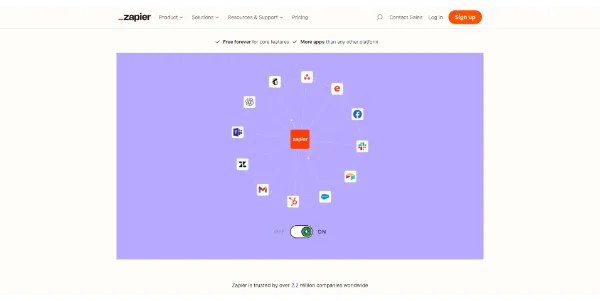

Zapier Review: The Ultimate AI Automation Tool?
Zapier is a giant in the productivity space. If you’re like most people, repetitive tasks eat up hours every day. Copy-paste data here, move files there, it gets exhausting fast. But here’s the good news: this platform connects your favorite apps and handles the busywork for you.
So, is Zapier right for your workflow? Let’s break down its features, pricing, and real benefits. By the end, you’ll know exactly how it can save you time.
➥ What Is Zapier Exactly?
Think of Zapier as a digital bridge between your apps. It links different web tools together, no coding required. You create automated workflows called “Zaps.” A specific event triggers a Zap. Then, the system performs an action automatically.
Recently, Zapier added powerful AI capabilities too. Now you can draft emails or analyze data with simple prompts. It’s like an invisible assistant. The software runs in the background while you focus on the big picture.
➥ Main Features of Zapier AI
This platform packs a serious punch. It supports over 8,000 applications. That’s a huge library! Your current tech stack? It’s almost certainly covered.
Here are the core tools that make this automation engine tick:
- Multi-step Zaps: Trigger several actions from a single event.
- Filters and Paths: Add logic to your workflows easily.
- AI Actions: Connect Large Language Models to your apps.
- Formatter: Tweak data formats automatically between apps.
How Zapier Automation Works
The process is refreshingly simple. First, you select a “Trigger” app. For example, a new lead arrives in Facebook Ads. Next, you choose an “Action” app. The system sends that lead to Google Sheets.
No engineering degree required here. The visual editor walks you through each step. It tests the connection right away. Your workflow runs smoothly from day one.
➥ Comparison: Manual Work vs. Zapier
Want to see the time savings in action? Check out this side-by-side comparison:
| Task Type | Manual Process | With Zapier Automation |
|---|---|---|
| Data Entry | Slow and error-prone copy-pasting. | Instant and 100% accurate transfer. |
| Lead Response | Hours of delay before replying. | Immediate personalized email sent. |
| Social Posting | Log into multiple accounts. | One action distributes to all channels. |
➥ Why Zapier Boosts Productivity
Reliability is this platform’s secret weapon. It runs twenty-four hours a day. You never miss a lead or notification. The system handles activity spikes without breaking a sweat. It scales perfectly as your business grows.
On top of that, the AI integration adds a layer of intelligence. You can summarize long Slack messages automatically. The tool can also categorize support tickets by sentiment. How much mental energy would that save you?
➥ Who Should Use Zapier?
This tool fits a wide range of professionals. Marketing teams benefit massively. They automate lead capture and nurturing sequences. The result? Higher conversion rates.
Freelancers and small business owners love it too. It acts as a budget-friendly virtual employee. Administrative overhead drops dramatically. Meanwhile, project managers use it to sync tasks between Trello and Asana.
➥ Understanding the Zapier Pricing Model
Zapier follows a “Freemium” model. You can start without paying a cent. The free plan covers basic two-step Zaps. However, it limits you to 100 tasks per month.
Key Plan Features
- Free Plan: 100 tasks monthly, two-step Zaps only.
- Paid Plans: Multi-step Zaps and premium app connections.
- All Plans: Unlimited Zaps, create as many as you want.
- Enterprise: High-volume options for larger teams.
Good news: Filter, Formatter, and Paths steps don’t count toward your task usage. That makes complex workflows more cost-effective.
➥ Final Verdict
Zapier remains the leader in no-code automation. It simplifies complex digital workflows beautifully. The AI features make it even more powerful. Many people report gaining hours of free time each week.
The interface works well for beginners. Yet, it has enough depth for experts too. Ready to stop doing robotic tasks manually? Give it a try, you might be surprised.
➥ Frequently Asked Questions
Is Zapier difficult to learn?
Not at all. The interface is beginner-friendly. You select apps from a list. The system guides you with visual prompts. Most people build a workflow in minutes.
Does Zapier work with my apps?
Most likely, yes. The library contains over 8,000 applications. It connects with Google, Microsoft, Slack, and countless niche tools.
Is the free version of Zapier enough?
The free plan works for simple automation. It handles 100 tasks per month. If you want complex logic or higher volume, an upgrade is necessary.
Is my data safe with this app?
Security is a top priority for Zapier. They use bank-level encryption. Your data stays protected during transfers between applications.
 More sites like Zapier in the category: #Automation
Text written by a human



 Copy Link
« An all-in-one creative platform that brings together more than 30 image and video models in a single interface. It includes camera controls that let you direct like a real filmmaker, characters that remain consistent from scene to scene, and ready-to-use tools for ads and short-form content »
 90
90