
Whimsical
#181 in Productivity
« A collaborative AI tool that helps you organise your ideas and automatically create Mindmap-style visuals »
 ChatGPT
  ClickUp
  Gamma App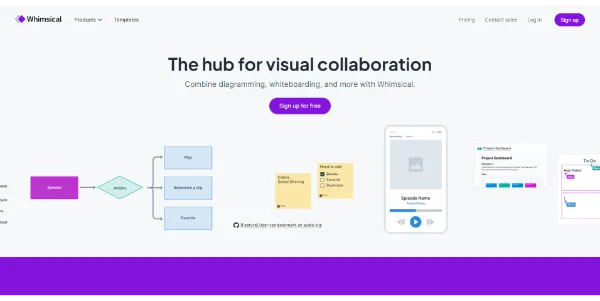


Updated on September 8, 2026
Whimsical is a visual workspace where AI generates flowcharts, mind maps and wireframes from a short written description. Everything runs in the browser, with nothing to install. Product managers, UX designers and students sketch processes there without opening a heavy design suite, and the free plan covers light solo work. Pro runs $10 per editor per month on annual billing.
Whimsical's AI builds a flowchart, a mind map or a sequence diagram from plain-language text. You type « signup flow with email verification », and the boxes land connected, aligned and colored. Smart connectors and auto-layout handle the rest, so the result is shareable without touch-ups.
The same workspace holds several modules that feed each other. A mind map hosts the brainstorm, wireframes cover low-fidelity screens, and docs carry specs with diagrams embedded between paragraphs.
| Module | What you do there | Typical profile |
|---|---|---|
| Flowcharts | Processes, journeys, logic charts | Product managers, developers |
| Mind maps | Brainstorms, thesis or course outlines | Students, trainers |
| Wireframes | Low-fidelity screen mockups | UX designers |
| Docs | Specs with embedded diagrams | Teams writing documentation |
Real-time collaboration shows every participant's cursor plus comment threads pinned right on the diagram, with viewer seats free and unlimited. On Reddit, engineers report architecture diagrams that look polished even though they never touched a styling setting.
And the rivals? Miro lines up over 150 integrations and targets large remote workshops, while Whimsical bets on speed and instant pick-up. For editorial graphics, Napkin AI plays a different game, and Gamma takes over when a slide deck is due.
Students lean on it too, mapping a thesis into a mind map before writing a single line, a habit shared across AI study tools.
Three plans sit on the menu. The Free plan allows unlimited boards, docs and teams but caps creation at 50 board objects and 50 doc blocks per month, stamps a watermark on exports, keeps 7 days of version history and grants only 10 AI credits per editor as a lifetime total (that counter never refills, worth knowing before you burn it on experiments). Pro moves to $12 per editor per month, or $10 on annual billing, with unlimited objects and blocks, watermark-free exports and 90 days of version history.
The Business tier climbs to $24 per month, or $20 on annual billing, and adds SAML SSO, private teams and unlimited version history for larger companies. Prices shift over time, so whimsical.com keeps the final say.
Yes, the Free plan costs nothing and opens every module with unlimited boards and docs, but caps creation at 50 board objects and 50 doc blocks per month, adds a watermark to exports and grants 10 AI credits per editor in total. Viewers and guests remain unlimited on all plans. Pro, at $10 per editor per month billed annually, removes those ceilings.
They overlap, but the temperament differs. Whimsical favors speed and a clean look by default, while Miro lines up 150+ integrations and features built for large organizations. With comparable entry pricing, the size of your workshops and your taste for simplicity settle the debate.
That is its specialty. One sentence describing a process returns a flowchart or mind map already laid out, and the AI can also expand an existing map or rewrite a wireframe. Every request spends one AI credit, and the Free plan only grants 10 per editor in total, enough to get a feel for it before moving to Pro.
Partly. The interface only exists in English, yet the AI understands prompts written in French and other languages, and the content of your diagrams and docs can be in any language.
Verdict: Ten minutes separate a scribbled idea from a shareable diagram. Crowded workshops may still call for a giant whiteboard on the side, but day to day, product managers, UX designers, trainers and students walk away with clean diagrams and zero formatting time.

« An all-in-one creative platform that brings together more than 30 image and video models in a single interface. It includes camera controls that let you direct like a real filmmaker, characters that remain consistent from scene to scene, and ready-to-use tools for ads and short-form content »



