
Gamma App Review: A Smarter Way to Build Slides
Let’s be honest for a second. We all know the struggle of standard presentation tools. You move a text box slightly to the left. Suddenly, the entire layout breaks. It feels tedious. It drains your mental energy. Well, Gamma App aims to fix that specific pain point.
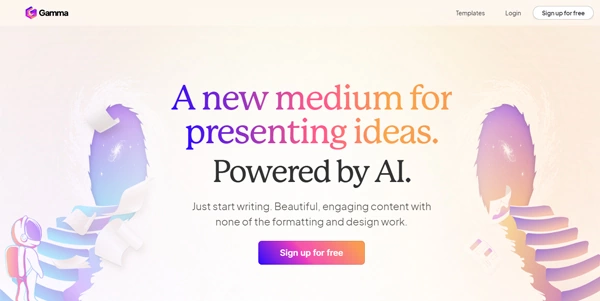
This tool uses artificial intelligence to generate beautiful content in seconds. You simply provide a topic or upload notes. Then, the software manages the formatting, design, and layout work. You act as the editor, not the designer. Imagine having a pro designer sitting right next to you. Sounds nice, right?
➥ What Exactly is Gamma App?
Think of Gamma as a web-based design workspace. It blends the structure of a document with the visual appeal of a presentation. The team behind it calls this format a “memo.” It breaks away from the rigid size constraints of standard slides. You can write as much as you wish.
The core engine relies on smart language models. You type a prompt, and the system builds a full deck. It writes headlines, picks images, and organizes bullet points. You retain full control to edit anything afterward. The process feels fluid and surprisingly intuitive.
➥ Key Features That Save You Time
This platform packs several tools to speed up your workflow. Here are the standout capabilities to look for.
Instant AI Generation
You start with a simple text prompt. For example, type “Marketing strategy for a coffee shop.” The software instantly creates a structural outline. You approve it, and the AI fills in the gaps. It writes distinct paragraphs and selects relevant stock photos. The whole task takes less than a minute.
Flexible “Card” Format
Standard slides often force you to cut text to fit the screen. Gamma uses flexible cards instead. These cards expand to fit your content automatically. You can combine text, video, and images without breaking the layout. Consequently, your message remains clear.
One-Click Styling
Design often consumes the most time in presentation work. This tool separates content from style. You can switch the entire visual theme with a single button press. The fonts, colors, and backgrounds update instantly. You never have to adjust individual elements manually again.
➥ Comparison: Old Methods vs. Gamma App
Curious about how much time you might save? See how the workload shifts below.
| Feature | Traditional Software | Gamma App |
|---|---|---|
| Formatting | Manual pixel adjustments | Automatic AI layout |
| Content Creation | You write everything | AI generates drafts |
| Responsiveness | Fixed slide size | Fluid card adaptation |
| Media Support | Static images mostly | Interactive web embeds |
➥ Why You Should Choose Gamma App
The primary benefit involves speed. You skip the blank canvas paralysis completely. Instead, you get a working draft immediately. This momentum helps you finish tasks faster. Plus, the visual quality remains consistently high. Your decks look polished even without design skills.
Another big plus is readability. The output looks great on phones, tablets, and laptops. You do not have to create different versions for different screens. The content flows naturally like a modern website. This keeps your audience engaged during meetings.
➥ Who is This Tool For?
Many different professionals find value here. Does one of these profiles sound like you?
- Startup Founders: Build pitch decks rapidly. It helps you visualize business models for investors.
- Sales Teams: Create personalized client proposals in minutes. The interactive elements impress prospects.
- Educators: Turn lecture notes into engaging visual aids. It makes complex topics easier to digest.
- Marketing Managers: Produce reports and strategy documents that look stunning.
➥ Understanding the Pricing Model
Money matters, of course. The platform currently operates on a freemium model. You can sign up without paying immediately. New accounts receive a set amount of credits. Each AI generation costs a certain number of credits.
Luckily, you can edit existing decks for free. The credits primarily fund the AI generation features. Heavy creators might opt for a paid subscription later. This unlocks unlimited AI usage and removes branding badges. However, the free tier remains generous for casual projects.
➥ Final Verdict
Gamma App represents a significant shift in content creation. It removes the boring parts of building presentations. You focus entirely on your message and story. The AI handles the aesthetics effectively. It bridges the gap between a text document and a slide deck.
The interface feels snappy and modern. You will likely enjoy the fluid writing experience. It might not replace complex design tools for every single case. But for daily business communications, it excels. Why not give it a spin for your next project?
➥ Frequently Asked Questions
Can I export my presentations to PowerPoint?
Yes. The tool supports exporting to both PDF and PowerPoint formats. This ensures compatibility with offline workflows.
Does it work on mobile devices?
Absolutely. The content adapts to fit mobile screens perfectly. You can view decks easily on a phone.
Is my data private when using the AI?
The company states they prioritize data security. They do not train public models on your private data.
Can I collaborate with my team?
Team features exist within the platform. You can invite colleagues to edit decks with you. Real-time edits work smoothly.
Do I require design skills to use this?
No design skills are necessary. The AI manages alignment, fonts, and colors. You simply curate the content.
 More sites like Gamma App in the category: #Presentation
Text written by a human



 Copy Link
« An all-in-one creative platform that brings together more than 30 image and video models in a single interface. It includes camera controls that let you direct like a real filmmaker, characters that remain consistent from scene to scene, and ready-to-use tools for ads and short-form content »
 90
90