



Make: The AI-powered no-code automation tool (Review & Test)
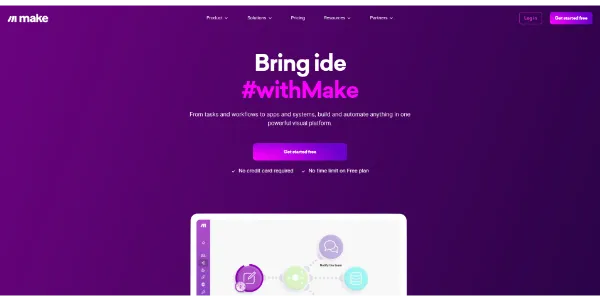
Make (formerly Integromat) acts as the ultimate digital glue for your business applications. Repetitive tasks probably eat up your precious time every day, right?
Well, this platform connects your favorite apps to automate workflows visually. And the best part? You don’t have to write a single line of code.
➥ What Is Make and How Does It Work?
Make is a visual platform that lets you design, build, and automate anything. From simple tasks to complex workflows, it handles it all.
You simply drag and drop circular icons that represent apps. Then, you connect them to define how data flows between them.
But here’s where it gets interesting. It goes far beyond simple linear automation. The visual editor supports routers, filters, and error handlers directly. Plus, you can watch your data move through the system in real-time. Honestly, that makes debugging incredibly satisfying.
➥ Key Features of Make Automation Platform
The core strength of this tool lies in its visual scenario editor. Think of it like a mind map for your processes.
Thousands of App Connections
You can connect thousands of apps like Google Sheets, Slack, Shopify, and ChatGPT. The combinations are practically endless.
The Make AI Assistant
The new Make AI Assistant creates entire workflows from a simple text prompt. Just type “Save Gmail attachments to Dropbox and email me.” The system builds the structure instantly. Pretty cool, isn’t it?
Intelligent AI Agents and Content Extractor
Recent updates introduced AI Agents that handle dynamic decisions within your workflows. No more rigid “if-then” rules. These smart nodes understand context. They can classify support tickets or personalize emails based on tone automatically.
Meanwhile, the AI Content Extractor pulls structured data from unstructured files. PDFs, images, invoices? No problem. Upload an invoice, and the tool identifies the vendor, date, and amount instantly.
Make Grid: See Your Entire Business at a Glance
As your automations grow, tracking everything can become a headache. Sound familiar?
Make Grid solves this by giving you a high-level map of how all your scenarios interact. This feature helps you spot bottlenecks and understand data dependencies across your organization.
➥ Why Choose Make Over Competitors?
Compared to linear tools like Zapier, you get significantly more power here. The visual interface lets you build complex logic with branches and loops. Other platforms simply cannot handle this level of complexity.
Cost efficiency is another major benefit. You often pay less for more complex actions. In fact, the platform encourages smart, multi-step automation rather than penalizing you for it.
➥ Who Is Make Best Suited For?
This tool fits perfectly for:
- Marketing agencies managing multiple client campaigns
- E-commerce business owners syncing inventory
- Tech-savvy freelancers who want robust systems
- Anyone automating lead management or client reporting
Developers also love it because it supports JSON, XML, and HTTP requests. It bridges the gap between no-code simplicity and full-code technical capabilities.
➥ Make Pricing Model Explained
The pricing structure relies on “operations” (now called “credits”). Every time an action occurs in your scenario, it counts. This model can be very economical if you optimize your workflows efficiently.
| Plan Name | Monthly Cost (approx.) | Best For |
|---|---|---|
| Free | $0 | Testing and simple personal tasks |
| Core | $9 | Freelancers and solopreneurs |
| Pro | $16 | Growing businesses with priority execution |
| Teams | $29 | Collaborative teams and agencies |
One thing to keep in mind: frequent data checks can consume operations quickly. So be aware of potential hidden costs when planning your automations.
➥ Conclusion: Is Make the Right Tool for You?
Make stands out as a powerful, affordable, and visually stunning way to orchestrate your digital life. The recent addition of AI features makes it smarter and more accessible than ever before.
Have you been looking for a way to reclaim your time? Give the free plan a spin and see for yourself. Start building your first scenario today. Your productivity will thank you.
➥ Frequently Asked Questions About Make
Is Make difficult to learn for beginners?
Not at all. The visual drag-and-drop interface is intuitive. Plus, the new AI Assistant helps you build workflows instantly. Start with simple templates, then learn more complex logic as you go.
How does Make differ from Zapier?
Make provides a visual, non-linear editor that supports complex logic, loops, and data manipulation. Zapier is more linear and straightforward. Also, Make is generally cheaper for heavy automation.
Do I require coding skills to use this website?
No coding skills are required for most standard integrations. However, knowing basic technical concepts like JSON or APIs helps unlock the platform’s full potential.
What happens if I run out of operations?
Your scenarios will pause until the next billing cycle. Alternatively, you can upgrade your plan. You can also set up alerts to notify you before you hit your limit.
 More sites like Make in the category: #Automation
Text written by a human



 Copy Link
« An all-in-one creative platform that brings together more than 30 image and video models in a single interface. It includes camera controls that let you direct like a real filmmaker, characters that remain consistent from scene to scene, and ready-to-use tools for ads and short-form content »
 90
90


