VidIq
#181 in Social Networks
« Find the hottest topics and keywords on YouTube. Grow your audience quickly. »
Similar AI Tools
 Adcreative AI by Semrush
 Social Content AI
 PimEyes


Updated on November 14, 2026
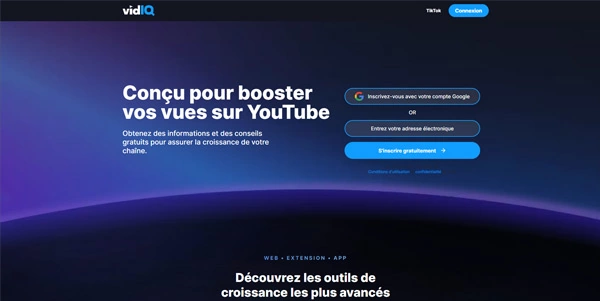
vidIQ is an AI-powered toolkit for YouTube growth that bundles keyword research, real-time SEO scores, daily personalized ideas, an AI coach, thumbnail creation and long-to-short clipping. Founded in 2011 by Rob Sandie and Todd Troxell, the San Francisco-based company claims over 30 million creators across 190+ countries. A free plan ships with 150 AI credits per month, MCP access and niche trends; paid tiers start at $19/month (Boost) and go up to $49/month (MAX).
vidIQ operates through two surfaces: a web dashboard and a browser extension available on Chrome, Firefox and Edge. The extension overlays data on every YouTube page you visit, showing views per hour, tags, SEO score and view velocity. During upload inside YouTube Studio, it suggests a title, description and optimal tags along with the best publishing time.
The dashboard hosts the heavier tools. Outliers spots videos that outperform their channel average in a given niche. Script Writer drafts a script matched to your channel's tone. The AI Coach reviews your analytics and delivers a tailored growth plan (each message costs 10 credits).
vidIQ recently added Instagram support: public Reel analysis, hook ideas, hashtag generation and long-form-to-Reel clipping. Everything runs under a single subscription with no extra login.
The vidIQ MCP server exposes over 50 YouTube data tools to compatible AI assistants such as Claude, ChatGPT, Cursor, Codex, Perplexity, Grok and Gemini CLI. Each research call costs roughly 5 credits, and the feature ships on every plan, including Free.
In practice, you ask Claude to list rising keywords in your niche or estimate a competitor's revenue, and the MCP returns live vidIQ data. It can also update the title, description, tags, visibility or thumbnail of an existing video, provided you approve every change. Connection happens through a vidIQ account sign-in (OAuth), the only mode that allows these edits, or a read-only API key, and no video uploads are allowed, keeping the attack surface narrow.
For anyone already comfortable with search engine optimization workflows, it means staying inside a terminal or chat while pulling every YouTube SEO lever.
AI credits are vidIQ's internal currency: a thumbnail generation costs 22 credits, a coach message costs 10, an MCP lookup costs 5. Credits reset monthly with no rollover.
| Plan | Monthly price | Annual price | AI credits / month |
|---|---|---|---|
| Free | $0 | $0 | 150 |
| Boost | $19 | $199 (≈ $16.58/mo) | 2,000 |
| MAX | $49 | $468 (≈ $39/mo) | 6,000 |
| Enterprise | Custom | Custom | Custom |
Compared to TubeBuddy, the rival most often cited alongside vidIQ, the split is clear: vidIQ leans into keyword research, AI ideation and competitor tracking, while TubeBuddy stands out with thumbnail A/B testing and bulk catalog editing. Several independent comparisons conclude the two tools complement each other more than they compete. Opus Clip is a useful addition for automated Shorts clipping. Prices may change at any time; vidIQ's official site remains the definitive reference.
vidIQ is an AI toolkit for YouTube that combines keyword research, real-time SEO scoring, personalized daily ideas, an AI coach, thumbnail creation and clipping. It runs as a web dashboard, a browser extension for Chrome, Firefox and Edge, and mobile apps on iOS and Android. The company was founded in 2011 and has been YouTube-certified since 2013.
Yes. The Free plan at $0 includes 150 AI credits per month, niche trends, content ideas, AI Coach tips and MCP access. Boost ($19/month or $199/year) and MAX ($49/month or $468/year) add more credits and premium features like thumbnail generation and the coach's deep-thinking mode. No free trial or refund policy is stated on the pricing page.
Yes, if research and ideation are your priority: each tool targets a different bottleneck. vidIQ leads on keyword research depth, AI ideation (Daily Ideas, AI Coach) and competitor tracking. TubeBuddy leads on thumbnail A/B testing, bulk catalog editing and lower entry pricing. Many creators run both: vidIQ for research, TubeBuddy for post-publish optimization.
Yes, with the usual precautions: vidIQ has been a YouTube-certified tool since 2013. After a 2016 account incident involving the OurMine group, the company added multi-factor authentication. Through the MCP server, every edit to a video requires explicit approval, and API-key connections are read-only. The extension requests standard YouTube API permissions and does not store video content.
Verdict: Four million Chrome installs and an MCP server open even on the free tier make vidIQ a strong pick for YouTube creators who want data-backed decisions from topic selection to final tag. For thumbnail A/B testing or bulk edits on a large back catalog, pairing it with TubeBuddy fills the gap.

« An all-in-one creative platform that brings together more than 30 image and video models in a single interface. It includes camera controls that let you direct like a real filmmaker, characters that remain consistent from scene to scene, and ready-to-use tools for ads and short-form content »