
Opus Clip Review 2026: The AI That Turns Your Long Videos into Viral Gold
Opus Clip has become a go-to name for creators who want to crack short-form video. Have you ever stared at a 60-minute podcast, dreading hours of editing just to pull out a few Reels or TikToks? Then this tool was built exactly for you.
In this review, we’ll break down how this AI powerhouse works. We’ll also explore why the new “ClipAnything” feature is a total game-changer. And most importantly, we’ll answer: is it worth your money in 2025?
➥ What is Opus Clip?
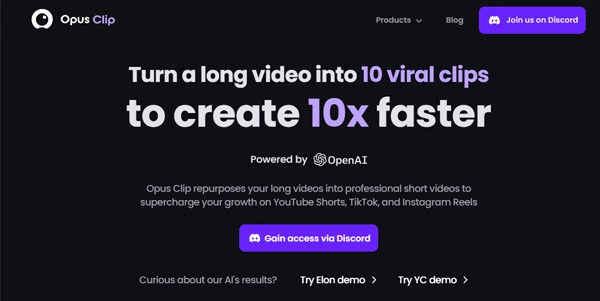
Opus Clip is a generative AI video repurposing tool. It takes your long-form content and chops it into short, vertical clips optimized for social media. Think podcasts, webinars, or educational videos.
But here’s the thing: it doesn’t chop randomly. The AI analyzes your video’s content and identifies the most engaging hooks. Then, it re-composes them into standalone clips with captions, emojis, and face-tracking. Imagine a junior video editor who works at lightning speed, 24/7. That’s Opus Clip in a nutshell.
➥ Main Features and Use Cases
The platform has evolved a lot over the past year. It’s no longer just about cutting silence. Now, it’s about understanding context. Here’s what makes it tick:
1. ClipAnything: A Multimodal Breakthrough
This is the big update you should know about. ClipAnything is a new multimodal AI engine. It understands video beyond just speech.
Previously, tools relied solely on transcripts. Now, Opus Clip can analyze visual cues, audio sounds (like laughter or applause), and sentiment. You can type a prompt like “Find the funniest moment where we laugh.” Or try “Highlight the section about AI ethics.” The system will locate those exact visual and audio moments.
As a result, this opens the door for vlogs, reaction videos, and content with less dialogue. Pretty impressive, right?
2. AI Virality Score™
Every clip generated comes with a “Virality Score” from 0 to 100. This AI prediction is based on thousands of viral videos. It analyzes the “hook,” “flow,” and “value” of your segment.
Of course, it’s not a guarantee of millions of views. Still, it’s a fantastic filter. It helps you prioritize which of the 20 generated clips you should post first.
3. Active Speaker Detection & Auto Reframe
Vertical video (9:16) demands that the speaker stays in focus. Opus Clip’s AI detects the active speaker. Then it automatically pans and crops the video to keep them centered.
Got a two-person interview? No problem. It can even set up a split-screen layout automatically.
4. Auto-Captions and B-Roll
Captions are crucial for silent scrolling. The tool generates highly accurate subtitles (97%+ accuracy). It also animates them in styles popularized by top creators like Alex Hormozi.
A newer addition is AI B-Roll. This feature inserts relevant stock footage to visually illustrate what’s being said. The goal? Keep viewer retention high.
➥ Advantages and Concrete Benefits
Why should you care? Because time is your most valuable asset. Here’s how Opus Clip pays off:
- Massive Time Savings: What used to take 4 hours now takes about 15 minutes. You upload a link, grab a coffee, and come back to 10+ finished clips.
- Consistency is Key: Social algorithms love frequency. Turn one video into 15 pieces of content. Then you can easily post daily on TikTok, Shorts, and Reels.
- Professional Polish for Non-Editors: You don’t have to know Adobe Premiere. The clips come out with professional captions, cuts, and framing automatically.
- Cost-Effective Scaling: Hiring a video editor for 30 shorts a month could cost upwards of $1,000. Opus Clip does it for a fraction of that price.
➥ Pricing Model for Opus Clip
Opus Clip operates on a “processing minutes” credit system. Prices are subject to change, but here’s the general structure for 2026:
| Plan | Ideal For | Key Features |
|---|---|---|
| Free Forever | Testing & Hobbyists | 60 mins/month, watermarked clips, no export to Premiere. |
| Starter | Solo Creators | ~150 mins/month, no watermark, AI Virality Score. |
| Pro | Agencies & Power Creators | ~300 mins/month, team collaboration, brand templates, social scheduler. |
Note: Pricing is approximate. Always check the official site for the latest deals, especially for annual billing discounts.
➥ Who is Opus Clip Best For?
This tool isn’t for everyone. It won’t edit your cinematic travel film. However, it’s a powerhouse for specific groups:
- Podcasters: The number one use case. Turn your hour-long episodes into a week’s worth of promotional clips.
- Marketing Agencies: Manage multiple clients? You can repurpose their webinar recordings into bite-sized LinkedIn assets in minutes.
- Coaches and Educators: Take your Zoom lectures or course content. Turn them into value-packed snippets to attract new students on social media.
- YouTubers: Breathe new life into your back catalog. Turn old long-form videos into fresh YouTube Shorts. Watch traffic flow back to your channel.
Sound like you? Then it might be worth testing.
➥ Conclusion about Opus Clip: Is It Worth the Hype?
Opus Clip is hands down one of the most impressive AI tools for content repurposing right now. It bridges the gap between “I should post more shorts” and “I actually have shorts to post.”
The introduction of ClipAnything proves the team is moving fast. They’ve gone beyond simple text-based editing to true video understanding.
Now, the AI B-roll can sometimes feel a bit generic. And the Virality Score should be taken with a grain of salt. Still, the core value proposition is undeniable. If you create long-form talking videos, this tool pays for itself in time saved alone.
Ready to flood your social channels with high-quality clips?
Give Opus Clip a spin and watch your engagement metrics climb.
 Try Opus Clip
 ➥ Frequently Asked Questions (FAQ)
Does Opus Clip work with languages other than English?
Yes! It supports over 20 languages. These include French, Spanish, German, and Portuguese. The auto-captions are surprisingly accurate across these languages. This makes it a great tool for global creators.
Can I edit the clips after the AI generates them?
Absolutely. While the AI does the heavy lifting, you have full control. You can adjust start and end times. You can correct caption typos, change the layout, or swap out emojis before export.
What happens if I use up all my minutes?
If you run out of processing credits, you’ll wait for your next billing cycle. Alternatively, you can upgrade to a higher tier to get more minutes instantly.
Is the “ClipAnything” feature available on the free plan?
Access to features like prompt-based clipping (ClipAnything) may be limited on the free tier. It’s best to check the current plan comparison on their site. Generally, the best AI models are reserved for paid plans.
 More sites like Opus Clip in the category: #Video Editing
Text written by a human



 Copy Link