
Jan.ai
#159 in LLM models
« Free, open-source software for easy discussion with a large number of LLM models. Intuitive, multi-platform interface »

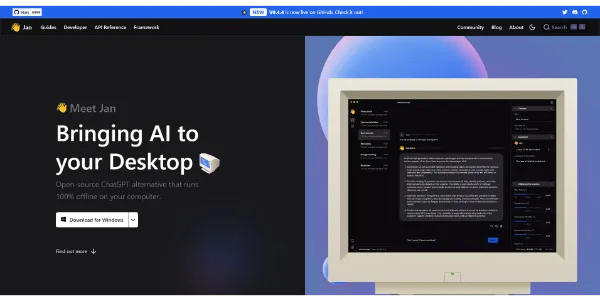


Updated on September 9, 2026
Jan is a free, open-source desktop app that runs large language models locally on Windows, macOS and Linux. Built by Menlo Research, it has passed 6.5 million downloads and 44,000 stars on GitHub. Once a model such as Llama, Mistral, Qwen or Gemma sits on your drive, everything works offline and your chats never leave your machine. Cloud APIs from OpenAI or Anthropic can plug in whenever you want extra firepower.
Jan downloads large language models in GGUF format from Hugging Face and runs them on your CPU or GPU through the llama.cpp engine. The built-in hub shows memory requirements before each download (a small detail that prevents a lot of crashes). You switch off the Wi-Fi, the conversation keeps going.
Everything stays on your machine, chat history included, with no account and no telemetry. Picking the right model mostly comes down to your hardware, and a current ranking of LLM models helps you decide between a quick 3B and a sharper 8B.
And when a local model runs short, the same window connects to APIs from OpenAI, Anthropic, Mistral or Groq. An OpenAI-compatible server runs on localhost:1337 for your other apps, and MCP support adds web search and external tools.
Jan is fully open source, while LM Studio stays free but closed. Auditable code, an extension system and Linux builds treated as first-class make it a natural pick for anyone who wants control over their tooling.
Ollama takes the command-line route and GPT4All leans on local document chat. LM Studio keeps the edge on built-in model discovery, Jan answers with full transparency and an API server that can run several models side by side.
Plan on 8 GB of RAM as a floor, 16 GB for comfort, and about 10 GB of free storage. The house rule fits in one line, keep twice the model file size available in free RAM. NVIDIA cards (CUDA), AMD (Vulkan) and Apple Silicon (Metal) are detected and accelerated automatically.
| Model size | Suggested RAM | Examples |
|---|---|---|
| 3B | 8 GB | Jan-v1, small Qwen builds |
| 7 to 8B | 16 GB | Mistral 7B, Llama 8B |
| 13B and up | 32 GB | Qwen 13B and larger |
| GPU acceleration | 6 GB VRAM | NVIDIA, AMD, Intel Arc |
Yes, Jan is completely free and open source, with no premium tier and no hidden quota. Local models cost nothing to run once downloaded. The only exception is optional cloud access, since providers like OpenAI or Anthropic bill their own tokens. The project is maintained by Menlo Research and the code is public on GitHub.
Both apps are free and run the same GGUF models. LM Studio wins on polish and built-in model discovery, Jan wins on open code, extensions and Linux stability. Beginners often start with LM Studio, while developers and open-source fans lean toward Jan for its auditable codebase and finer API control.
An AVX2-capable CPU is required (Intel from 2013, AMD from 2015), plus macOS 13.6 or later on Mac and at least 8 GB of RAM. With 16 GB, a 7B model runs comfortably. A graphics card with 6 GB of VRAM speeds up replies considerably, though Jan also works on CPU alone.
Once a model is downloaded, Jan runs entirely offline, chat and API server included. A connection is only required to fetch models initially or to call the optional cloud APIs. Conversations are saved locally on your disk, which suits regulated industries, sensitive projects and air-gapped machines.
Verdict: The cloud keeps a copy of everything you type, Jan keeps it on your disk. Anyone with 16 GB of RAM and a taste for privacy gets a capable AI assistant that costs nothing and reports to no one.

« An all-in-one creative platform that brings together more than 30 image and video models in a single interface. It includes camera controls that let you direct like a real filmmaker, characters that remain consistent from scene to scene, and ready-to-use tools for ads and short-form content »



