


« Create expressive video avatars that look like real people. Get professional-quality results quickly. »
Best AI tools forVideo Generators
The best AI that generates videos from text or images.
312
AI Tools
Free & Paid
Pricing
Verified
Selection
Featured Tool


Higgsfield AI
« An all-in-one creative platform that brings together more than 30 image and video models in a single interface. It includes camera controls that let you direct like a real filmmaker, characters that remain consistent from scene to scene, and ready-to-use tools for ads and short-form content »
 90
90

« A video generator designed for your e-commerce and your business »

« Describe an idea in text and this AI turns it into a movie or video game »

« In less than 5 minutes, you create an avatar video with a virtual actor »

« Video creation for easy storytelling »

« Create unique videos with this high quality cinematic generation tool »

« Design and edit cinematic quality videos worthy of a Hollywood movie »

« A complete video creation platform that transforms your texts into professional videos with realistic AI avatars. Create, edit and translate your content in over 80 languages with virtual presenters. »

« AI video creator for musicians. Fast and skillless production, including clips, effects and styles »

« Marketing automation tool, API and integrations to generate images, videos, PDFs, etc. »

« Generative AI to create personalized virtual experiences from text »

« Create compelling videos with AI using simple descriptions. Add visuals and music too »
The Best AI Video Generators in (2026): Tested, Reviewed & Ranked

Quick Summary: Which Tool Should You Choose?
Don't have time to read? Here is the breakdown of the best AI video generators currently on the market:
- Best Overall (Realism): Kling AI, Veo 3.1 and OpenAI Sora 2
- Best for Control: Runway Gen-4.5 (Motion brushes)
- Best Free Option: Luma Dream Machine (Generous daily credits)
- Best for Avatars: HeyGen (Perfect for corporate training)
Finding the best AI video generator is tough because the tech moves so fast. These tools have officially gone mainstream and now produce exceptional quality. Remember those viral clips of Will Smith eating spaghetti? They looked like a fever dream. That feels like ancient history now. This year, the top AI video software has changed the game entirely. We are no longer just watching wobbly pixels. Instead, we are directing scenes that look frighteningly real.
How We Tested the Best AI Video Generators
We spent weeks testing the latest models. We burned through credits. We pushed GPUs to their breaking point. Why? To see which tools actually deliver. Marketers need quick ads. Creators feed the TikTok algorithm. Filmmakers mock up storyboards. For all of them, "text-to-video" is finally here. But with new players like Kling and Hailuo shaking up the leaderboard, picking the right one is tricky.
We tested them. We broke them. Here is the ultimate guide to the best AI video generators available right now. Our goal was simple: identify the best AI video generator for realism, the best for control, and the best option if you just need results fast.
➥ What is an AI Video Generator?
Think of it as a creative engine. It translates your words into motion. You type a prompt like "a cyberpunk detective walking in the rain." Then, the AI hallucinates a video clip for you, pixel by pixel. But it goes beyond just text.
Most top-tier tools now handle Image-to-Video (animating a static photo). Some even do Video-to-Video (changing the style of existing footage). Under the hood, these use diffusion models. They're similar to image generators like Midjourney, but with a fourth dimension: time.
The result? You get lighting, physics, reflections, and camera movements that mimic reality. It's not just about pasting a GIF. It's about generating new frames that never existed before.
➥ Main Features of AI Video Tools
These tools come packed with features that make video creation accessible to everyone. Here is what you can expect from the top platforms.
Text-to-Video Creation
This is the core feature. You describe a scene, like "a cyberpunk city in the rain," and the AI generates it. The latest models such as Runway Gen-4.5 and Sora 2 handle complex prompts with ease.
Image-to-Video Animation
You can upload a static image and ask the AI to animate it. This is perfect for product photos or artwork. It adds movement to otherwise still content.
Video Extension and Editing
Some tools let you extend a short clip to make it longer. You can also use "inpainting" to change specific parts of a video. For example, you can swap a character's shirt or change the background.
Motion Control
Professionals love this feature. You can direct the camera movement with virtual brushes. Want the camera to zoom, pan, or tilt? You decide. It gives you total directorial control.
➥ How to Choose the Best AI Video Generator
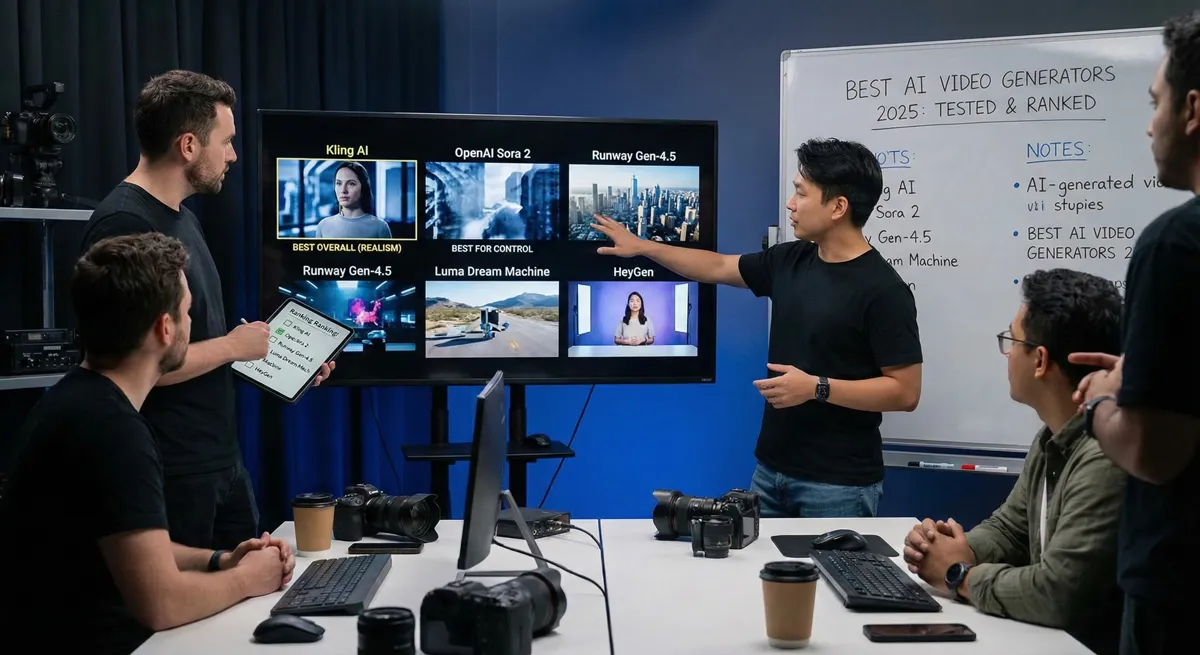
Most tools can generate a pretty frame. The best AI video generators are the ones that keep the shot coherent across time.
The Criteria That Matter
The choice of the best AI video generator isn’t about hype, it’s about what holds up after 20 prompts. Don’t just jump on the first tool you see on Twitter (or X). During our tests, the winners were the tools that stayed coherent across time and gave repeatable results. Here is your checklist:
- Realism and Physics: Does the water splash correctly? Do fingers look like fingers? (Looking at you, older models.) Tools like Kling and Sora currently lead the pack here.
- Control: Can you direct the camera? Some tools are slot machines. You pull the handle and hope. Others, like Runway, give you "motion brushes" to tell the AI exactly which part of the image should move.
- Duration and Speed: Most clips are still short (5 to 10 seconds). If you require a minute-long sequence, you will want a tool that supports "extensions" to stitch clips together seamlessly.
- Audio and Lip-Sync: Silent movies are so 1920s. The newest trend in late 2026 is native audio generation. Sound effects match the action, and lip-syncing for characters is accurate.
- Commercial Rights: If you are making an ad for a client, check the fine print. Most "Free" plans are for personal use only.
➥ Best Use Cases for AI Video

Different workflows call for different winners, that’s why the best AI video generator for ads isn’t always the best for storyboarding. We have seen people use these tools for absolutely everything. Here are the scenarios where they shine the brightest.
Social Media and Viral Shorts
You have to feed the beast. Tools like Luma Dream Machine are perfect here because they are fast. You can turn a meme idea into a video in minutes. We created a fake "behind the scenes" clip for a non-existent product. Guess what? It got more engagement than our real posts.
High-End Ads and Marketing
Why pay for a generic stock clip of a handshake? You can generate a specific brand-colored office scene instead. Marketing teams use high-fidelity models (like Kling or Runway) to create B-roll. It looks expensive but costs pennies.
Storyboarding and Pre-Production
Filmmakers are saving thousands here. Instead of sketching stick figures, directors generate fully lit scenes. This shows their crew exactly what the shot should look like. It's the ultimate communication tool.
Avatars for Training and Sales
Do you have a talking head to explain a software update? You don't require a camera crew anymore. Tools like HeyGen or Synthesia dominate this niche. They create digital humans that speak perfectly in 40 languages.
➥ Best AI Video Generators: Top Picks for 2026
We compared the leading solutions to help you decide. Our focus? The "Cinematic" generators that create scenes from scratch, rather than just avatar tools.
| AI Tool | Best For | Key Strength | Pricing Model |
|---|---|---|---|
| Kling AI | Cinematic Realism + Audio | Generates high-fidelity video with native synchronized audio (dialogue, SFX, ambience). Typical outputs are short clips (≈5–10s) with extension/chaining for longer scenes. | Freemium |
| OpenAI Sora 2 | High-End Storytelling | Flagship cinematic generation with strong scene coherence, realistic motion, and integrated audio. Best suited for narrative and premium visual content. | Freemium / Subscription |
| Runway Gen-4.5 | Pro Creative Control | Advanced tools like Motion Brush, camera control, and reference-based workflows give creators a true “director-level” pipeline. | Subscription |
| Luma Dream Machine | Fast Cinematic Iterations | Very fast generation with strong cinematic motion, ideal for rapid image-to-video experiments and creative exploration. | Freemium |
| Hailuo AI | Quick Concept Clips | Lightweight and fast text-to-video/image-to-video generation, mainly for short drafts and early creative concepts. | Free / Paid |
| HeyGen | Business Avatars | Avatar-based videos with excellent lip-sync, voices, and localization workflows. Designed for training, sales, and corporate content. | Subscription |
| Google Veo (Veo 3.x) | Video + Native Audio | Generates video together with sound effects and ambience, tightly integrated with Google’s Gemini and YouTube ecosystem. | Subscription (AI Pro / Ultra) |
Quick takeaway: Kling AI and Sora 2 lead for cinematic realism, Runway wins on creative control, and Luma is the fastest way to prototype ideas with a low learning curve.
➥ AI Video Generator Pricing
Pricing matters because the best AI video generators often become expensive once you iterate for perfect motion, camera, and audio. Most AI video generators operate on a credit-based system or a monthly subscription. Here is the general breakdown.
- Freemium Plans: Many tools give you a few free credits daily. This is great for testing the waters. You usually get watermarked videos.
- Subscription Tiers: Monthly plans range from $12 to $100. These plans unlock higher resolution (1080p or 4K), remove watermarks, and give you faster generation times.
- Credit Packs: Some platforms let you buy credits as you go. This is ideal if your volume fluctuates. High-quality generations usually cost more credits.
➥ Alternatives to AI Video Generators
If you can’t get what you want with the best AI video generator, these alternatives can be better depending on your production needs. While AI video is amazing, sometimes you might want different tools. Here are some related categories to consider.
AI Avatar Generators
Tools like HeyGen or Synthesia focus on talking heads. If you want a spokesperson for training videos, these are better suited than general video generators. They provide perfect lip-syncing.
Stock Footage Libraries
Sites like Storyblocks or Shutterstock provide real-world footage. Sometimes real human emotion or specific real-world locations are unmatched by AI. They are reliable for corporate documentaries.
Traditional Animation Software
Software like After Effects gives you pixel-perfect control. AI can be random at times. If you want exact brand compliance and specific animations, manual tools are still king.
➥ Conclusion: Which AI Video Generator Should You Use?
The "Best AI Video Generator" for you depends entirely on your deadline and your quality bar. Want Hollywood-level texture and motion? Kling or Runway are your best bets. Just want to make a funny clip for Twitter in 30 seconds? Luma is your friend.
The technology is moving fast. What we wrote today might be upgraded by tomorrow morning. The only way to really get it? Get your hands dirty. Go grab some free credits, type in a crazy prompt, and see what happens. You might just create your next masterpiece.
➥ FAQ: Frequently Asked Questions
What is the best free AI video generator?
Most tools operate on a "freemium" model. Hailuo AI and Luma Dream Machine currently provide generous free daily tiers or trial credits. However, for watermark-free downloads and commercial use, you almost always have to pay.
Text-to-Video vs. Image-to-Video: Which is better?
Image-to-Video wins for control. If you generate an image first (using Midjourney or Flux), you define the exact look, lighting, and composition. Then, the video AI just handles the movement. Text-to-video is faster but more random.
Can I use AI-generated videos for commercial ads?
Generally, yes, if you are on a paid plan. Free plans usually grant a "non-commercial" license. Always double-check the Terms of Service for the specific tool you are using. Rights can vary wildly between platforms.
How long can the videos be?
Direct generation is usually capped between 5 and 10 seconds per clip. However, tools like Kling and Runway allow you to "extend" the clip multiple times. This lets you build continuous shots of up to 2 or 3 minutes if you have the patience (and the credits).