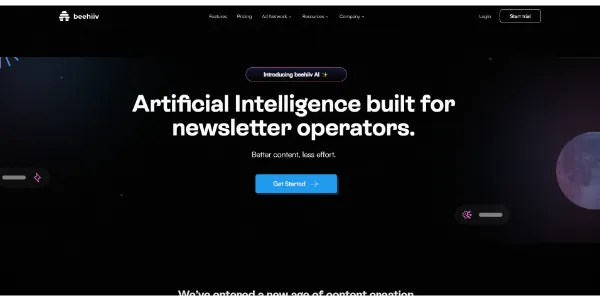
beehiiv AI Review: A Smart Assistant for Newsletter Creators
We have all been there. You sit down to write. The screen stays blank. The blinking cursor seems to mock you. It feels draining, right? beehiiv AI aims to fix this specific pain. It integrates right into your dashboard. The goal is clear: help you write better emails faster.
Content creation demands consistency. Yet, life gets busy. This platform acts as a digital partner for your work. You stay in charge. However, the software manages the heavy lifting. Let’s see how this tech works for you.
➥ What Is beehiiv AI?
Think of beehiiv AI as a smart suite inside your newsletter platform. The team built it for writers like us. It is not just a random text generator. Instead, it understands how newsletters work.
You access these tools inside the text editor. No tabs required. You type a command, and the system replies. It helps with drafts, edits, and posts. Imagine having a pro editor by your side.
➥ Main Features of beehiiv AI
The platform provides a strong toolkit to smooth out your workflow. Each feature targets a specific problem.
Smart Writer Assistant
You can generate text blocks instantly. Just describe your idea. The AI drafts the paragraph for you. You can even pick a professional or casual tone. This builds a solid base for your articles.
beehiiv AI Editor
Great texts require polish. The tool scans your draft for mistakes. It spots grammar errors quickly. It also shortens long sentences. Consequently, your emails stay punchy and easy to read.
Seamless Translation
Want to reach a global group? The system translates your content into many languages. You avoid hiring expensive translators. This feature breaks down barriers for your brand. Your message travels further.
Image Creator
Visuals keep people interested. Describe a scene, and the tool paints it. This adds flair to your text. It saves you from hunting through stock photo sites for hours.
➥ Advantages and Benefits for You
Your daily routine gets better immediately. Efficiency goes up. You spend less time staring at a white screen. The software gives you that spark to begin.
Plus, consistency becomes simple. You can produce more newsletters quickly. This keeps your audience happy. Also, your quality improves with the built-in editor. Your emails look sharp every time.
| Feature | Direct Benefit |
|---|---|
| AI Writer | Stops writer’s block and speeds up drafts. |
| Auto-Correction | Fixes grammar and improves flow. |
| Tone Changer | Adapts content to fit your brand voice. |
| Subject Line Generator | Boosts open rates with catchy titles. |
➥ Pricing Model for beehiiv AI
The platform uses a Freemium model. You can look around without a credit card. This entry point is great for beginners. You can test the core functions safely.
Paid plans unlock more power. These tiers suit creators with bigger lists. The cost goes up as your audience grows. You pay for the value received. It feels fair and clear.
➥ Who Should Use beehiiv AI?
This tool suits many digital creators. Solo journalists will love it. It acts as the production staff they cannot afford yet. You can finally compete with big publications.
Marketing teams benefit too. Startups can keep a steady blog presence. The speed gains let teams focus on strategy. Even hobbyists will enjoy the process. It makes writing fun again.
➥ Conclusion: Is beehiiv AI Worth It?
beehiiv AI represents a smart choice for creators. It simplifies the chaos of writing newsletters. The tools feel helpful and intuitive. You save time and make better work.
The integration is smooth. It feels natural to use the AI while you type. You should certainly test the platform yourself. It might change your email marketing approach forever.
Curious about the past? Check this article on Wikipedia to see how newsletters evolved.
➥ Frequently Asked Questions
Is beehiiv AI included in the free plan?
Yes, the platform includes basic AI tools in the free tier. However, limits may apply. Advanced tools often require a paid subscription.
Can beehiiv AI generate subject lines?
Absolutely. The tool reviews your content. It then suggests catchy subject lines. This helps more people open your emails.
Does the tool support SEO?
Yes, the platform optimizes your web posts for search engines. It helps you rank better on Google. This drives more traffic to your page.
Can I use my own images?
Of course. You can upload your own visuals. The AI image creator is just an option. You keep full control over the design.
 More sites like beehiiv AI in the category: #E-mail
Text written by a human



 Copy Link
« An all-in-one creative platform that brings together more than 30 image and video models in a single interface. It includes camera controls that let you direct like a real filmmaker, characters that remain consistent from scene to scene, and ready-to-use tools for ads and short-form content »
 90
90