


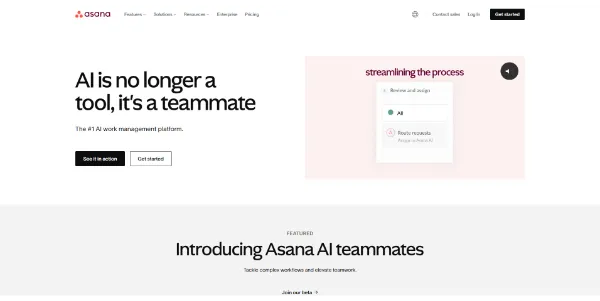
Asana AI: Your New Digital Teammate for Smarter Work Management
We all know that sinking feeling. You open your laptop and chaos stares back at you. Deadlines loom large while notifications pile up. Your brain feels fried before lunch. Asana AI wants to fix this mess. It steps in to lighten the load.
Most teams drown in information. Important details vanish inside endless comment threads. Asana puts artificial intelligence into your daily workflow to stop this. Let’s look at how this smart assistant helps you.
➥ What Exactly Is Asana AI?
Think of this system as a helpful partner. It lives inside your dashboard. The software learns your projects and goals. Then, it handles the boring stuff for you.
Imagine a digital colleague who never sleeps. You ask it to draft content or summarize a chat. It aims to remove friction. You focus on big tasks. The software handles the busywork.
➥ Key Features of Asana AI for Modern Teams
Let’s look at the toolkit. These features fix real headaches like writer’s block or missed messages. You will love how simple this feels.
Smart Summaries and Status Updates
Reading through dozens of comments drains your energy. Asana AI scans these threads in seconds. It pulls out the main points for you. You get the gist immediately without reading every word.
Also, reporting gets easier. The tool drafts updates for your projects. It checks completed tasks and future milestones. You just review the text and hit send. Stakeholders stay happy with zero stress.
Smart Editor and Content Generation
Struggling to find the right words? The Smart Editor polishes your tone. It fixes grammar mistakes too. Make your text sound professional or friendly with one button.
You can also build subtasks automatically. Just type your main goal. The system lists the actionable steps. No more staring at a blank screen. It builds a clear path forward.
Smart Answers and Insights
Have a question about your workload? Just ask. “What blocks our launch?” or “Who has too much work?” The system checks your data. You get answers right away.
Here is a quick breakdown of what it does:
| Feature Name | Primary Function | Main Benefit |
|---|---|---|
| Smart Summaries | Shortens long threads | Saves reading time |
| Smart Editor | Polishes text tone | Improves clarity |
| Smart Status | Drafts project reports | Automates reporting |
| Smart Answers | Queries project data | Gives quick insights |
➥ Major Advantages of Using Asana AI
Why does this matter? Speed is the big win here. A twenty-minute task becomes a two-minute task. You win back hours every week.
Clarity improves for the whole group too. The AI keeps descriptions sharp. Everyone knows the plan. Friction disappears between departments. Work just flows better.
➥ Who Should Use Asana AI?
Do you manage projects? This tool is for you. Stop chasing people for updates. Let the software do the heavy lifting. You can finally lead strategy instead of micromanaging.
Marketing teams will love the brainstorming help. Operations groups can spot problems faster. If you handle complex workflows, you will find value here.
➥ Understanding the Pricing Model
Here is the money talk. You rarely buy this product separately. It usually sits inside premium plans like “Advanced” or “Enterprise.”
Check the official site for current tiers. Free plans likely miss out on these smart tools. You must pay to unlock the full suite.
➥ Conclusion: Is Asana AI Worth It?
So, should you bother? Absolutely. It helps you instead of replacing you. The features feel practical and solve real problems.
Give “Smart Summaries” a try on your next big project. You will save so much time. Why work harder when you can work smarter?
➥ Frequently Asked Questions about Asana AI
Does Asana AI use my data to train public models?
No, they prioritize safety. Your secrets stay within your workspace. They do not use your details to train models for others.
Can I turn off Asana AI features?
Yes, administrators control the switch. You can disable the features if your rules require it. Check your settings panel.
Is Asana AI available in languages other than English?
It works best in English right now. However, support for other languages keeps growing. Read the latest docs for your region.
Do I pay extra for Asana AI?
Usually, no separate fee exists. It is part of the bundle. You just must have the right subscription tier.
 More sites like Asana AI in the category: #Productivity
Text written by a human


 Copy Link


