Quick Draw by Google
#91 in Education / Studies
« Draw and an AI will try to guess what it is. The more you play, the more it learns new concepts. A playful example of how machine learning works »
Similar AI Tools
 Perplexity AI
  Notion AI
  QuillBot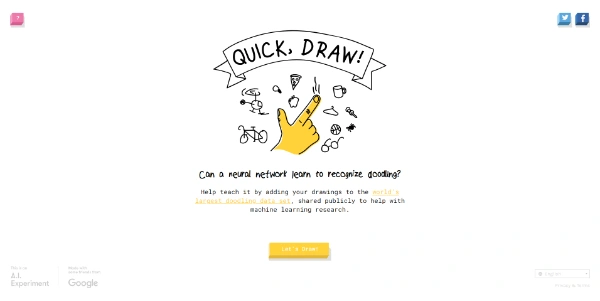


Updated on September 8, 2026
Quick Draw is a free online game by Google where a neural network tries to guess what you are drawing in under 20 seconds. It launched in 2016 as part of the A.I. Experiments program and still runs at quickdraw.withgoogle.com with no account, no ads and nothing to install. Every doodle you submit feeds the largest doodling dataset on the planet, released as open source for research and art projects.
A Quick Draw session runs through six sketches with a 20-second timer each, while a neural network calls out its guesses in real time. The prompt appears, say a bicycle. You sketch two circles, the AI hesitates between glasses and a dumbbell, you add a frame and it lands on the right answer. Next round.
When the game ends, a recap screen shows which doodles were recognized and which left the machine puzzled, along with what it thought it saw instead (your cat mistaken for a tennis racket is a classic). The underlying tech borrows from the handwriting recognition built for Google's translation tools, retooled for the harder job of live doodle guessing.
The Quick Draw Dataset gathers 50 million drawings across 345 categories, released as open source by Google for researchers, developers and artists. More than 15 million players have contributed, with over a billion doodles collected in total.
Each sketch is stored as timestamped strokes tagged with the player's country, which has fueled some delightful findings. A Quartz study found that 86 percent of Americans draw circles counterclockwise, while 80 percent of Japanese players go the other way.
| Profile | What Quick Draw brings them |
|---|---|
| Teacher | A machine learning demo with no jargon or code |
| Researcher | 345 categories of timestamped strokes to analyze |
| Developer | Open data to train custom recognition models |
| Artist | Raw doodles from players around the globe |
| Player | Six 20-second rounds, replayable without limit |
Teachers use Quick Draw to explain machine learning from primary school to high school without writing a single line of code. Among classroom AI resources, few are this fast to set up, and a five-minute round beats a slideshow every time when it comes to showing how a machine learns from examples.
The same technology later gave birth to AutoDraw, which matches your scribbles with clean illustrations drawn by professional artists. And if AI games are your thing, Human or Not keeps the fun going with a real-life Turing test, while What Beats Rock turns rock-paper-scissors into an argument contest against the AI.
Yes, Quick Draw is completely free, with no account, no ads and no hidden purchases. It runs in any browser on desktop, tablet or phone. Google maintains it as a public showcase of machine learning within its A.I. Experiments program rather than as a commercial product.
Head to quickdraw.withgoogle.com, start a game and follow the on-screen prompt, such as draw an apple. You get 20 seconds per sketch, with a mouse or your finger, while the AI announces its guesses out loud. After six rounds, a recap shows which doodles were recognized and which were not.
All 50 million doodles are available from the googlecreativelab/quickdraw-dataset repository on GitHub and from Google Cloud Storage, in ndjson, binary or 28-pixel bitmap formats. An online gallery at quickdraw.withgoogle.com/data also lets you browse the sketches by category without installing anything.
AutoDraw shares Quick Draw's recognition engine but serves another purpose. Quick Draw is a timed guessing game where the AI names your doodles, while AutoDraw is a drawing pad that swaps your rough strokes for polished icons you can export as PNG. One entertains and teaches, the other rescues your quick diagrams.
Verdict: Five minutes, zero setup and a guaranteed laugh when the machine mistakes your dog for a broom. Quick Draw earns its spot in any lesson about machine learning, and teachers, parents and casual doodlers alike will keep coming back for one more round.