Piktochart AI
#81 in Websites & Design
« An easy-to-use IA visual design generator. From a prompt, you'll have a detailed, editable infographic in a matter of seconds »
Similar AI Tools
 Hostinger AI Hub
 Canva AI
 Lovable


Updated on November 14, 2026
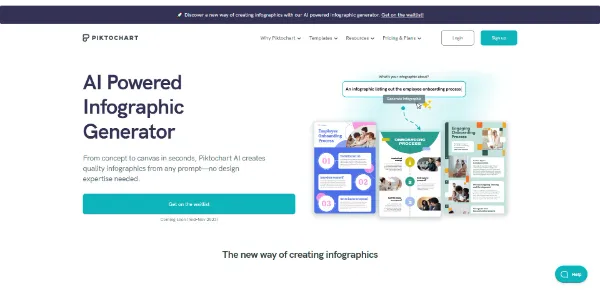
Piktochart AI is the AI-powered infographic generator built into Piktochart, a visual communication platform founded in Malaysia in 2012 and acquired by ThriveCart in March 2026. Type a topic in up to 120 characters, paste a block of text or upload a PDF, and the tool returns an editable infographic template within seconds. According to the company, over 34 million people use the platform. A free tier grants 60 AI credits per month; paid plans start at $10/month billed annually.
Piktochart AI accepts three input types: a short topic of up to 120 characters, pasted text, or an uploaded file (PDF, DOCX, TXT). Generating from a topic costs 1 credit; pasted text or a document costs 3 credits. The tool returns several layout variants, then you pick one and land in the drag-and-drop editor.
Inside the editor you add icons, images and charts from the built-in library or from your own files. Charts can be fed from a linked Google Sheets file, though the sheet must be relinked to refresh the data after it changes. Beyond infographics, the same workflow covers flyers, brochures, ebooks, newsletters, posters, presentations, timelines and social-media carousels. A video editor and an AI video generator are also available on the platform.
Pikto AI Studio bundles a set of AI image tools directly inside the editor: generator, modifier, upscaler, background remover, restorer, text remover, content preserver, outline tool and icon generator. Each image generation costs 25 credits. On the free plan, the 60 monthly credits therefore cover two image generations, worth keeping in mind when comparing online design tools.
The editor deliberately keeps things simple: no vector editing, no masking, no advanced typography. Designers used to Figma or Adobe Illustrator will find the toolbox thin, but that trade-off is what keeps the learning curve near zero for everyone else.
| Plan | AI credits / month | Downloads | Storage | Members |
|---|---|---|---|---|
| Free ($0) | 60 | 2 PNG | 1 GB | 1–4 |
| Pro ($10/mo annual) | 500 | Unlimited PNG | 100 GB | 1–100 |
| Business ($17/mo annual) | 1,000 | Unlimited PNG, PDF, PPT | 250 GB | 1–100 |
| Enterprise (custom) | 1,000 | Unlimited | Custom | 101+ |
In March 2026 ThriveCart, a commerce platform serving course creators and membership businesses, announced the acquisition of Piktochart. The stated goal: embed AI-powered visual representation of information tools directly into ThriveCart's checkout, course and funnel infrastructure. The Piktochart site remains available under its own brand.
Compared to Canva AI, which covers a much broader scope, or Napkin AI, which focuses on diagrams, Piktochart AI leans into data-heavy infographics and reports for non-designers. Educator pricing sits at $39.99/year per seat and nonprofit pricing at $60/year, reinforcing that focus. Pricing may change over time, so check the official page for the latest figures.
Piktochart AI is the generative-AI layer of Piktochart, a web-based visual communication platform. It converts a short topic, pasted text or an uploaded document (PDF, DOCX, TXT) into an editable infographic template. The platform claims over 34 million users and offers a free tier alongside paid subscriptions.
Enter a topic of up to 120 characters (1 credit), paste text (3 credits) or upload a file (3 credits). The AI generates several layout options. Pick one, click Edit Infographic, then customize text, images, icons and charts in the drag-and-drop editor. Save, download as PNG (or PDF on a paid plan) or share directly.
No. The free plan only allows two PNG downloads. PDF and PPT exports require a paid subscription. The Business plan at $17/month (annual billing) includes unlimited PNG, PDF and PPT downloads along with 1,000 AI credits per month.
According to Piktochart's privacy policy, user content is included in its AI training program by default. Opting out requires sending an email to a dedicated Piktochart address; the policy mentions no in-app toggle. This is worth considering if you work with sensitive or proprietary data.
Verdict: Sixty free credits, a Google Sheets data import for charts and built-in AI image tools make Piktochart AI a practical pick for marketing teams, teachers and nonprofits who regularly turn data or text into infographics without wanting to learn a full-blown design application.

« An all-in-one creative platform that brings together more than 30 image and video models in a single interface. It includes camera controls that let you direct like a real filmmaker, characters that remain consistent from scene to scene, and ready-to-use tools for ads and short-form content »