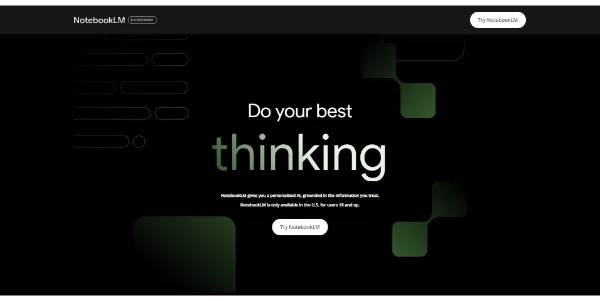

NotebookLM Review: Your Personal AI Research Assistant That Speaks
NotebookLM has taken the tech community by storm. Google developed this tool, and it completely changes how we process information. Picture this: you dump a massive PDF, a YouTube video, and a Google Doc into a folder. Then, two cheerful podcast hosts discuss the contents for you. That is exactly what this tool does.
Do you feel overwhelmed by all the reading required for work or studies? This tool acts as a grounded AI partner. It reads your documents and answers your questions based strictly on the material you provide. No making things up. No hallucinations from the wider web. It stays focused on your data.
➥ What Is NotebookLM?
NotebookLM is a Retrieval-Augmented Generation (RAG) tool powered by Google’s Gemini models. Unlike standard chatbots that pull answers from the entire internet, this software creates a “boundary” around your uploaded sources. It becomes an instant expert on those specific files.
In essence, you create a custom AI model trained on your notes, slides, and PDFs. It can summarize, analyze, and brainstorm ideas based solely on that information. The real magic, however, lies in how it presents this data back to you.
➥ Main Features and Use Cases
Google has shipped major updates recently. This platform has become a true productivity powerhouse. Here is what you can do:
1. Audio Overviews (The Viral Feature)
This feature made the tool famous. With one button press, the AI generates a lively “podcast” between two AI hosts. They discuss your material, make analogies, and summarize key points. It sounds incredibly human.
Recent updates include:
- Interactive Mode: You can now join the conversation. Interrupt the hosts, ask for clarification, or steer the discussion in a new direction.
- Customization: You can guide the podcast. Tell the hosts to focus on a specific topic or adjust their expertise level.
- Background Listening: Play the audio while you continue working on your notes in the same window.
2. Multimodal Source Support
You are not limited to text files. The platform accepts a wide variety of inputs:
- PDFs, Google Slides, and text files
- YouTube URLs (it reads the transcript automatically)
- Audio files like MP3s (the AI listens and incorporates the content)
3. Visual Learning Tools
Do you prefer seeing over reading? The new updates are fantastic. The tool can now generate infographics and interactive mind maps. These visual aids help you spot connections between different topics instantly.
4. Citation and Grounding
Trust is crucial. Every time the AI answers a question, it provides inline citations. You can hover over a number to see the exact quote from your original document. This makes it perfect for academic research or legal work.
5. Video Overviews: New for 2025
NotebookLM is no longer limited to audio. In 2025, the tool added “Video Overviews.” This feature transforms your documents into explanatory videos. AI generates a visual slideshow accompanied by a voiceover.
And that’s not all! Recently, you can even interact with this podcast. By pressing “Join,” you can ask your questions directly to the AI hosts. This interactivity makes the experience even more personalized.
➥ The mobile app is now available
Google has released the NotebookLM mobile app. It is available on Android and iOS. Create and access your notebooks wherever you are.
➥ Why Should You Care? The Real Benefits
Why switch to this workflow? The benefits are tangible and practical.
- Passive Learning: Turn a dense 50-page report into a 10-minute audio summary. Listen while you commute or do dishes.
- Hallucination Control: The AI is “grounded” in your sources. It refuses to answer questions not covered in your data.
- Speed: Extract specific data points from hours of video in seconds.
- Accessibility: Audio, text, and visual mind maps cater to all learning styles.
➥ Pricing Model for NotebookLM
Google keeps the barrier to entry very low. However, a premium tier has been introduced for power users.
| Plan | Cost | Key Features |
|---|---|---|
| Free Version | $0 | Up to 50 sources per notebook, basic Audio Overviews, Gemini access. |
| NotebookLM Plus | Included in Google One AI Premium ($19.99/mo) | 5x higher usage limits, up to 300 sources per notebook, enterprise-grade data protection. |
Most people will find the free version more than sufficient for personal projects or study groups.
➥ So who is NotebookLM for?
This platform serves a broad spectrum of people. Still, specific profiles gain the most value.
- Students: Upload all your lecture slides and textbooks. Ask the AI to create a study guide, a quiz, or a mind map.
- Researchers and Academics: Manage hundreds of papers. The citation feature ensures you always know where a claim originated.
- Content Creators: Upload your raw notes or video transcripts. Ask the AI to brainstorm blog post ideas or scripts.
- Corporate Professionals: Summarize meeting recordings or prepare for a big presentation.
➥ Conclusion and Review about NotebookLM
NotebookLM is arguably one of the most practical AI tools released in recent years. It solves a real problem: information overload. It does not just generate text; it helps you understand what you already have.
Have you ever wished your dry notes could become an entertaining radio show? The Audio Overview feature makes that happen. It truly feels like magic.
The interface is clean, and the processing is fast. Recent additions like visual aids and interactive audio make it a complete study companion. If you want to reclaim your time and actually enjoy reviewing your documents, this tool is ready for you.
Go test NotebookLM today and upload your first document. You might be surprised by what you hear.
➥ FAQ
Is my data private when using NotebookLM?
Google states that your personal data is not used to train the base NotebookLM models. In the Enterprise and Plus versions, data protection standards are even higher. However, always exercise caution with highly sensitive personal info.
Can I use NotebookLM on my phone?
Yes. While it started as a web-only tool, mobile support has improved significantly. You can access your notebooks and listen to Audio Overviews from your mobile browser or the dedicated app.
What languages does it support?
The interface and text generation support over 35 languages. However, the Audio Overviews are currently generated primarily in English. You can still upload sources in other languages.
Can I export the audio conversation?
Yes, you can download the generated Audio Overview as an audio file (typically MP3 or WAV). This is perfect for listening offline or sharing with colleagues.
 More sites like NotebookLM in the category: #Education / Studies
Text written by a human



 Copy Link