

Merlin AI Review (2026): The All-in-One AI Browser Extension
Merlin AI feels like that hyper-productive colleague who finishes a week’s work before Tuesday lunch. You know the type. We tested this all-in-one browser extension extensively. Does it live up to expectations, or is it just another shiny button on your Chrome toolbar? Spoiler alert: it’s definitely not just another button.
If you’re tired of juggling twenty tabs to access ChatGPT, Claude, and Gemini separately, this tool might be the digital glue you were missing. For weeks, we let Merlin handle our emails, summarize hour-long videos, and even roast our LinkedIn posts. Here’s what we found.
➥ What Is Merlin AI Exactly?
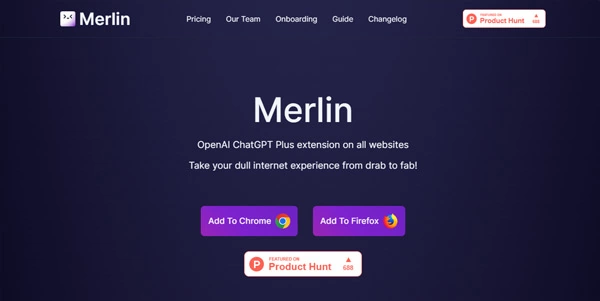
Merlin AI is a browser extension available for Chrome, Edge, and Firefox. Essentially, it acts as a single interface for the world’s most powerful artificial intelligence models. Instead of logging into OpenAI, then Anthropic, then Google, Merlin brings them all to you in a sleek sidebar.
Moreover, it overlays directly onto your existing apps. Are you scrolling through Twitter, reading a dense PDF, or watching a YouTube tutorial? Merlin sits quietly in the corner, ready to help. It aggregates models like GPT-5, Claude 4.5, Gemini 3.0 Pro, and even Grok 4 into a single command center. You press a shortcut, and superintelligence is at your fingertips.
➥ Main Features and Use Cases
This tool is packed with features. Seriously, it’s like a Swiss Army knife where every blade is a different AI model. Below are the features that actually matter in your daily workflow.
The “Ctrl + M” Magic Sidebar
This is the heart of the tool. Pressing Cmd/Ctrl + M opens a chat interface on any website. You can ask it to rewrite a paragraph, explain a complex technical term, or generate code snippets. We found this incredibly useful when reading technical documentation. You simply don’t have to leave the page to get an explanation.
YouTube Summarizer (The Time Saver)
We all have that friend who sends 45-minute podcasts with the caption “You MUST watch this.” With Merlin, you don’t have to sit through them. One button generates a concise summary of the entire video, complete with timestamps. Surprisingly, it captures the nuance well and saves you hours of watching time.
Social Media & LinkedIn Ghostwriter
Writing engaging LinkedIn comments or witty Tweets (X posts) is draining. Fortunately, Merlin integrates directly into the text boxes on these platforms. It reads the post you’re replying to and suggests relevant, contextual responses. We used this to reply to industry news. Honestly, the AI sounded more professional than we usually do before our morning coffee.
Chat with Websites and PDFs
Upload a PDF or simply ask Merlin to “read” the current webpage. Then, you can interrogate the document. “What are the three main risks mentioned in this contract?” Merlin scans the text and gives you the answer in seconds. This feature is a lifesaver for students and researchers drowning in reading material.
Agentic Workflows & Deep Research
This is a newer addition. Merlin can now perform “Deep Research.” Instead of just answering a question, it browses the web, reads multiple sources, and compiles a comprehensive report. It feels less like a chatbot and more like a research assistant who actually cites their sources. Pretty impressive, right?
➥ How to Use Merlin AI?
Getting started is ridiculously simple. You don’t have to be a computer science expert to figure this out.
- Install the Extension: Head to the Chrome Web Store (or Edge Add-ons) and add Merlin AI to your browser.
- Pin It: Don’t lose it! Pin the extension to your toolbar so you can access the settings easily.
- The Shortcut: Memorize
Cmd + M(Mac) orCtrl + M(Windows). This toggles the sidebar. - Context Menu: Highlight any text on any website, right-click, and select “Give context to Merlin.” You can then ask it to explain, translate, or shorten that specific text.
- Web Access: Ensure the “Web Access” toggle is on if you want Merlin to search the live internet for up-to-date answers.
➥ Advantages and Concrete Benefits
After putting Merlin through the wringer, here’s the honest breakdown of why it rocks (and where it rolls).
Pros
- Model Agnostic: You’re not locked into one provider. Switch from GPT-4o to Claude 3.5 Sonnet instantly based on the task (creative vs. logical).
- Context Awareness: It understands what you’re looking at. If you’re on an email, it knows you want to write a reply.
- Productivity Boost: The YouTube summarizer alone is worth the install.
- Free Daily Usage: The free tier is generous enough for casual folks to get real value.
Cons
- Credit Confusion: The “unlimited” paid plans have “fair use” caps on the most expensive models (like o1 or Claude Opus).
- UI Overload: Sometimes the buttons appear on every single text box. This can feel a bit intrusive until you adjust the settings.
➥ Pricing Model
Merlin’s pricing structure is designed to fit everyone from students to power folks.
- Free Plan: You get about 102 queries per day. This includes access to basic models and limited access to premium ones. Perfect for testing the waters.
- Pro Plan (approx. $19/month): This unlocks “unlimited” queries (subject to fair use limits) and gives you full access to top-tier models like GPT-5 and Claude Sonnet 4.5. You also get faster processing speeds.
- Team Plan: If you run a marketing agency or a dev team, this allows centralized billing and management for around $15 per seat.
➥ Who Is This Tool Best For?
Merlin AI isn’t for everyone. However, for certain profiles, it’s a productivity weapon.
Content Marketers will love the social media integration and blog writing features. Developers can use the code explanation tools without leaving Stack Overflow. Students and Researchers benefit massively from the PDF chat and summarization tools. Finally, Recruiters can speed up their LinkedIn outreach significantly. Which category do you fall into?
➥ Merlin AI Alternatives
Merlin is powerful, but it’s not the only player in the game. Here’s how it stacks up against the competition.
| Feature | Merlin AI | Monica | Harpa AI | Sider |
|---|---|---|---|---|
| Primary Focus | All-in-one Model Aggregator | General Assistant & Chat | Web Automation & Monitoring | Sidebar Productivity |
| Model Variety | Excellent (GPT, Claude, Gemini, Mistral) | Excellent (Similar range) | Good (Hybrid/Web) | Very Good |
| Best Feature | Social Media Context & YouTube Summaries | “Read” & Memo features | Page Monitoring & Automation | PDF Analysis |
| UI Experience | Modern, sometimes busy | Feature-rich but cluttered | Clean, distinct style | Simple sidebar |
Monica
Monica is the closest direct rival. It has a very similar feature set, including the ability to chat with PDFs and summarize videos. However, Monica tends to be slightly more aggressive with its “memo” and note-taking features. If you want a personal knowledge base attached to your AI, Monica is a strong contender.
Harpa AI
Harpa AI takes a different approach. While it handles chat well, its superpower is automation. You can set Harpa to monitor a webpage for price changes or data updates. If you want to automate repetitive web tasks alongside your AI chat, Harpa is the way to go.
➥ Conclusion and Review
Merlin AI succeeds because it removes friction. It stops you from breaking your flow to open a new tab and log into ChatGPT. By bringing the best models directly to the webpage you’re reading, it saves seconds that add up to hours.
The ability to switch between Claude Sonnet for writing and GPT-5.2 for logic is a luxury we didn’t know we wanted until we had it. Yes, the credit system for the most expensive models can be a bit opaque. Still, the sheer utility of the tool outweighs this minor annoyance.
If you live in your browser and deal with text, code, or emails, you owe it to yourself to try this. It turns your browser into a powerhouse. So, what are you waiting for?
Go install the extension and see how much faster you can clear your inbox today.
 Try Merlin AI
 ➥ FAQ
Is Merlin AI safe to use with my private data?
Yes, Merlin AI adheres to strict privacy standards. They don’t use your data to train their models without permission. Nevertheless, as with any AI tool, we recommend avoiding pasting highly sensitive personal or financial information into the chat window.
Can I use Merlin AI on my phone?
Merlin primarily shines as a browser extension on desktop. That said, they have launched a mobile app for iOS and Android. This syncs your history, so you can continue your chats on the go.
Does the free version include GPT-4o?
The free version has limited access to models like GPT-4o or Gemini 3 Flash. You get a daily credit allowance. Once that’s used up, you may be switched to a lighter, faster model or have to wait until the next day.
How do I disable Merlin on specific websites?
If Merlin’s pop-ups are getting in the way on a specific site (like a complex dashboard), you can select the extension icon and toggle off “Access” for that specific domain. This gives you control over where it appears.
What makes Merlin better than just using ChatGPT Plus?
ChatGPT Plus restricts you to OpenAI’s models. In contrast, Merlin gives you access to OpenAI, Anthropic (Claude), and Google (Gemini) models all in one subscription. Plus, the browser integration means the AI can “see” your current webpage. A standalone ChatGPT tab cannot do this easily.
Is the YouTube summarizer available in the free plan?
Yes! You can summarize YouTube videos on the free plan, though there’s a daily limit on how many summaries you can generate. It’s usually sufficient for casual viewing.
How does Merlin AI summarize YouTube videos?
Merlin AI integrates directly into the YouTube player interface, allowing you to generate a concise summary with a single click. The tool analyzes the video transcript and provides key takeaways with timestamps, helping you digest long content quickly through the Merlin AI sidebar.
How is Merlin AI different from ChatGPT?
Unlike ChatGPT, which functions as a standalone destination site, Merlin AI operates as a browser extension that overlays AI features onto any webpage you visit. Furthermore, Merlin AI aggregates multiple top-tier models like Claude, Gemini, and GPT-4 into a single interface, giving you more flexibility than ChatGPT alone.
Can Merlin AI write LinkedIn posts for me?
Absolutely, Merlin AI acts as a smart writing assistant that appears directly within your LinkedIn text input fields. It reads the post you are viewing and suggests relevant, context-aware comments or posts, enabling you to maintain professional engagement effortlessly with Merlin AI.
Does Merlin AI have a daily usage limit?
Yes, the free version of Merlin AI imposes a strict cap on the number of queries you can make every 24 hours. Even paid plans for Merlin AI may include fair usage limits for high-cost features like advanced image generation or continuous use of the most powerful AI models.
 More sites like Merlin AI in the category: #Extensions ChatGPT
Text written by a human


 Copy Link