
Jenny AI
#6 in Text Generators
« Write research papers faster. AI cites sources, completes your sentences, summarizes papers and paraphrases. Export to LaTeX or Word »

Verified Tool
Similar AI Tools
 Semrush Content Toolkit
  Free AI Content Writer
  Rytr
Rytr 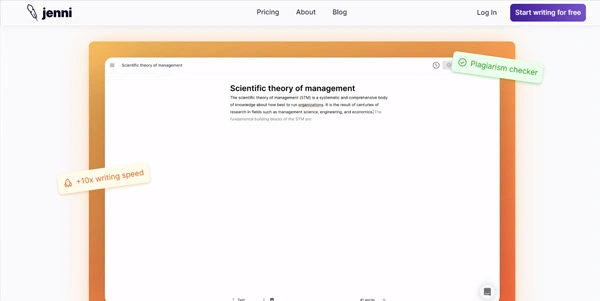


Updated on August 8, 2026
Jenni AI is an academic writing assistant: an online editor that completes your sentences, drops formatted citations into the text and answers questions about your uploaded PDFs. The free plan caps out at 10 AI autocompletes a day; the Plus tier starts at $12 a month, and Pro removes every ceiling at $29 a month. Master's students, PhD candidates and researchers use it for theses, literature reviews and journal articles. Everything runs in the browser, nothing to install.
Jenni AI completes your text as you type, in an academic register, and grounds its suggestions in OpenAlex, a database of over 470 million scholarly works. Citations land directly in the text, in APA, MLA, Chicago or any of the 10,000 supported styles.
Stuck at 11 pm the night before a deadline? You type the start of an idea, the editor suggests the rest, you accept it or ask for another take. Editing commands rephrase, shorten or expand a paragraph, and can even draft an opposing argument.
That grounding is what separates it from general-purpose AI text generators: here, every claim is supposed to trace back to a source.
Uploaded PDFs become a searchable library: the chat answers from their content, and the Source Quality Review feature flags references that are retracted, ageing or all drawn from a single journal. A check that used to happen paper by paper.
Once the manuscript is done, the document exports to Word or LaTeX, and the reference library ships out as RIS or BibTeX, ready for Zotero or Mendeley. One habit worth keeping: reread every reference before you submit, because the tool can pick the wrong paper (every generative model does it now and then, this one included).
| Stage of your paper | What Jenni AI does there |
|---|---|
| Reading sources | PDF chat, summaries, citable passages |
| Drafting | Academic autocomplete, rewriting commands |
| Citing | In-text insertion, 10,000+ styles |
| Quality check | Warnings on retracted or dated references |
| Finishing | Word, LaTeX, RIS, BibTeX export |
The free plan of Jenni AI grants 10 AI autocompletes a day, plus a one-time allowance of 5 chat messages and 3 edits, with partial export only. Plus lifts that to 5,000 autocompletes, 500 edits and 500 chat messages a month for $12 a month, and Pro removes every ceiling for $29 a month. Custom deals exist for labs and universities.
Those figures shift with each update, so a quick stop at the jenni.ai pricing page before paying is the safest move.
Partly, yes: the free plan grants 10 AI autocompletes a day, plus a one-time pool of 5 chat messages and 3 edits. Lifting those limits requires Plus, billed at $12 a month, or Pro at $29 a month for unlimited autocomplete, edits, chat and full document export.
Text generated by Jenni AI can be flagged by AI detectors, Turnitin included. The safest way to work with it is as an assistant: outlining, paraphrasing, citation management, getting unstuck. Submitting generated paragraphs as your own writing breaches academic integrity rules at most institutions, so check your university's policy first.
For a paper that must cite its sources, Jenni AI keeps the edge: properly formatted in-text citations, a PDF library and reference quality checks. ChatGPT remains stronger for open-ended reasoning and brainstorming, but it has no built-in bibliography management and no RIS or BibTeX export. Plenty of researchers run both side by side.
Cancellation happens from your account's billing settings, and it is worth doing before the renewal date. Some subscribers have reported unexpected auto-renewal charges and no reminder email, so set a personal alert. For a refund request, the support team answers at [email protected] and has a reputation for handling billing issues quickly.
Verdict: A literature review due Friday and twenty PDFs still to read: that is where Jenni AI earns its subscription. Graduate students, PhD candidates and time-pressed researchers will get the most from it, as long as the final reference check stays in human hands.

« An all-in-one creative platform that brings together more than 30 image and video models in a single interface. It includes camera controls that let you direct like a real filmmaker, characters that remain consistent from scene to scene, and ready-to-use tools for ads and short-form content »



