
GitHub Copilot AI
#2 in Assistant Code
« An AI co-pilot that can provide invaluable assistance to developers and programmers »

Verified Tool
Similar AI Tools
 Cursor AI
  Replit AI
  Windsurf Editor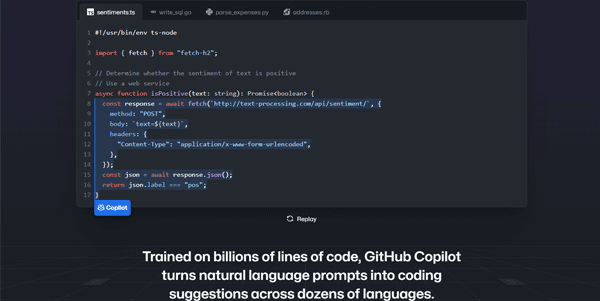


Updated on September 18, 2026
GitHub Copilot is GitHub's AI code assistant, not to be mixed up with Microsoft Copilot, its consumer sibling. It completes code as you type, answers questions in chat, and hands tasks to an agent inside the editor you already know. The free plan covers 2,000 completions a month, Pro costs $10 monthly, and verified students pay nothing at all. It works everywhere from VS Code and JetBrains to Xcode and GitHub.com itself.
GitHub Copilot runs in VS Code, Visual Studio, JetBrains IDEs, Neovim, and Xcode, plus GitHub.com, GitHub Mobile, and a terminal tool called Copilot CLI. You type a function name and three lines land before you finish the word. Copilot Chat explains files and hunts bugs, while agent mode picks up an issue, writes the fix, and opens the pull request by itself.
The service was first previewed in 2021 on OpenAI's Codex model and has since gone multi-model, with the Claude, GPT-5, and Gemini families on the menu.
Up against it, Cursor and Windsurf rebuilt entire editors around AI, Claude Code rules the terminal crowd, Tabnine courts privacy-minded teams and Gemini CLI bets on free access. Copilot's strong suit is proximity, since code review happens right on your pull requests. A few rivals do push further on autonomous coding agents, worth weighing if you delegate whole features.
Three free routes exist, and none of them are stripped down. The Free plan includes 2,000 code completions and 50 chat or edit requests per month, agent mode included, with models such as Claude Haiku 4.5, GPT-5 mini, and Gemini Flash.
The student route goes through GitHub Education, with proof of enrollment submitted once (worth sorting out before term starts, verification is not instant). Once approved, the full feature set switches on from your Copilot settings.
GitHub Copilot pricing runs from $0 to $100 per month, with completions and edit suggestions unlimited on every paid plan. Chat, agent mode, code review, and the CLI draw from a monthly pool of AI credits instead, 1,500 on Pro, billed at $0.01 apiece beyond the allowance. Plenty for a normal month, unless you let the agent loose on the whole repo one Friday night.
Heavy agent drivers will look at Pro+ with its 7,000 credits, third-party Claude and Codex agents, and Opus-class models, or even Max. GitHub adjusts these figures as its lineup shifts, so check the official plans page before pulling out a card.
| Plan | Monthly price | AI credits included |
|---|---|---|
| Free | $0 | none, 50 chat requests |
| Pro | $10 | 1,500 |
| Pro+ | $39 | 7,000 |
| Max | $100 | 20,000 |
| Business | $19 per seat | 1,900 per seat |
| Enterprise | $39 per seat | 3,900 per seat |
GitHub Copilot is an AI programming assistant from GitHub that completes code, answers technical questions in chat, and runs agent tasks in your editor or directly on GitHub.com. It supports VS Code, Visual Studio, JetBrains IDEs, Neovim, and Xcode, and lets you pick between Claude, GPT-5, and Gemini models.
Yes, verified students get the full feature set at no cost through GitHub Education. Proof of enrollment, such as a school email address or student ID, is submitted once. Recognized open source maintainers receive the same free access under a separate program, and the plan activates from your Copilot settings.
Copilot slots into the editor you already run and follows your GitHub repos all the way to pull request review, with a free tier for testing. Cursor is a standalone AI-first editor praised for multi-file edits. If your work already lives on GitHub, Copilot is the shorter path.
AI credits meter everything beyond autocomplete, meaning chat, agent sessions, code review, and CLI commands, at $0.01 per credit. Completions never touch the pool on paid plans. Pro includes 1,500 credits a month, Pro+ 7,000, and Max 20,000, with extra credits purchasable once the allowance runs dry.
Verdict: A free tier to test, $10 a month for serious daily coding, and review baked into pull requests. Solo developers, students, and small teams who live on GitHub will feel at home here faster than anywhere else.

« An all-in-one creative platform that brings together more than 30 image and video models in a single interface. It includes camera controls that let you direct like a real filmmaker, characters that remain consistent from scene to scene, and ready-to-use tools for ads and short-form content »



