
Adobe Podcast
#1 in Audio Editing
« A set of AI tools to automatically edit and enhance your podcasts: silence and echo removal, musical enhancement, noise reduction and much more »

Verified Tool
Similar AI Tools
 Jammable
  Vocal Remover
  Covers AI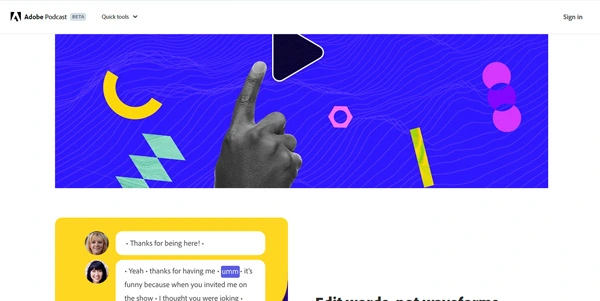


Updated on August 4, 2026
Adobe Podcast groups three browser-based audio tools from Adobe: Enhance Speech to clean up a voice track, Studio to record and edit episodes, and Mic Check to tune your microphone before pressing record. It suits podcasters, video makers and teachers working without pro gear. Basic access is free; the Premium plan costs $9.99 per month after a 30-day trial.
Enhance Speech, the best-known part of Adobe Podcast, strips background noise, echo and room reverb from a voice recording, straight from the browser. You drag a file in, the progress bar fills, and the jackhammer outside your window vanishes from the track (a before-and-after toggle lets you check the result, and it gets weirdly addictive). The current v2 filter holds up against busy streets and echoing stairwells alike.
Studio handles the recording side: your guest opens a link, installs nothing, and every voice lands on its own track, in audio and video. Editing then happens inside the transcript, deleting words instead of waveforms. Mic Check rounds things off by analyzing your microphone placement and settings before a session.
The payoff is biggest on imperfect recordings: an interview captured on a phone, a lecture taped from the back of a room, a voiceover done in a bare, echoing space. On a take already recorded in a treated studio, the filter can introduce artifacts instead, so a careful listen afterwards stays mandatory.
On price, Adobe Podcast sits at the low end of AI audio editing tools: Descript starts at $16 per month billed annually and Alitu at $32, while Adobe's Premium plan stays under $10.
The free tier processes 1 hour of audio per day, with files capped at 30 minutes. Premium, at $9.99 per month or $99.99 per year after a one-month trial, raises that to 4 hours daily, accepts video files and adds sliders to balance speech, music and ambience separately. A later update also brought source separation with exportable stems and video recording in Studio.
These figures shift over time, so treat Adobe's subscription page as the final word before paying.
| Feature | Free | Premium |
|---|---|---|
| Enhance Speech per day | 1 hour | 4 hours |
| Max file length and size | 30 min / 500 MB | 2 h / 1 GB |
| Video files (MP4, MOV) | No | Yes |
| Speech, music, ambience controls | No | Yes |
| Studio exports | 2 per day, 30 min max | Unlimited |
Partly, yes. The free plan includes Enhance Speech for 1 hour of audio per day in files up to 30 minutes, two Studio exports daily and Mic Check. The Premium plan at $9.99 per month lifts those caps, adds video support and lets you process files in batches.
No. Premium is sold separately through the Adobe Express Premium subscription, even for people already paying for Creative Cloud. That decision drew complaints on Adobe's own forums, where long-time subscribers expected the service to come bundled with their existing plan.
They cover different ground: Adobe Podcast focuses on voice cleanup and remote recording, while Descript handles full episode production, video included, from $16 per month billed annually. For quickly rescuing a noisy recording, Adobe Podcast remains the most direct and the cheapest route.
No rollover exists: the one-hour quota resets every day. One quirk regulars point out, the count is based on the length of the file you upload, not the final cut. A 45-minute raw recording later trimmed to 30 still burns 45 minutes of processing.
Verdict: Broadcast-ready sound with no mixing desk and no training: that is what Adobe Podcast hands to beginner podcasters, teachers and video makers recording on bare-bones gear, with a classic editor as a companion for the most ambitious episodes.

« An all-in-one creative platform that brings together more than 30 image and video models in a single interface. It includes camera controls that let you direct like a real filmmaker, characters that remain consistent from scene to scene, and ready-to-use tools for ads and short-form content »



