
Acrobat AI by Adobe
#3 in Files & Spreadsheets
« Interact quickly with your documents thanks to an AI assistant. Ask questions, get instant summaries and create powerful content. »

Verified Tool
Similar AI Tools
 GPTExcel
  Unstuck AI
  ChatPDF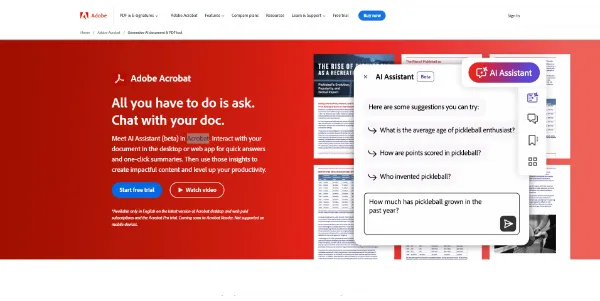


Updated on August 4, 2026
Acrobat AI by Adobe is the conversational assistant built into Acrobat and Acrobat Reader: you ask a question about a document and it answers with numbered citations that highlight the exact source passage. A small batch of free requests lets you try it, then the add-on costs $4.99 per month on top of any plan, free Reader included. Students, lawyers, marketing teams or anyone facing an insurance contract will find a use for it, with over 3 trillion PDFs in circulation according to Adobe.
The assistant answers plain-language questions about the open document, and every claim comes with a numbered citation that highlights its source. You open a 40-page lease, you ask what the early-exit clause says: the answer lands with its reference, checkable at a glance.
Its reach goes past the PDF too, since Word files, PowerPoint decks, meeting transcripts and web pages all go through the same grinder. On mobile, your voice is enough to question a report on the train. And the assistant writes as much as it reads: rephrasing a paragraph, drafting an email, listing key points ready to paste elsewhere.
| You ask for | You get back |
|---|---|
| A summary of the report | A structured outline with links to each section |
| A comparison of two contracts | A table of differences, sources cited |
| An email based on the document | A draft ready to send |
| A presentation | Slides generated with Adobe Express |
| An audio version | A podcast-style recap to listen to on the go |
Acrobat Studio, launched in 2025, brings Acrobat Pro, Adobe Express and the assistant into one workspace. Its centerpiece, PDF Spaces, gathers up to 100 files and links that the assistant, tunable as an analyst or an instructor, cross-references for you. Spaces can be shared with people who have no account at all.
Adobe knows the territory, having invented the PDF format back in 1993. Since then the lineup has added generated presentations, podcasts built from your documents and an agent that runs chores on request, deleting pages or converting a file for instance. Against generic AI summary tools, Acrobat's card is verification: the source stays in front of you.
A limited quota of free requests comes with every signed-in account, Acrobat Reader included. Past that, a subscription takes over:
Adobe adjusts these figures with its promotions, so check the official page before pulling out the card.
Partly: every account, even on the free Acrobat Reader, gets a small quota of requests to try it out. Unlimited access then requires the paid add-on on top of your plan, or Acrobat Studio, which bundles the assistant by default.
No. Adobe states that document content processed by the assistant is not used to train its generative models, and the third-party models it relies on are barred from training on customer data as well. Files uploaded without signing in are removed from its servers.
Three languages are covered for documents: English, French and German. Prompts can be written in those languages too, and the assistant runs on macOS, Windows, the web, mobile apps and the Acrobat Chrome extension.
Its edge is citations: every answer points to the source paragraph, highlighted in the file, without copying your document into an outside service. ChatGPT covers broader general knowledge, but line-by-line checking happens here without leaving Acrobat.
Verdict: A 200-page report digested with its receipts attached: that is the deal, and heavy PDF readers, from students to legal teams, will earn back the few dollars a month faster than they expect.

« An all-in-one creative platform that brings together more than 30 image and video models in a single interface. It includes camera controls that let you direct like a real filmmaker, characters that remain consistent from scene to scene, and ready-to-use tools for ads and short-form content »



