Otter AI
#16 in Business
« Transcribes oral conversations into text »
Similar AI Tools
 TikTok For Business
  ClickUp
  Adcreative AI by Semrush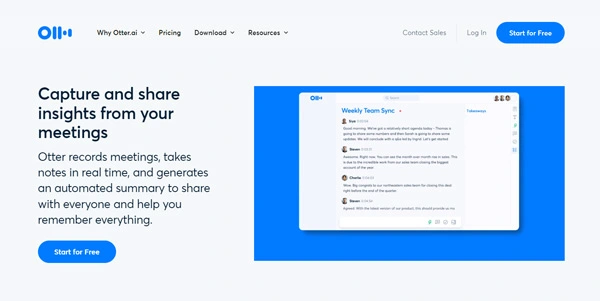


Updated on August 17, 2026
Otter AI is an AI meeting assistant that records, transcribes in real time, and summarizes calls on Zoom, Google Meet, and Microsoft Teams. Founded in Mountain View in 2016, the company passed $100 million in annual recurring revenue in March 2025 and counts over 35 million sign-ups. A free plan includes 300 monthly minutes, so testing it costs nothing. Transcription covers English, French, Spanish, and Japanese, though the interface itself stays in English.
The OtterPilot bot joins your scheduled calls on its own, transcribes speech as it happens, labels each speaker, and mails out a summary with decisions and assigned tasks. You watch the words appear live, highlight what matters, and the recap reaches every attendee before anyone reopens a notebook.
Agents are the bigger story now. Since 2025 a voice-activated Meeting Agent answers questions out loud mid-call by digging into your company's conversation history, and a Conversational Knowledge Engine launched in April 2026 connects meetings to your other software through an expanded MCP server. A desktop app also records straight from your Mac or PC with no bot in the attendee list (that little robot guest can make outside contacts twitchy, worth knowing before a sensitive call).
French and Spanish transcription arrived in late 2024, with Japanese added for the Japanese market. You pick the language manually in settings, and community tests place non-English accuracy below the English benchmark, especially in noisy rooms. Fine for a team stand-up, less so for a word-perfect record.
Once the transcript lands, it behaves like a shared document. Compared with other AI transcription tools, Otter leans hard on collaboration, with comments, team channels, and shared custom vocabulary.
Otter AI sells four tiers, one of them free with no card required. The table below sums them up.
Two catches deserve a mention. Unused minutes never roll over, and once you hit the cap, transcription stops cold until the next cycle. Students get 20% off Pro. These figures move around often enough that the official pricing page deserves the final word before you commit.
| Plan | Price (annual billing) | Minutes per month | Worth knowing |
|---|---|---|---|
| Basic | free | 300 | 30 min per conversation, 3 lifetime file imports |
| Pro | $8.33 per month | 1,200 | 90 min per call, 10 monthly imports |
| Business | $19.99 per month | unlimited | 4 h per meeting, 3 concurrent meetings |
| Enterprise | custom quote | unlimited | SSO, API, and a dedicated sales agent |
Yes, the Basic plan costs nothing and includes 300 transcription minutes per month, capped at 30 minutes per conversation, plus three lifetime file imports. Paid tiers raise those ceilings. Once the quota runs out, transcription pauses until the monthly reset, since no minutes carry over.
Recordings are encrypted in transit and at rest, and you can delete any transcript whenever you like. On the free and Pro tiers, de-identified data may help train Otter's models, with an opt-out in settings. A US class action filed in 2025 over recording consent is still in progress, worth weighing before switching on automatic capture.
Fireflies bundles a bigger minute allowance per dollar and wider language coverage, while Otter keeps the edge on live transcript display and a voice-activated agent that speaks up mid-meeting, a pairing its rival does not match. Teams running their days on Zoom, Meet, or Teams will find Otter's real-time capture hard to beat.
No, everything runs through Otter's cloud. The desktop and mobile apps capture audio from your device, but transcription and summaries require an internet connection, with no local processing mode. Plan for connectivity during in-person interviews or lectures you want transcribed.
Verdict: Walking out of every call with the minutes already written is the whole pitch, and Otter AI delivers it with a decade of polish. Sales teams, recruiters, and anyone stacking back-to-back calls in English, French, or Spanish will feel at home quickly.

« An all-in-one creative platform that brings together more than 30 image and video models in a single interface. It includes camera controls that let you direct like a real filmmaker, characters that remain consistent from scene to scene, and ready-to-use tools for ads and short-form content »