
Video AI by Topaz Labs
#85 in Video Editing
« Boost the resolution of your videos with high-performance AI software. Compatible with Windows and macOS »
Similar AI Tools
 Gemini Omni
  HeyGen AI
  CapCut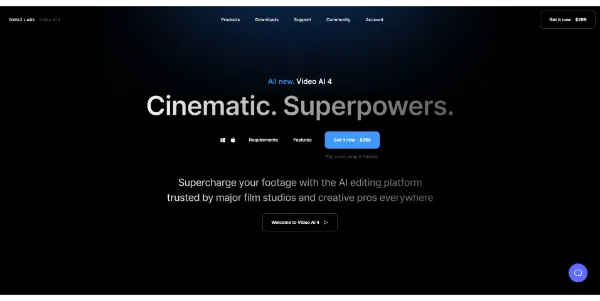


Updated on October 14, 2026
Topaz Video (formerly Topaz Video AI) is a desktop app for Windows and macOS that upscales, denoises, stabilizes and interpolates video footage using over 20 specialized AI models. Built by Topaz Labs in Dallas, Texas, the software was acquired by Adobe in September 2026 for roughly $340 million according to Forbes, though it continues as a standalone product. A monthly subscription starts at $59/month for Topaz Video alone, with no free tier available.
Topaz Video ships with a library of purpose-built models. Proteus handles general upscaling, Iris focuses on faces, Nyx targets low-light noise, Rhea is built for 4x upscaling, and Apollo plus Chronos drive frame interpolation and smooth slow motion. The Starlight family, described by Topaz Labs as the first diffusion-based super-resolution techniques model for video that runs locally on a desktop, restores heavily compressed or archival footage with output up to 4K.
The workflow is straightforward. You drop a file into the interface, pick a preset or manually select a model, set output resolution and filter strength, then preview a short segment before committing to a full render. Local rendering is unlimited, which is a key selling point, while cloud rendering for Starlight Sharp, HQ and Fast models consumes monthly credits that expire at the end of each billing period.
Processing times vary widely. Community reports mention several hours of rendering for just a few minutes of footage with Starlight Precise, even on an RTX 5080. Proteus, by contrast, runs much faster on the same hardware.
Adobe announced the Topaz Labs deal on June 25, 2026, then closed it on September 23, 2026. Forbes put the price at around $340 million; Adobe itself did not disclose the terms. CEO and co-founder Eric Yang joined Adobe's Digital Video and Audio team. Topaz technology, which earned a 2025 Emmy Award, was already integrated into Firefly and Photoshop for image upscaling.
Adobe has confirmed that the Topaz Labs brand and its standalone apps will remain available. The most likely next steps are deeper integrations into Premiere Pro and Lightroom, which would let existing Creative Cloud subscribers access Topaz models without a separate license. Competing video enhancement tools like Vmake Video Enhancer and AI Video Upscale by CapCut operate in the browser with free tiers, but none match the depth of control that Topaz Video provides locally.
Since Topaz Labs retired the perpetual license in late 2025, every plan is subscription-based. Here are the main tiers listed on the official site (prices may change, check topazlabs.com for the latest).
| Plan | Monthly price | Cloud credits / month | Scope |
|---|---|---|---|
| Topaz Video only | $59/mo | 25 | Unlimited local rendering, limited commercial use (revenue < $1M) |
| Topaz Studio (Video + Photo + Gigapixel + Web + Mobile) | $69/mo or $399/yr | 300 | All apps, unlimited local rendering |
| Topaz for Web (video) | $19/mo | 200 | Upscale, interpolation and HDR in the browser |
| Astra Standard (cloud) | $19/mo | 400 | AI video upscaling up to 4K, cloud rendering |
Yes, removing compression artifacts like blockiness is one of the core strengths of Topaz Video. Models such as Proteus and the Starlight series analyze frames temporally to rebuild lost detail, smooth out macro-blocking and reduce ringing without over-sharpening. For heavily compressed SD footage, a Second Pass Enhancement can stack denoising and upscaling in one export.
Topaz Video alone costs $59 per month with 25 cloud credits included. The Topaz Studio bundle, which adds Photo, Gigapixel and web access, is $399 per year or $69 per month. There is no perpetual license anymore. Refunds are available within two days of purchase, but annual plans cannot be canceled mid-term.
Topaz Labs does not publish a per-credit price for Starlight cloud processing. Monthly cloud credits (25 to 600 depending on the plan) are included in the subscription and expire at month's end. Starlight Mini can run locally on a Mac with an M Pro, M Max or M Ultra chip and 36 GB of unified memory, or on Windows with an NVIDIA GPU that has at least 10 GB of VRAM, which avoids spending any cloud credits.
After installing the desktop app on Windows or macOS, sign in to your subscription account. Drop a video file into the interface, choose a preset or select an AI model manually (Proteus is a solid starting point), set your target resolution and preview a short segment. Once satisfied, hit Start Processing to render the full file. Trim tools let you limit the export to a specific section and save rendering time.
Verdict: Restoring a VHS tape, upscaling a 480p clip to 4K or smoothing the frame rate of smartphone footage are exactly the jobs where Topaz Video delivers results that browser-based alternatives cannot match. The subscription and the GPU requirements raise the bar, but editors and archivists who process video regularly will find the investment justified by unlimited local rendering and granular model control.

« An all-in-one creative platform that brings together more than 30 image and video models in a single interface. It includes camera controls that let you direct like a real filmmaker, characters that remain consistent from scene to scene, and ready-to-use tools for ads and short-form content »



