
Remini
#96 in Image editing
« An AI-based photo and video enhancement tool. Transform low-quality visuals into stunning HD images, restore old photos and enhance your content »
Similar AI Tools
 ChatGPT Image 2.5
  Nano Banana 2
  Adobe Firefly 3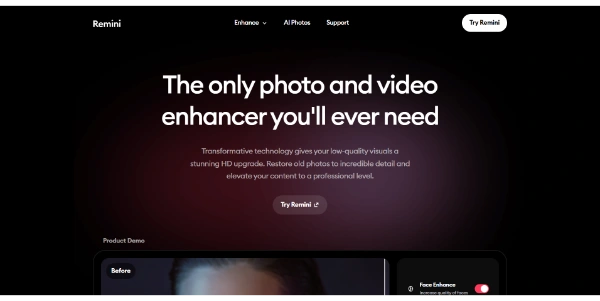


Updated on September 8, 2026
Remini is an AI photo enhancer that sharpens blurry pictures and restores old or damaged photos in a few seconds. Google Play alone counts over 500 million downloads, a record for the category. Behind it sits Bending Spoons, the Italian company that also owns Evernote and WeTransfer. The app is free to try with ads and a watermark, on iPhone, Android and through Remini web at app.remini.ai.
Remini sharpens faces, repairs old or damaged photographs, colorizes black and white and raises video resolution. Everything runs in the cloud, so even a modest phone handles it. You load a picture, the AI rebuilds the detail in seconds, and a before-after slider lets you judge the result before saving.
The mobile app remains the most complete, but Remini web covers photo and video editing straight from a browser. On video, files are capped at one to two minutes depending on the plan, a frame built for social clips rather than long family archives, where a desktop tool like Topaz Video AI takes over.
| Your starting image | What Remini gives back |
|---|---|
| A blurry or pixelated selfie | A sharp, high-definition portrait |
| A family photo from the sixties | A restored, even colorized print |
| A handful of selfies | Studio-style AI portraits |
| A grainy holiday clip | A cleaner, better-defined video |
Remini's AI portraits have fueled several viral waves on TikTok, from generated LinkedIn headshots to future-baby pictures built from the faces of both parents. The recipe fits in one sentence, you send a handful of selfies and the model returns a series of portraits in office wear or baby form.
One honest caveat, the AI makes up part of the detail on badly degraded originals, so a rebuilt face is a plausible reading rather than a period photograph. For product photo editing aimed at online selling, PicWish and Pixelcut play on the background removal side, while Remini bets almost everything on the human face.
The free tier of Remini shows an ad before each enhancement, caps daily output and stamps a watermark on saved images, a familiar setup among free AI apps. On the web, the Personal plan runs $6.99 per week and Business $9.99 per week, with a 7-day trial on the video side. On mobile, prices swing by country across weekly, monthly and yearly plans, hovering around $9.99 a month. Those figures move with promotions, so treat your own checkout page as the final word.
The sore point in Remini reviews is auto-renewal. Deleting the app does not stop the charge (plenty of people learned that when the next bill landed), you have to cancel from the App Store or Google Play subscription settings, or from your account for the web version. Some subscribers also report plans switching from monthly to weekly billing, so double-check the period before confirming.
Yes, Remini works for free with trade-offs, an ad before each enhancement, a daily cap and a watermark on saved images. Paid plans remove those limits and open up AI portraits, batch processing and HD video enhancement.
Cancel through the store where you subscribed, never by simply deleting the app. On iPhone, open Settings then Subscriptions. On Android, go to Google Play, then Payments and subscriptions. For Remini web, manage the plan from your account on the site. Until you cancel, renewal stays automatic.
Your pictures are processed on Bending Spoons servers, then deleted within one day according to the privacy policy, which falls under GDPR since the company is based in Italy. Generative features are trained on internal, public or synthetic datasets. Even so, avoid uploading sensitive documents.
It depends on the photo. Remini keeps the edge on faces, old print restoration and AI portraits on mobile, while PicWish built its name on background removal and product image editing in the browser. Both have free tiers, so a side-by-side test on your own pictures settles it.
Verdict: A 1970s class photo comes out sharp and colorized after three taps, which is about as low as the barrier gets. Families guarding shoeboxes of prints, nostalgics and TikTok trend-chasers will get the most out of it.

« An all-in-one creative platform that brings together more than 30 image and video models in a single interface. It includes camera controls that let you direct like a real filmmaker, characters that remain consistent from scene to scene, and ready-to-use tools for ads and short-form content »



