
Krisp
#15 in Audio Editing
« An AI assistant for noise-free business calls. Eliminate background noise, automatically transcribe your meetings and generate intelligent summaries to optimize your telecommuting productivity »
Similar AI Tools
 Adobe Podcast
  Jammable
  Vocal Remover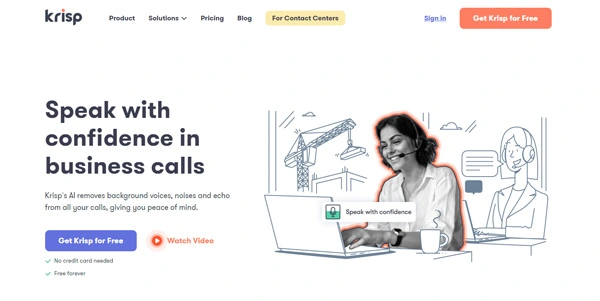


Updated on October 13, 2026
Krisp is a voice AI suite that removes background noise, echo and crosstalk from calls in real time, then transcribes and summarizes every meeting without placing a bot in the room. The company, founded in 2017 in Yerevan (Armenia) and headquartered in Berkeley, California, reports processing over 80 billion minutes of conversations per month through its SDKs. A 7-day free trial requires no credit card, and paid plans start at $8/month per person billed annually.
Krisp acts as a virtual audio driver sitting between the physical microphone and the conferencing app. It strips background noise, echo and secondary voices in both directions, with sub-15-millisecond processing latency. You select "Krisp Microphone" and "Krisp Speaker" in Zoom, Teams, Discord or OBS settings, and the filtering kicks in immediately.
No bot avatar appears in the meeting. Recording and transcription flow through the same local driver, a strong selling point for privacy-sensitive organizations. English transcription stays entirely on-device, while the other 15 supported languages go through Krisp's servers. After each call, "Ask Krisp" lets you query the transcript, and summaries push to Salesforce, HubSpot or Slack with a single tap.
A noisy home office, a sales call from an airport lounge and a 300-seat offshore contact center have very different requirements. The table below maps each profile to the feature that matters most.
| Profile | Key feature | Practical impact |
|---|---|---|
| Remote worker | Unlimited noise cancellation | Clean calls even next to construction |
| Field sales rep | Summaries and actions synced to CRM | Meeting notes ready before leaving the parking lot |
| Support agent | Listener-side accent conversion | Instant comprehension of any caller |
| Team lead | Shared workspaces and Manager view | Centralized overview of every team meeting |
| Contact center | Speech Analytics and Agent Assist | Automated call scoring and voice fraud detection |
The 7-day free trial unlocks every premium feature without a credit card. The Core plan then costs $16/month per person on monthly billing or $8/month billed annually. The Advanced plan, at $15/month annually, adds speaker-side accent conversion up to 4 hours per day, unlimited listener-side conversion, 60 GB of storage and Salesforce plus ConnectWise connectors. Enterprise pricing is custom and includes SSO, SCIM, unlimited storage and HIPAA compliance. For contact centers, CC Core runs $15 per agent per month billed annually. Pricing may change, so the official Krisp website is always the definitive source.
The app installs on Windows 10 or 11 (64-bit) and macOS 14 or later, with a minimum of 8 GB of RAM. On mobile (iOS and Android), offline transcription works but real-time noise suppression is not yet available. A Chrome extension covers those who spend all day in Google Meet. Among competitors, Otter.ai leans toward collaborative transcription, Adobe Podcast focuses on post-production audio editing, and Audio Cleaner AI handles browser-based file cleanup. Krisp remains one of the few tools combining real-time system-level filtering with bot-free note-taking.
Not permanently. Krisp provides a 7-day trial with no credit card that includes every premium feature. After that, the Core plan starts at $8 per month billed annually or $16 month-to-month. The Advanced plan is $15 per month on an annual commitment.
Install Krisp on Windows or macOS, then open OBS and go to the audio source properties. Set the input device to "Krisp Microphone." The noise filter applies in real time to the stream without additional plugins. Speaker-side filtering works the same way by selecting "Krisp Speaker" as the monitoring output.
Yes. The Krisp mobile app is available on iOS and Android. It transcribes online and in-person meetings, including offline. However, real-time noise suppression is currently limited to the desktop apps on Windows and macOS and is not yet supported on mobile.
Absolutely. The in-person meeting mode on both mobile and desktop captures ambient audio to transcribe and summarize a face-to-face conversation. Place the phone on the table or use the laptop microphone, and Krisp generates notes and action items that sync to the same shared workspaces as your video calls.
Verdict: Back-to-back calls all day, zero minutes spent writing notes afterward. Remote professionals buried in meetings, sales reps who want CRM-ready summaries before they leave the car, and contact centers needing accent conversion at scale will find Krisp handles the entire audio-to-documentation pipeline, though the English-only interface is worth noting.

« An all-in-one creative platform that brings together more than 30 image and video models in a single interface. It includes camera controls that let you direct like a real filmmaker, characters that remain consistent from scene to scene, and ready-to-use tools for ads and short-form content »



