
Upscayl
#181 in Image editing
« An open source image enlarger on MAC using AI and available for free on GitHub »
Similar AI Tools
 ChatGPT Image 2.5
  Nano Banana 2
  Adobe Firefly 3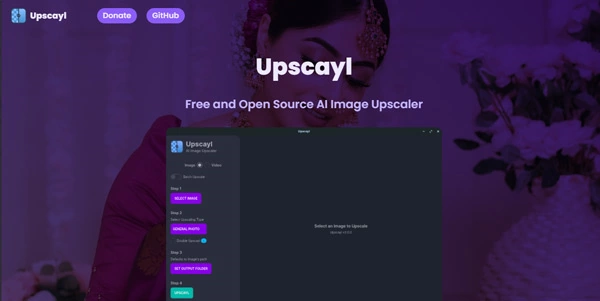


Updated on September 18, 2026
Upscayl is a free, open-source AI image upscaler for Windows, macOS and Linux that enlarges low-resolution pictures directly on your own computer. No account, no watermark, no upload. Two independent developers maintain the project, which has passed 46,000 stars on GitHub. An optional paid Cloud beta exists for machines without a dedicated graphics card.
Upscayl runs Real-ESRGAN super-resolution models on your graphics card through Vulkan, enlarging pictures by 2x, 3x or 4x per pass and reaching 16x when two passes are chained. Every calculation stays on your hard drive, no internet required after install.
You drop a crushed old JPEG into the window, pick a model and an output format, and the software fills in the missing detail on its own. Batch mode chews through whole folders while you do something else. Behind this little marvel sit two independent developers, Nayam Amarshe and TGS963, who keep the code open under an AGPL-3.0 license.
Six models come preinstalled, each tuned to a picture type, and custom NCNN models can be loaded for specialist workflows. Which one you pick genuinely changes the render (comparing two outputs of the same photo quickly becomes a habit, consider yourself warned).
Once the enlargement is done, a stop by some AI image editing tools for color and contrast finishes the job, since upscaling fixes neither exposure nor saturation on a washed-out shot.
| Model | Best suited for |
|---|---|
| Standard (general photo) | Landscapes and everyday pictures |
| UltraSharp | Maximum detail and strong textures |
| Remacri | Balanced output without over-sharpening |
| Ultramix Balanced | Mixed photo and graphic content |
| High Fidelity | Faces and illustrations, natural finish |
| Digital Art | Anime, drawings and screenshots |
The desktop app costs nothing and runs on Windows 10+, macOS 12+ and Linux, provided you have a Vulkan-compatible graphics card. Many integrated chips fail the test, so it is worth checking before downloading.
For machines without that GPU, Upscayl Cloud, still in beta, charges £9.99 per month for 100 credits, with a free trial and up to 40% off on annual billing. Beta pricing shifts over time, so treat the official pricing page as the only reliable reference.
Yes, the desktop application is entirely free, with no watermark, no account and no image limit, and its code is open source under AGPL-3.0. Only Upscayl Cloud, built for computers without a dedicated graphics card, works on paid monthly credits.
Officially no, a Vulkan-compatible graphics card is required to launch an upscale, and many integrated graphics chips fail. If your machine lacks a dedicated GPU, the Cloud version takes over in the browser, on paid credits.
Fixing focus blur or motion blur is outside its scope, and the team says so itself. Pixelated and low-resolution pictures are where it shines, so a sharp but tiny image gains far more than an out-of-focus one.
Topaz Gigapixel AI, sold as a $99 lifetime license, keeps an edge on fine face restoration and badly damaged photos, as does Magnific on the cloud side. Upscayl performs the same enlargement work locally and for nothing, which covers the vast majority of everyday jobs.
Verdict: Rescuing old family photos, preparing prints, enlarging game textures or batch-processing a whole archive, this is the app hobbyist photographers, budget-minded designers and Linux regulars keep in their taskbar, with a dedicated restoration tool as backup for heavily damaged faces.

« An all-in-one creative platform that brings together more than 30 image and video models in a single interface. It includes camera controls that let you direct like a real filmmaker, characters that remain consistent from scene to scene, and ready-to-use tools for ads and short-form content »



