
TradeOS AI
#19 in Finance
« Analyze markets, generate alerts, create agents, and automate your trading strategies using AI. Benefit from signals and intelligent management, accessible 24/7»

Verified Tool



Updated on October 7, 2026
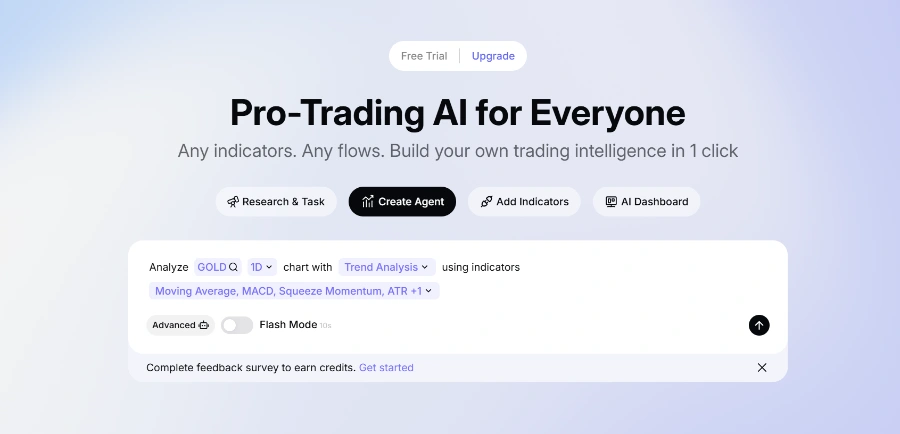
TradeOS AI is a no-code trading analysis platform that converts your technical analysis rules into AI agents watching stocks, forex and commodities day and night. Gold gets special treatment, with a dedicated XAUUSD strategy library on top of 12,500+ covered assets. Signing up costs nothing, and a Pro subscription opens the full agent lineup. The target audience spans technical traders of every stripe, from scalpers to swing and position traders.
TradeOS AI runs on Vibe Coding, in-house tech that compiles an instruction written in everyday language into an analysis workflow running around the clock. You type something like 'watch for a gold resistance break with ATR expansion', and the agent checks those conditions for you, nights included (the kind of chart-watching most traders abandon after three evenings).
In practice, each agent combines the staples of technical analysis, MACD, RSI, ATR filters, support and resistance zones, across seven timeframes stretching from 1 minute to 4 weeks.
XAUUSD technical analysis is the ground where TradeOS AI shows its method most clearly. The platform first classifies the gold market regime, compression, trend, stretched price or macro-event session, then applies the matching setup instead of forcing one recipe onto every session.
And rather than a bare bullish or bearish call, the agent spells out if conditions fit your plan, invalidation levels included. A strategy library dedicated to gold rounds off the package.
| Market regime | XAUUSD setup the agent monitors |
|---|---|
| Volatility compression | Breakout confirmed by ATR expansion |
| Directional market | Trend-continuation pullback |
| Stretched price | Mean reversion around VWAP |
| CPI or NFP release | Event-reaction rules |
Everything begins in the browser, where the workspace can be tried for free before moving to the Pro subscription. Listed prices differ from one directory to another, so the grid shown on tradeos.xyz is the only figure worth trusting when you pull out your card.
For tinkerers, TradeOS also ships an MCP server, part of a fast-growing family of connectors catalogued in this MCP server directory, which plugs its analysis engine into Claude, Cursor or Windsurf. One market question typed in your code editor, one structured multi-timeframe answer back.
Partly. The workspace can be tried at no cost after signing up, while a Pro subscription opens full agent monitoring. Listed prices vary across directories, so the official grid on tradeos.xyz is the one to trust. A creator program also pays $5 for every qualified Pro subscriber you refer.
No coding is required. You describe your trading logic in everyday words and Vibe Coding compiles it into an agent workflow running around the clock. MACD, RSI or ATR filters, support zones and confirmation rules are all defined without scripts, debugging or maintenance.
Trade execution stays in your hands. TradeOS positions itself around AI-assisted analysis and structured decision workflows rather than automatic order placement. Agents monitor, filter and explain setups matching your plan, while the final call and the order go through your own broker, a sensible split for risk control.
TradeOS is the official brand name. Spellings like Trade OS or Trader OS are common search variations according to the company's own FAQ, all pointing to the same no-code analysis service. Watch for namesakes though, several unrelated financial products carry very similar names online.
Verdict: Catching a gold breakout at three in the morning without being awake is where TradeOS AI pays for itself. Technical traders, from scalpers to swing traders, gain a tireless second pair of eyes, and quant-leaning profiles can plug the MCP server straight into their coding tools.

« An all-in-one creative platform that brings together more than 30 image and video models in a single interface. It includes camera controls that let you direct like a real filmmaker, characters that remain consistent from scene to scene, and ready-to-use tools for ads and short-form content »



