Notion Sites
#6 in Websites & Design
« Create an elegant website without coding, using an intuitive AI tool. Easily customize your pages, add dynamic content and publish everything quickly »

Verified Tool
Similar AI Tools
 Hostinger AI Hub
  Canva AI
  Lovable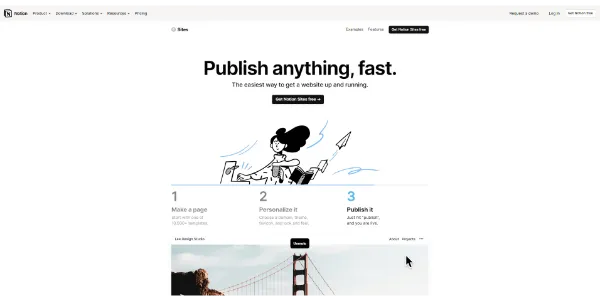


Updated on August 10, 2026
Notion Sites is the built-in web publishing feature of Notion: any page in your workspace can go live as a public website, sub-pages included. Publishing on a notion.site subdomain costs nothing, even on the free plan, while connecting your own domain runs about $8 per month with annual billing. Freelancers, teachers and small teams rely on it for portfolios, product docs and client wikis, with zero hosting to manage.
Publishing happens from the Share menu at the top of any page: open the Publish tab, flip the switch, and the page is live at your-name.notion.site. Every sub-page becomes a page of the site, with breadcrumb navigation handled for you.
Fix a typo in your workspace and it vanishes from the site right away, because the published version is the page itself, not a copy. That is nearly the whole setup, which is rather the point. The settings fit in a single panel:
Notion Sites shines on content-driven pages: portfolios, documentation, knowledge bases, launch pages and course material. Before it existed, making a Notion page public meant wiring up a third-party service like Super, Potion or Fruition; the native feature removes that second dashboard entirely.
There is a logic to the approach: using your workspace as a content management system kills double data entry. Notion earned its reputation among productivity tools first, and that history pays off here, since the public site lives right next to your projects.
| Profile | What goes online | Plan that covers it |
|---|---|---|
| Freelancer | Portfolio and online resume | Free |
| Startup | Launch page and product docs | Plus + domain |
| Teacher | Course outline and class material | Free |
| Small agency | Client-facing knowledge base | Plus |
The free plan publishes unlimited sites on a notion.site subdomain, indexable by Google. Paid plans, from $10 per month per seat with annual billing for Plus, add the custom homepage, header bar, SEO metadata and Google Analytics.
Then comes the custom domain (the free subdomain does give the game away a little). Notion sells no domains: you connect one you already own, through an add-on billed at $8 per month per domain annually or $10 monthly, up to 25 domains per workspace. These figures shift as Notion updates its plans, so treat the official pricing page as the final word.
Yes, for the basics: anyone on Notion, free plan included, can publish pages as public websites on a notion.site subdomain, with no cap on the number of sites. Advanced polish such as a custom homepage, SEO metadata and Google Analytics requires a paid plan, and custom domains come as a separate monthly add-on billed per domain.
Super gives you deeper design and SEO control, with custom domains from $12 per month. Notion Sites plays a different card: everything stays in one interface, with no third-party service to wire up and no second subscription to track, which is plenty for a portfolio, a wiki or public-facing documentation.
Up to a point. Published pages can be indexed, and paid plans let you edit the title and description that search engines display. There is no robots.txt file or fine technical tuning, though, so a high-traffic blog will feel the ceiling. For a portfolio or documentation site, this level of SEO does the job.
No, Notion does not sell domains at all. You purchase yours from a regular registrar such as Namecheap or Cloudflare, then connect it through the custom domain add-on by adding a few DNS records. The add-on follows your existing Notion billing cycle, monthly or annual, and each domain requires its own add-on.
Verdict: A website that updates itself every time you edit a page: that is the pitch, and it lands squarely for freelancers, teachers and small teams who already keep their work in Notion.