
Muse Code
#88 in Developer Tools
« Assign complex tasks on large deposits to multiple persistent agents. They plan changes, write code, and verify the results directly from the terminal »

Verified Tool



Updated on September 18, 2026
Muse Code is Meta's command-line coding agent, built to plan, write and check code across large repositories. Meta Superintelligence Labs, the AI unit led by Alexandr Wang, shipped it in beta in August 2026 and moved it out of beta within the month, adding subscriptions from $5 a month on top of pay-as-you-go billing. Several sub-agents split each job in parallel, each inside its own isolated Git worktree, so your working copy stays untouched.
Muse Code fans large tasks out to several sub-agents, each working in its own isolated Git worktree, with changes merged only after review (think parallel copies of the repo that never collide with yours). Mark Zuckerberg described an internal test where the agent built six game features at once without a single file clash.
In practice, you state the outcome in plain language, the agent plans, writes the code, then background reviewers check the result. A local event log records every model call, tool run and edit, so a session resumes after a crash and any decision can be replayed.
One clever touch, the agent reads AGENTS.md files but also CLAUDE.md and the skill folders of Claude Code and Codex. Settings built up on rival tools carry over as they are.
The in-house Muse Spark model, on version 1.3 since the beta ended, bills $1.25 per million input tokens and $4.25 per million output tokens, far below direct rivals. Three subscriptions now sit alongside metered billing.
A contributor plan drops the bill even lower, over ten times cheaper, provided you agree that your sessions help train the models. Rates in this market shift monthly, so treat Meta's pricing page as the only figure that counts.
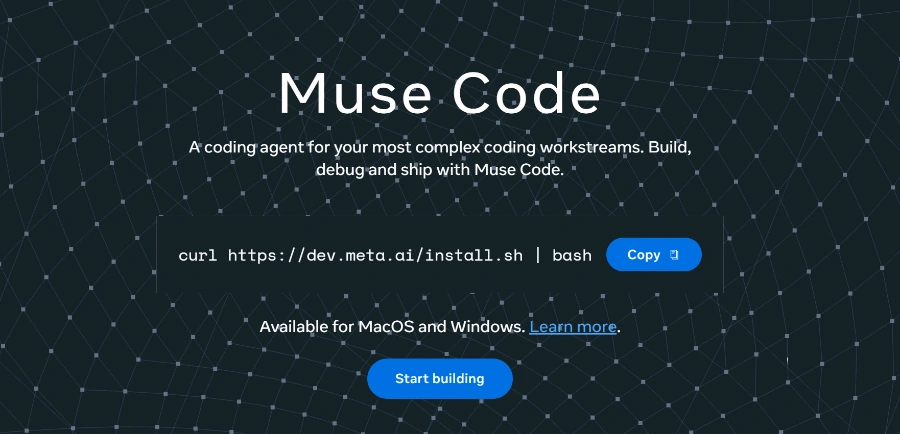
Installing Muse Code takes a single command on macOS or Linux, followed by a sign-in with a Meta developer account, and the official page now also lists Windows. No dedicated app, everything lives in the terminal.
For deeper builds, a TypeScript SDK opens up the engine through the Muse Session Protocol, a solid base for wiring your own autonomous AI agents. Sessions can even message each other between terminals over a local socket, with nothing crossing the network.
| Command | What it triggers |
|---|---|
| muse | Opens a session in the project folder |
| /plan | Drafts an action plan before writing code |
| /grill | Stress-tests that plan |
| /goal | Keeps working toward a stated goal |
No, Muse Code is billed per token or by subscription, starting at $5 a month on the Everyday Usage plan. Pay-as-you-go follows Muse Spark rates on the Meta Model API. The contributor plan cuts costs sharply in exchange for sharing your code with Meta for training.
Only on the contributor plan, which requires an explicit opt-in for your sessions to feed model training, in return for pricing over ten times lower. Standard billing and the subscriptions do not rest on that trade. For client or sensitive code, the standard route stays the careful pick.
Far cheaper per token, Muse Code leans on parallel sub-agents and its event log, while Claude Code keeps the most mature plugin ecosystem in the category. A test by The New Stack found Muse Code burned extra tokens on some tasks. For high-volume work on a budget, it earns a trial.
At launch, Muse Code targeted macOS and Linux with a one-command install. Meta's official page has since listed macOS and Windows availability. Check the download page for your system, as support has moved quickly since the beta ended.
Verdict: Over ten times cheaper on its contributor plan than standard metered billing, Muse Code competes on volume. Developers running long refactors across big repositories, and teams keeping an eye on their coding-agent bill, gain a sharp second option to keep next to their usual tools.

« An all-in-one creative platform that brings together more than 30 image and video models in a single interface. It includes camera controls that let you direct like a real filmmaker, characters that remain consistent from scene to scene, and ready-to-use tools for ads and short-form content »



