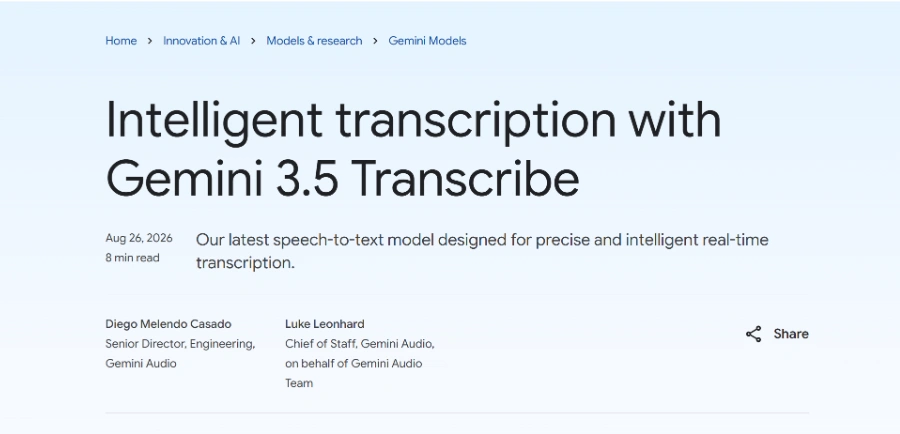
« A next-generation speech-to-text model that detects more than 85 languages, identifies different speakers, adds precise timestamps, and adapts to industry-specific vocabulary. Capable of converting raw audio into clean, formatted text, even in the presence of background noise»
Gemini 3.5 Transcribe: ramble into the mic, tidy text comes back
Updated on August 29, 2026
Gemini 3.5 Transcribe is Google's speech-to-text model, built to write spoken audio down as clean, punctuated, formatted text. A free tier lives in Google AI Studio, with API billing by audio volume beyond it. The model auto-detects over 85 languages, already powers the Rambler dictation feature on Android and the Gemini app on macOS, and sits on the same API as the rest of the Gemini family. Voice-app developers and heavy dictation fans are first in line.
Pros
Strips out ums, repeats and false starts on its own
Auto-detects over 85 languages with mid-sentence switching
Speaker labels and word-level timestamps built in
Free tier available in Google AI Studio
Sub-second latency on the live endpoint
Cons
Still in preview, details may shift
Reliable speaker separation capped at three voices
Audio files limited to one hour each
Smart mode or verbatim, what Gemini 3.5 Transcribe does with your words
Gemini 3.5 Transcribe ships with two output styles, a verbatim mode that keeps every hesitation and a smart mode that cleans the speech before writing it down. You say 'let's meet Tuesday, no, Wednesday' and only Wednesday survives in the final text, while the ums quietly vanish (nobody will miss them).
The rest hides in the technical details, and they matter daily. Where classic speech recognition plays the audio back word for word, this model behaves closer to a human proofreader.
On-the-fly language detection, even when two languages mix within one sentence
Speaker attribution with precise start and end times for every word
Custom vocabulary, up to 1,000 domain terms or proper names to favor
Function calls to other Gemini models to hand off a task by voice
Official walkthrough of building a voice app with the model
A 2.6% word error rate and a 70% speed jump over Chirp 3
The model posts an average word error rate of 2.6% on pre-recorded audio and 4% in streaming, as measured by Artificial Analysis at launch. Against Chirp 3, its Google predecessor, time to final transcription drops by 70%.
Rivals are wide awake, though. At launch the model sat fifth on the Artificial Analysis non-streaming board, behind ElevenLabs Scribe v2 among others, and OpenAI prices its own file transcription in the same range. Google's edge lies elsewhere, one single call returns speakers, timestamps and formatting, where other stacks bolt several pieces together for the same job.
Where to use Gemini 3.5 Transcribe and what a minute costs
Access runs through the Gemini API in Google AI Studio, through Google Cloud's agent platform, or through Google's own products. On Android, Rambler dictation already relies on it, and a Chrome rollout has been announced. The live variant targets real-time captioning and the kind of AI voice tools where every millisecond counts.
On the billing side, a minute of audio comes to a blended $0.005 for files and around $0.009 for live streaming, free tier included on both endpoints. Those figures describe the preview period, so check Google's pricing page before building a budget around them.
Partly, yes. A free tier is available in Google AI Studio, and consumer features built on the model, like Rambler on Android, cost nothing. Past the free allowance, the API bills by audio volume, and file transcription ranks among the cheaper managed speech services currently on the market.
Gemini 3.5 Transcribe or Whisper, which one should you pick?
It comes down to infrastructure. Whisper is open source and self-hostable at near-zero marginal cost, but it returns raw text with no cleanup and no speaker labels. Gemini 3.5 Transcribe delivers formatted, timestamped, speaker-attributed text in one call, with no server of your own to run.
How many speakers can the model tell apart?
Three speakers get reliable attribution on pre-recorded audio, timestamps included. Beyond three, the feature exists but Google still labels it experimental, so a six-person panel discussion will call for a careful proofread of the output before you publish anything.
Does Gemini 3.5 Transcribe handle accents and language switching?
Yes on both counts. Google highlights regional accents and dialects as a strength, and language detection works per utterance across the 85+ supported languages, so a conversation flipping between English and Spanish mid-sentence stays intact. Custom vocabulary also helps it catch names and jargon it would otherwise mangle.
Verdict: Hours of re-listening saved on every recorded call, that is the pitch in one line, and it lands squarely with voice-app builders, caption pipelines and dictation die-hards on Android.
To provide the best experiences, we use technologies such as cookies to store and/or access device information. Consenting to these technologies will allow us to process data such as browsing behavior or unique IDs on this site. Failure to consent or withdrawal of consent may adversely affect certain features and functions.
Functional
Always active
Storage or technical access is strictly necessary for the legitimate purpose of enabling the use of a specific service explicitly requested by the subscriber or Internet user, or for the sole purpose of transmitting a communication over an electronic communications network.
Preferences
Storage or technical access is necessary for the legitimate purpose of storing preferences that are not requested by the subscriber or person using the service.
Statistics
Storage or technical access used exclusively for statistical purposes.Storage or technical access which is used exclusively for anonymous statistical purposes. In the absence of a subpoena, voluntary compliance by your Internet service provider or additional third-party records, information stored or retrieved for this sole purpose generally cannot be used to identify you.
Marketing
Storage or technical access is necessary to create profiles of Internet users in order to send advertisements, or to track the Internet user on a website or on several websites with similar marketing purposes.
To provide the best experiences, we use technologies such as cookies to store and/or access device information. Consenting to these technologies will allow us to process data such as browsing behavior or unique IDs on this site. Failure to consent or withdrawal of consent may adversely affect certain features and functions.
Functional
Always active
Storage or technical access is strictly necessary for the legitimate purpose of enabling the use of a specific service explicitly requested by the subscriber or Internet user, or for the sole purpose of transmitting a communication over an electronic communications network.
Preferences
Storage or technical access is necessary for the legitimate purpose of storing preferences that are not requested by the subscriber or person using the service.
Statistics
Storage or technical access used exclusively for statistical purposes.Storage or technical access which is used exclusively for anonymous statistical purposes. In the absence of a subpoena, voluntary compliance by your Internet service provider or additional third-party records, information stored or retrieved for this sole purpose generally cannot be used to identify you.
Marketing
Storage or technical access is necessary to create profiles of Internet users in order to send advertisements, or to track the Internet user on a website or on several websites with similar marketing purposes.