
Adobe Content Credentials
#7 in Legal Assistants
« A free web application from Adobe to protect your digital creations. Easily add metadata to your images, videos and audio files, choose to exclude your content from AI training, and more »
 Harvey
  Legora
  DoNotPay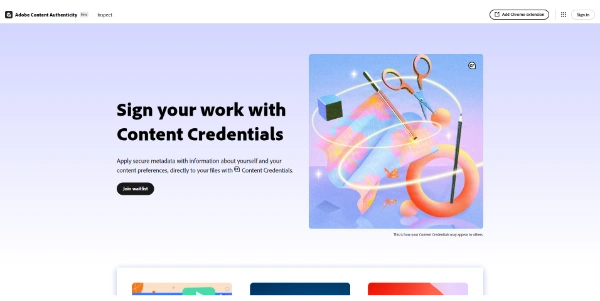


Updated on September 15, 2026
Adobe Content Credentials is a system of secure, tamper-evident metadata recording who made a piece of content, with which tools, and if generative AI was involved. It runs on C2PA, the open standard behind the Content Authenticity Initiative that Adobe started in 2019. Signing and inspecting files costs nothing through the Adobe Content Authenticity web app, currently in public beta, no Creative Cloud subscription attached. Photoshop, Lightroom and even some cameras plug into the same chain.
Content Credentials are encrypted, cryptographically signed metadata that record a file's author, the software or device involved, the edits applied and any use of generative AI. Adobe co-founded the open C2PA standard behind them, and the Content Authenticity Initiative now counts over 4,500 members, including LinkedIn.
The durability comes from three layers, embedded metadata, invisible digital watermarking and a fingerprint of the file. You post a photo on a forum that wipes metadata, someone screenshots it, the signature can still be recovered. Once applied, it can no longer be edited, and any later tampering gets flagged to viewers.
Adobe Content Authenticity is the free web app, in public beta since spring 2025, for applying, customizing and reading Content Credentials. You drop up to 50 files in JPG or PNG, 20 MB each at most, attach your LinkedIn-verified name and social accounts, and every image leaves signed (desktop only for now, mobile will have to wait).
Then there is the AI training question. The app lets you state a preference asking generative models not to train on your work, a signal currently honored by Adobe Firefly and Spawning.
| Tool | What it does |
|---|---|
| Web app, Apply tab | Signs batches of images with verified identity |
| Web app, Inspect tab | Shows a file's full history, nothing gets stored |
| Chrome extension | Surfaces the Cr badge on any website |
| Photoshop, Lightroom, Premiere Pro | Attach credentials at export |
| Adobe Firefly | Labels generated content automatically |
Cameras such as the Leica M11-P and Nikon Z9 embed Content Credentials at capture, before edits in Photoshop or Lightroom. At the other end, the Cr badge shows up on LinkedIn and Behance, and Meta reads these signatures as one signal for its AI labels on Facebook and Instagram. Declared at the source, they pair nicely with AI detection tools, which have to guess after the fact.
Regulation is pushing the same way. With the EU AI Act and the California AI Transparency Act requiring disclosure of generated content, getting the habit early is a smart move for anyone publishing online.
Yes, the Adobe Content Authenticity web app is free and in public beta, with no Creative Cloud subscription required. An Adobe account is enough to sign batches of images and inspect any file. Features built into Photoshop, Lightroom or Premiere Pro do require the regular subscription for those apps.
Not really, by design. Some platforms strip metadata on upload, but the invisible watermark and digital fingerprint let the Inspect tool recover the signature, even from a screenshot. Once applied, the information cannot be edited, and any later modification of the content becomes detectable.
No, the setting is a stated preference, not a technical lock. Adobe Firefly and Spawning honor it today, while other models remain free to ignore it. It still carries weight, since it rides on an open standard backed by thousands of organizations and encouraged by regulators.
Nothing you upload to the Inspect tool is stored. When signing, only about one kilobyte of signed metadata goes to the public Content Credentials cloud, never the full image. Keep in mind that published credentials can surface when someone inspects content closely resembling yours.
Verdict: Zero dollars, an Adobe account and a few minutes per batch, an easy call for photographers, illustrators and newsrooms determined to keep their name attached to what they publish.

« An all-in-one creative platform that brings together more than 30 image and video models in a single interface. It includes camera controls that let you direct like a real filmmaker, characters that remain consistent from scene to scene, and ready-to-use tools for ads and short-form content »



